June 18, 1404 21:31
Which PIN Codes are most used and why shouldn’t they go? Multiply the security of your device by setting the right password.
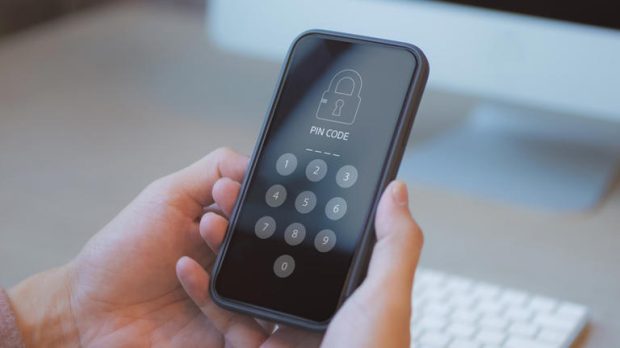
Many users must go to very simple codes like 0000 or 1234 when choosing a phone password. But it should be noted that using this PIN code can greatly endanger the security of mobile phones.
In this post we will look at the worst and most common codes of the phone; Codes that are easily guessing and should not be used.
Do not destroy the security of your phone with this PIN.
According to the ABC network analysis using the data of Havebeenpwned site, about 10 percent of users use 1234 passwords for their phone. The next rank is the code of 1111 and 0000. Even a code -like pin, like 1342, which may seem a bit more complex, is the fourth most recent code in the world.
In the meantime, many users use passwords that start with the year of birth. That is, many of these codes start with 19 or 20; Like 1986, 1995 or 2004. Such passwords are used not only for the phone, but also for logging into accounts, bank card passwords and other devices, and thus are more endangered.
Using simple four -digit codes may be easy to remember, but this simplicity also makes it easy for other people to guess. The four -digit password has only 10,000 possible combinations, and if the phone is incorrect, it will not be difficult to unlock it.
Given that most users store their personal information, images, messages and even financial data to the phone, this can have serious security consequences.
Increasing the security of the phone in less than a minute
It is recommended to use six -digit passwords instead of a four -digit password. Increasing the two digits in the password causes the number of possible modes to increase from 10,000 to one million; It will be much more difficult to guess.
How to set a 6 -digit password on Android phones
- Enter the Settings section.
- Then go to Security> Screen Lock. (In Samsung phones: Security and Privacy> Lock Screen)
- Enter your current password.
- Select the PIN option and set a new 6 -digit password.
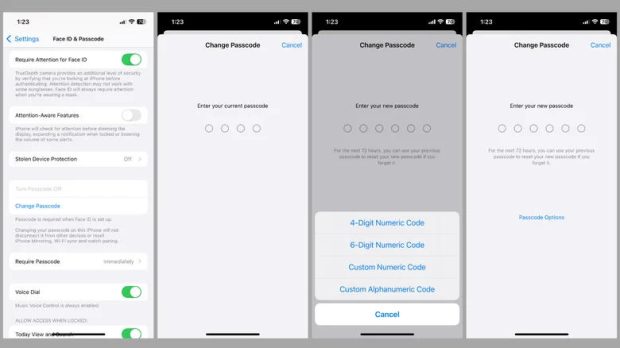
How to set a 6 -digit password on the iPhone
- Enter the settings and tap Face ID & Passcode or Touch ID & Passcode.
- Enter your current password.
- Select the Change Passcode option and re -enter the current password.
- From the options, select PassCode Options and then 6-Digit Numeric Code.
- Enter and confirm the new 6 -digit password.
Avoid numbers such as 0000, 1234 and 1111 or common patterns such as 2580. In addition, be careful that you should not use the PIN code of birth, phone number or car license plate. Try to change the password periodically and not always use a fixed password.
If possible, use combinations including letters and numbers to make it a little more difficult. Try to use unpredictable passwords for important accounts and apps.
PIN code plays a vital role in protecting users’ personal and professional information. Choosing simple and conventional passwords, such as 1234 or 0000, means ignoring the most basic principles of cyber security.
(tagstotranslate) Mobile phone security (T) Password

RCO NEWS