Imagine being able to remove disturbing objects from the photo with just a few clicks, expand the image frame without losing quality, or even create completely new elements in harmony with the image; A job that required hours of time and professional skill until just a few years ago. Photoshop’s artificial intelligence has entered the field with exactly this goal; Simplifying complex processes and making image editing a fast, smart and accessible experience for all users.
By developing the Adobe FireFly platform, Adobe has been able to add features to Photoshop that not only increase the speed of work, but also play the role of a creative assistant. With the help of these tools, from the automatic detection of the subject and the sky to the production of new content based on the textual explanation, everything is designed so that the user has the least technical involvement and the most focus on ideas and creativity.
In the new version of Photoshop 2026, these smart features are more accessible than ever and are useful for a wide range of users, from beginners to professional designers. In this way, you will no longer need artificial intelligence image editing tools separately and outside of the Photoshop program. In this comprehensive guide, you’ll learn how Photoshop’s artificial intelligence works, what features it offers you, and how you can use it to make your image editing tasks easier, faster, and more professional.
What is Photoshop artificial intelligence and what are its capabilities?

Photoshop artificial intelligence refers to a set of intelligent features that are implemented in Photoshop software to make the image editing process faster, easier and more accurate. These capabilities allow Photoshop to analyze the content of the image, recognize subjects and, if needed, automatically reconstruct or generate parts of the image.
At the core of this system are concepts such as artificial intelligence and machine learning developed by the Adobe Firefly platform. As Adobe’s main artificial intelligence engine, Firefly is considered the basis of many new features of Photoshop and plays an important role in the production of visual content.
One of the most well-known features of Photoshop’s artificial intelligence is the Generative Fill tool. This tool, like other photo background removal tools with artificial intelligence, allows the user to remove unwanted objects, add new elements, or restore empty parts of the image in a natural way, just by selecting a part of the image and entering a text description. This process is done without the need for complex skills and the end result is often very close to reality.
What is the difference between Generative Fill and Adobe Firefly?
Understanding the difference between Generative Fill and Adobe Firefly is absolutely necessary to properly use Photoshop’s artificial intelligence, as these two concepts, although related, have different uses and positions and are not designed for the same scenarios.
Adobe Firefly
Adobe Firefly is actually an independent artificial intelligence platform developed by Adobe and plays the role of the central engine of content creation. Firefly has the ability to generate images, text effects, and vector graphics directly from a text description. Simply put, Firefly is used when you don’t have an image yet or want to create a new visual content from scratch. This tool is mostly used for idea generation, conceptual design, artwork production and making new graphic elements.
Generative Fill
In contrast, Generative Fill is a built-in feature in Photoshop that works directly on existing images. Generative Fill comes in handy when you have a photo or sketch and want to change, delete, or expand part of it. This tool analyzes the image, understands the surrounding environment of the selected area and generates new and coordinated content based on the same image.
Key difference between Generative Fill and Adobe Firefly
The key difference between these two tools is their starting point. Adobe Firefly goes from text to image, but Generative Fill from image to image. Firefly is suitable for creating ideas and producing raw content and actually works like artificial intelligence tools for creating photos, while Generative Fill is designed for intelligent editing and completing existing images. For this reason, Firefly’s output is usually a standalone image, but Generative Fill’s output is considered part of a larger image that must be in harmony with the surrounding light, color, and texture.
Another important point is that Generative Fill actually uses the processing power of Adobe Firefly. That is, Firefly is an artificial intelligence infrastructure, and Generative Fill is one of its practical applications in the Photoshop environment. This integration has made the user have access to the power of Firefly content creation without leaving Photoshop and make the editing process faster and easier.
What features does Adobe Firefly have?
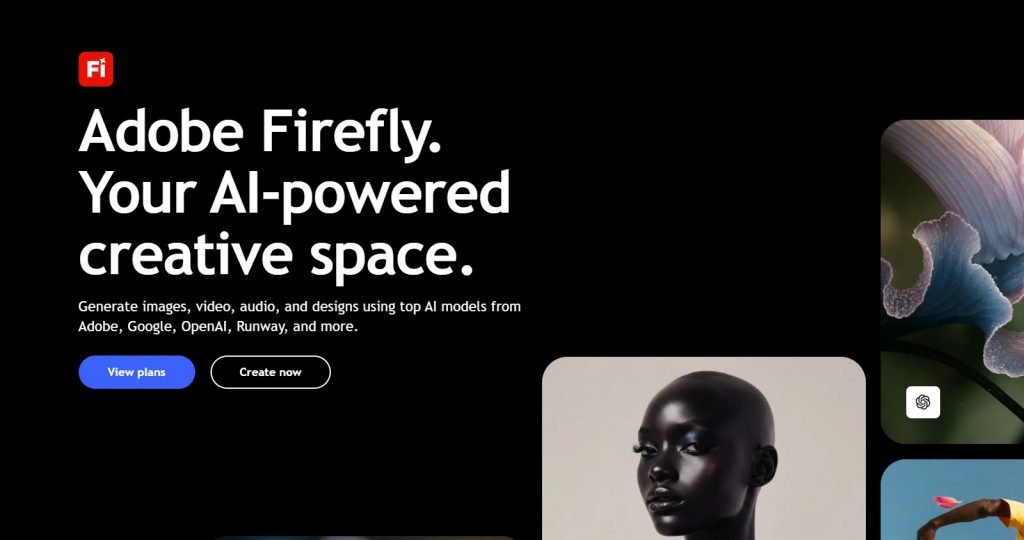
Adobe Firefox is designed to be used by both professional users and beginners. This platform enables the conversion of text description to image, allowing you to depict your visual ideas with just a few words. Another important feature of Firefly is the production of vector graphics from text, which is very useful for designing icons, logos, and user interface elements.
Firefly also integrates well with other Adobe tools, and its outputs can easily be used in Photoshop, Illustrator, and other software. This integration has made the design process from idea to execution much faster and smoother.
Study suggestion: Installing plugins in Photoshop
How to access and use Adobe Firefly
To use Adobe Firefly, you must first have an active Adobe Creative Cloud account. After signing in to your account, you can access Firefly through the official Adobe website or Creative Cloud dashboard.

In the Firefly environment, you select your project type. Then you write a detailed text description and specify settings for style, lighting, and image details. The clearer and more precise your explanation, the more professional the final output will be. This process is completely understandable even for people who have no design experience.
What features does Generative Fill have?
Generative Fill is one of the most important features of Photoshop artificial intelligence. This tool allows you to intelligently remove or restore parts of the image. For example, if there is a distracting object in the photo, you can select it and ask Photoshop to restore that area naturally.
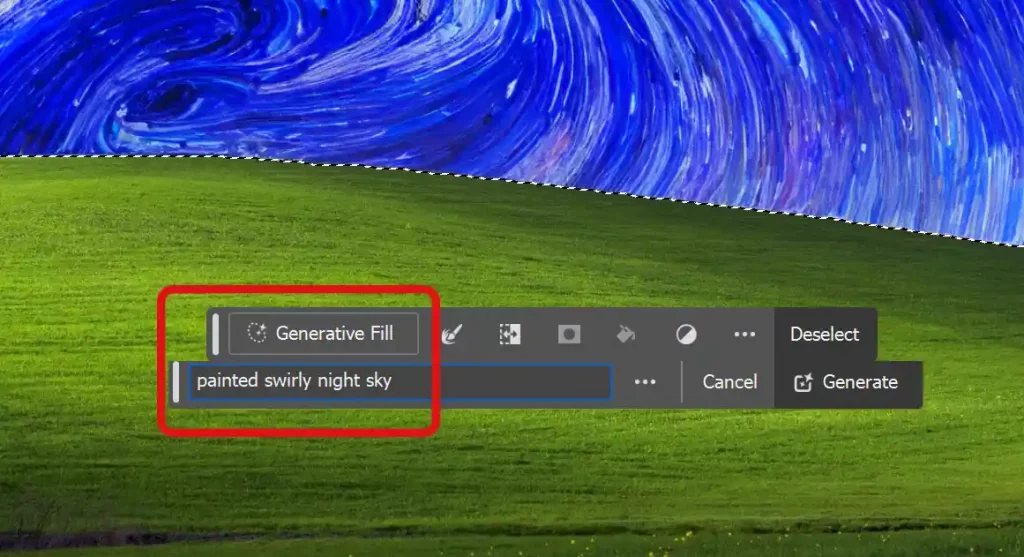
In addition to deletion, it is also possible to add new elements. You can add sky, objects or even creative elements to the image without the result looking artificial. Also, the ability to expand the image allows you to enlarge the photo frame and create new details that are in harmony with the original image.
How to access Generative Fill and its free status
To use Generative Fill, you must have installed the new version of Photoshop 2026. This feature is not completely free and its use depends on the monthly credit of the Creative Cloud account.
After opening the image, just select a part of it. The Smart Toolbar will automatically appear and provide you with the Generative Fill option. In this step, you can enter a text description or leave it blank for Photoshop to make a decision based on the image analysis.
summary
In 2026, Photoshop AI is not just an accessory or luxury tool for professional designers, but has become an integral part of the image editing process. By relying on Adobe Firefly, Adobe has been able to minimize the distance between the user’s mental idea and the final output and turn many time-consuming and complex tasks into fast and intelligent processes.
In the meantime, Generative Fill, as one of Photoshop’s most important artificial intelligence tools, plays the role of a creative assistant; An assistant that can remove, add or reconstruct image elements with high accuracy and minimal manual intervention. Combining this feature with other Photoshop smart tools has made users able to focus on technical details and focus more on creativity, ideas and visual quality of their work.
FAQ about Photoshop AI
What is artificial intelligence in Photoshop and what is its application?
Photoshop AI is a set of smart tools like Generative Fill that simplify image editing and creation. This feature allows users to delete, expand or change parts of the photo with a few clicks. AI tools are based on machine learning and provide a natural and image-compatible result, even for Photoshop beginners.
How to activate the artificial intelligence of Photoshop 2026?
To activate Photoshop 2026 AI, you must install Photoshop version 25 or higher and sign in to your Adobe account. Then make sure you are connected to the internet and use the Generative Fill menu. If the tool is not enabled, check regional settings or access restrictions and use a VPN if needed.
What possibilities does the use of Photoshop 2026 artificial intelligence provide?
Using the artificial intelligence of Photoshop 2026 provides facilities such as removing objects, changing the background, expanding the frame and adding new elements to images. With a few clicks and without the need for complex skills, these tools will help you create professional and creative images and reduce editing time.
Why isn’t Photoshop’s AI tool enabled for me?
If Photoshop’s AI tool isn’t enabled for you, it’s probably due to one of the following reasons: your version of Photoshop is out of date, you’re not signed in to your Adobe account, you have a poor internet connection, or you have regional restrictions. To fix the problem, update Photoshop, sign in and enable VPN if needed to display Generative Fill.
Is Photoshop artificial intelligence usable on all systems and regions?
Photoshop AI is currently only enabled on newer version systems and in regions authorized by Adobe. Some countries, such as Iran, have access restrictions and a VPN is required. Also, the system must have the right hardware and operating system for the tools to work properly.

RCO NEWS