Using the Geminai chatbot floating window on Android comes with an important limitation that disrupts the process of multitasking. When you activate Gemini with a voice command or by holding down the power button, the assistant will appear on top of whatever app you’re using. But Google wants to solve this problem in the next updates.
Although this window looks like a floating window, it doesn’t actually behave like that, and as soon as you tap on the background to go back to another app, Gemina closes completely. When you open it again, the previous conversation is gone and you have to start over, which makes doing longer or time-consuming tasks annoying.
Google is now working on a solution to fix this exact problem. According to Android Authority, the latest beta version of Google’s app shows that Gemina’s floating window is being redesigned so that it no longer disappears when you leave it.
Gemini can do various tasks in the background without taking up screen space
That is, instead of closing, the window becomes a small floating button that remains on the screen, allowing the Gemina chatbot to remain active in the background while you continue to use other apps. Of course, this feature has not yet been officially activated and is undergoing its testing stages.
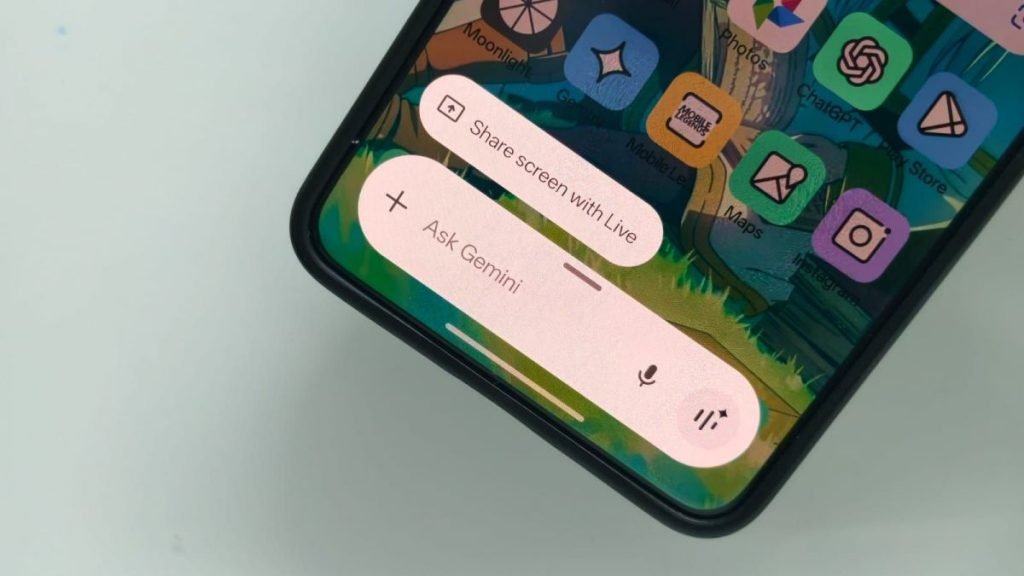
With this new feature, Gemini can continue to work in the background while you continue to use other programs. For example, you can ask this chatbot a question, switch to another app while Gemina is processing it, and return to the same conversation with the touch of a floating button when the answer is ready.
This feature allows you to easily switch between apps, add information and context from other apps, and modify your request without having to reset the session each time. After finishing the work, you can completely close the gemina with a simple movement.

RCO NEWS