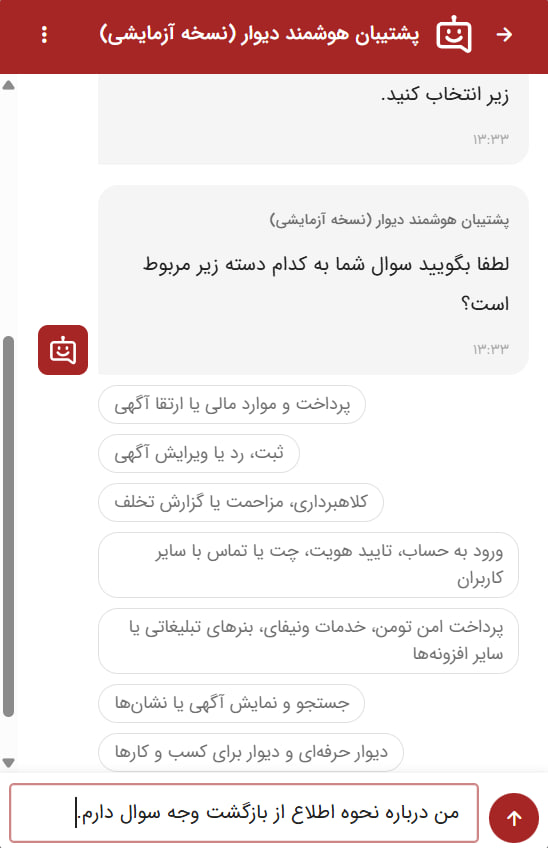
The most important feature of this update is to allow direct conversation with “Smart Backup”. Prior to that, users were only associated with support by selecting predetermined options; But now they can type their questions directly and speak with their own smart backing.
This change has had a significant impact on the quality of support; So that positive feedback from users is increased by 5 % and their problems are resolved with more speed and accuracy. Of course, the ability to select default options remains active for users who prefer this method.
“It is important to hear the voice of the user and understand the problem,” says Artabaz Shidani, the Wall’s “Smart Backup” product manager. We wanted to create both a better and more satisfying experience for users to get their questions easier and we wanted to make it more complete and more detailed so that we could identify the issue more accurately and, in addition to better responding, to convey the most relevant wall team to solve the problem.
Key Goals and Benefits of Smart Backup Upgrade
The main purpose of this upgrading is to understand the needs of users and create a more satisfying experience for them. The capability of direct conversation allows users to discuss their issues in detail in their own language. This approach helps the wall identify the problems more accurately and, in addition to providing the right response, take steps to root them in the product.
The following features have also been added to the smart backup to improve the user experience as possible:
- Receiving detailed feedback: When receiving feedback, a smart backup will receive more details from the user by asking additional questions. These feedbacks help to continually improve the wall.
- Providing additional information: In addition to the main answer, the options related to the user’s subject are also recommended to provide more comprehensive information.
- Dialogue History: Access to the history of conversations is provided so that users can refer to their former conversations at any time and review the required information.
- Connecting to Human Experts: When the smart backup fails to completely solve the problem, connects the user to the human expert to receive specialized support.
- Technology -based support: For better smart backup performance, an advanced structure of artificial intelligence is used to perform different tasks with high accuracy and provide the best possible experience for the user.
Pictures of changes
Previously, interaction with smart backup was possible only by selecting limited options. In the new update, users can type their questions directly and have a natural and direct conversation with a smart backup.
In addition, the new smart backup to provide more comprehensive information also offers issues related to the user’s question to help better understand the problem and solve it faster.
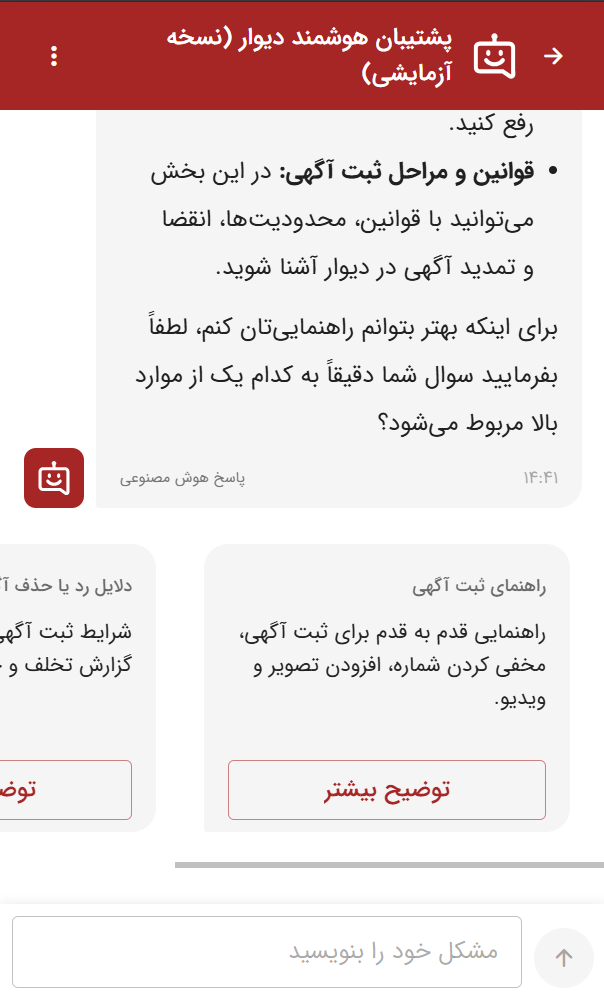
The 4 -hour smart backup is ready to answer questions and solve users’ problems throughout the week. This feature is currently activated for 5 % of wall users and will be available to all users. The wall is evaluating feedback to continually improve the service.
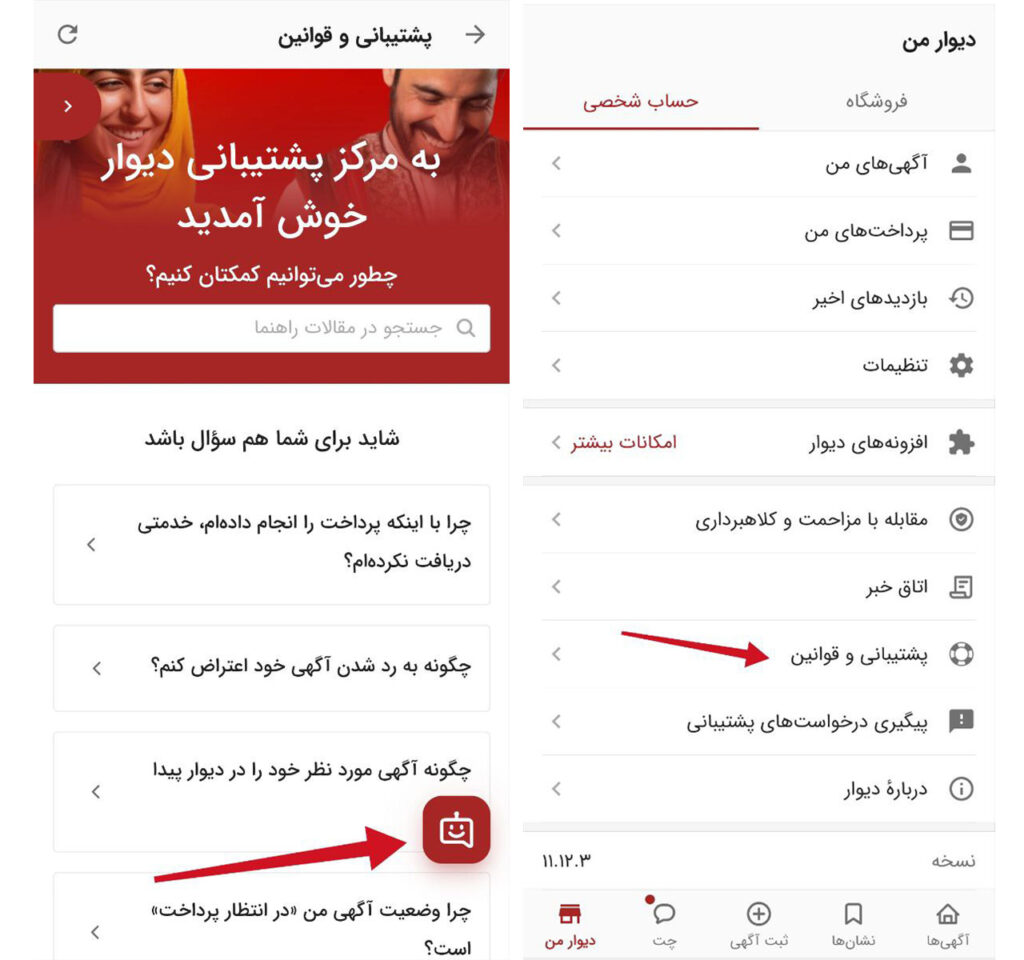
To use the smart backup feature, follow the following path in the wall app:
My Wall> Support & Rules> Smart Backup (Click on the Robot icon)

RCO NEWS