If you’re looking for the best iPhone music player to listen to songs without the need for the Internet, apps like Melodista and Evermusic are the most useful free choices in 2026. Finding an efficient application that can bypass the limitations of the Apple operating system is a constant concern of the owners of these phones. In this article, we will go directly to the introduction of the best options so that by installing them, you can have a powerful audio archive on your mobile phone and enjoy music without consuming the amount of internet.
26,917,700
26,390,000
Toman
Melodista; Simple design without ads
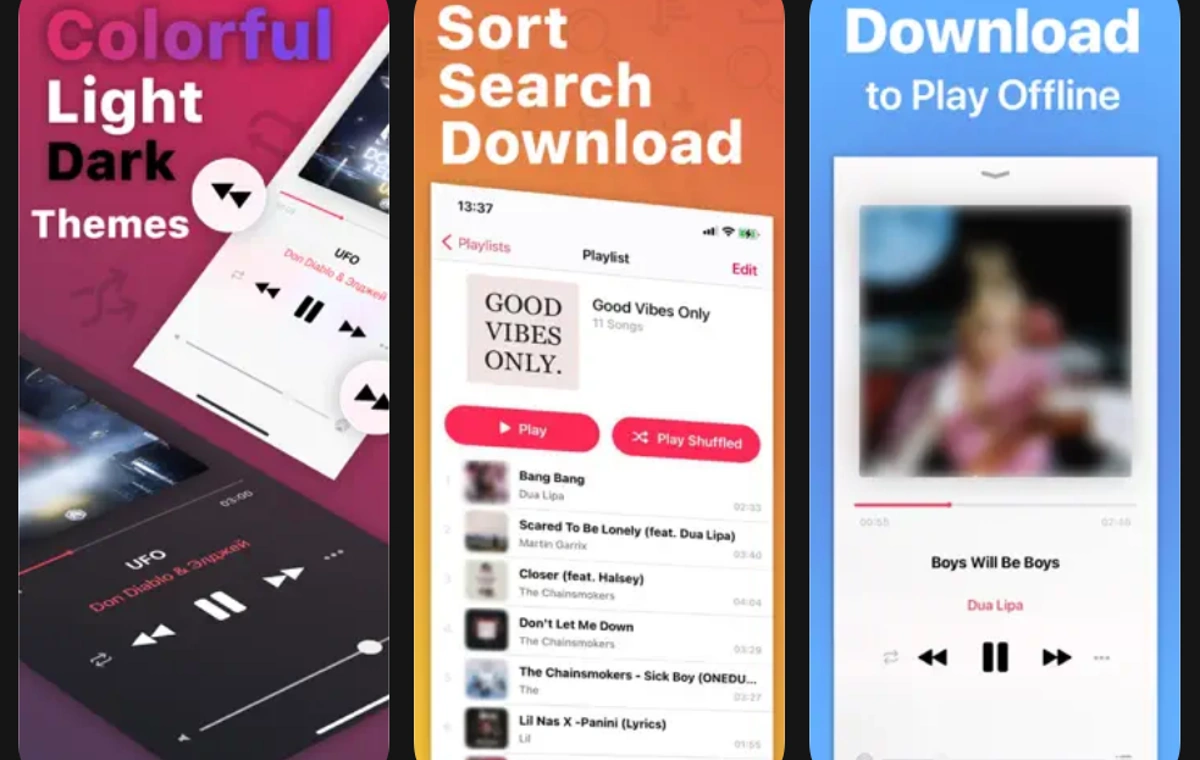
The Melodista application is considered one of the most attractive and smooth applications for users who want to escape from crowded environments. The developers of this software have provided an extremely relaxing environment for music lovers by focusing on minimal design and removing annoying ads. In this environment, you will be able to import your audio files from cloud storage spaces or the phone’s file management section into your personal library in the simplest possible way. The ability to edit the basic information of the songs also allows you to change the name of the singer and the image on the album cover according to your personal taste, which is very useful for regular people.
In addition to the attractive appearance, the technical features of this software are also extremely impressive, and this makes it a serious candidate for the title of the best iPhone music player. The smart Sleep Timer tool in this program is designed to automatically cut off the sound playing before going to sleep to prevent excessive battery consumption. Also, the Dark Mode option offers a dark and eye-catching theme that is developed to protect vision in low-light environments and makes the app look more modern.

Evermusic; Professional management and server connection
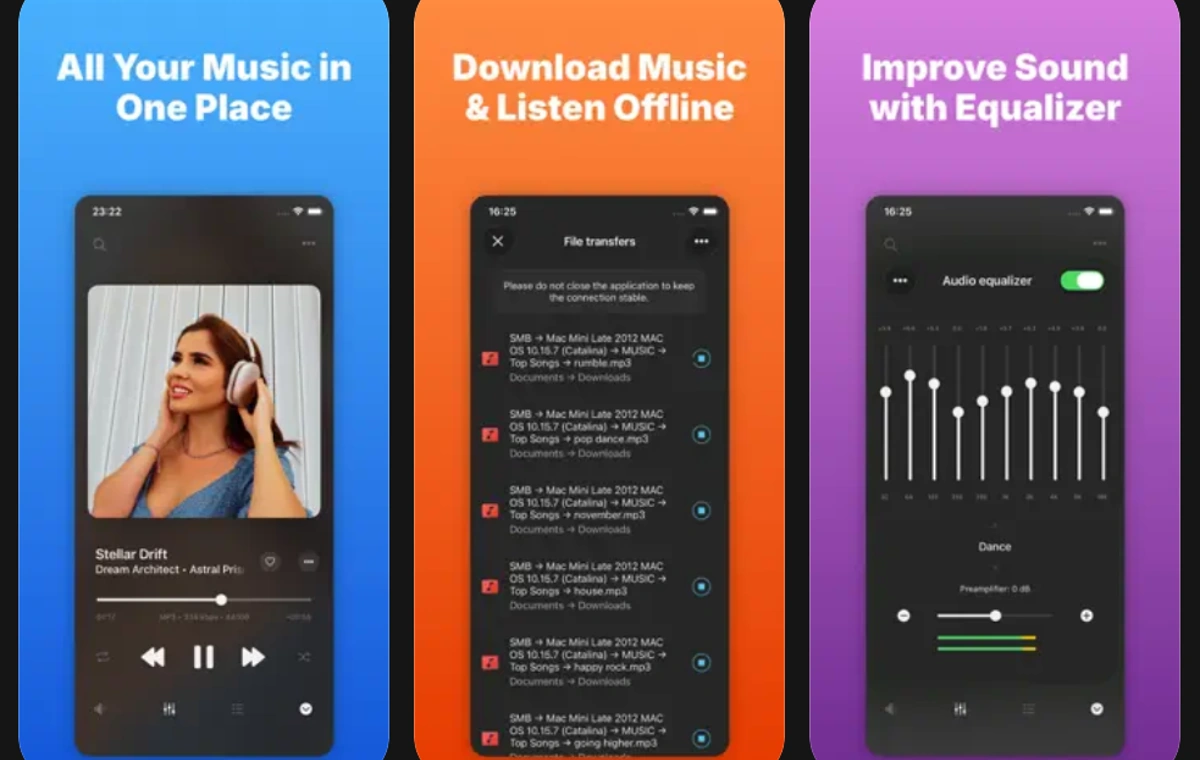
For users who keep huge archives of audio tracks on the Internet, Ormusic will act as an all-in-one assistant. By creating a safe communication bridge between your phone and platforms such as Google Drive or Dropbox, this application provides the possibility of playing files directly without occupying the internal space of the mobile phone. When you are going on road trips or in areas with weak network coverage, you can download the songs you want in advance to enjoy listening to them without connecting to the network. This level of integration between the cloud and local memory will create a unique experience for the audience.
The specialized features of this software have been developed to meet the needs of professional users. The dedicated Playlist Manager section in this program makes creating and editing playlists a pleasure and makes it easy to organize thousands of audio files. On the other hand, the Gapless Playback system removes the short breaks between the tracks of an album and brings a continuous stream of sound to your ears. With the help of the advanced Audio Equalizer menu, you can also adjust the audio frequencies so that the output of the speaker can be personalized according to your favorite music style; A set of features that make it the best iPhone music player in the field of cloud data management.
Flacbox; Unparalleled sound quality
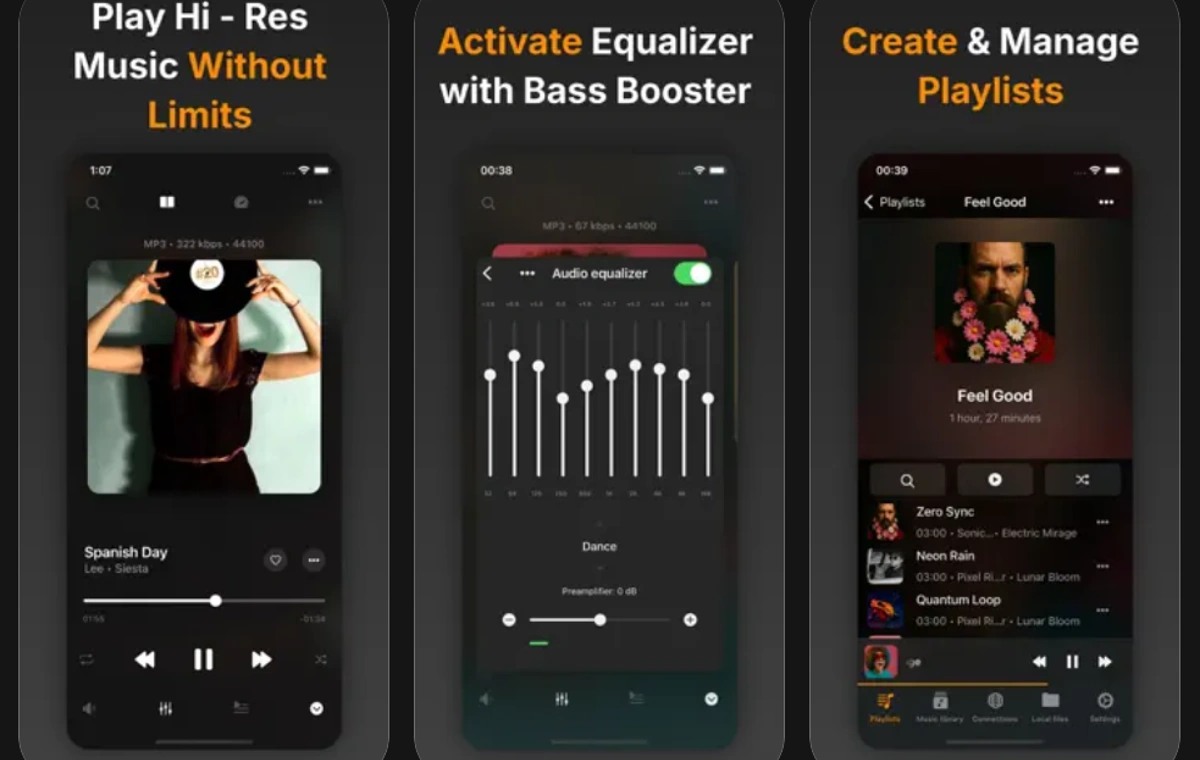
If you are one of those people who care a lot about sound details and listening to original quality music is a priority for you, Fleckbox will be exactly what you are looking for. This application has been developed with a completely specialized approach for processing and playing high-resolution audio files or formats without quality loss. The powerful processing engine of this program works in such a way that even the heaviest audio files can be played without any delay or frame drop, and the final output is a clear, real and completely alive sound.
The support of modern technologies and the possibility of connecting to various sources have placed this tool in a special position. Full compatibility with the Apple CarPlay smart system helps you access your high-quality archive on the car screen while driving. On the other hand, the ability of Hi-Res Audio Support to accurately reproduce and reproduce high frequencies makes you hear the smallest sound effects hidden in the background of the song clearly. These features have made demanding users assign the title of the best iPhone music player to this program.
Audiomack; Discover new songs
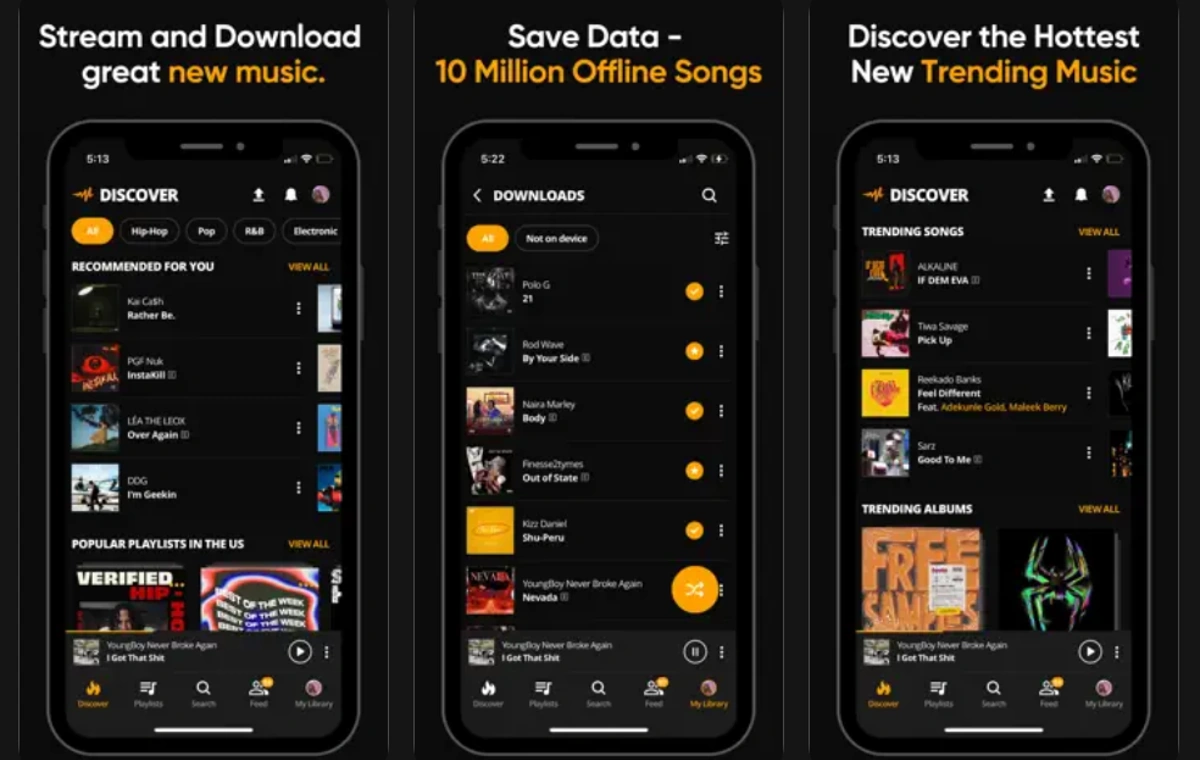
This platform has entered the market with a completely different and creative approach to be a gateway to the world of trending and global music in addition to playing the role of a local broadcaster. In the free version of this application, you will have the opportunity to search among thousands of new tracks and find your favorite songs. After finding the desired tracks, it will be possible to download them to the device’s memory so that you can listen to them without any problems when you don’t have access to the network. The combination of memory management tools with social networking features has turned this program into a unique package.
In addition to search capabilities, live editing features are also built into this program, which doubles its appeal and is a strong reason to introduce it as the best iPhone music player. A very fun built-in mixer called Audiomod lets you slow down and speed up tracks or apply cool effects like reverb to them live. Offline Mixtapes also optimizes the categorization and storage of curated collections for local streaming.
JetAudio; Full sound control for professional users
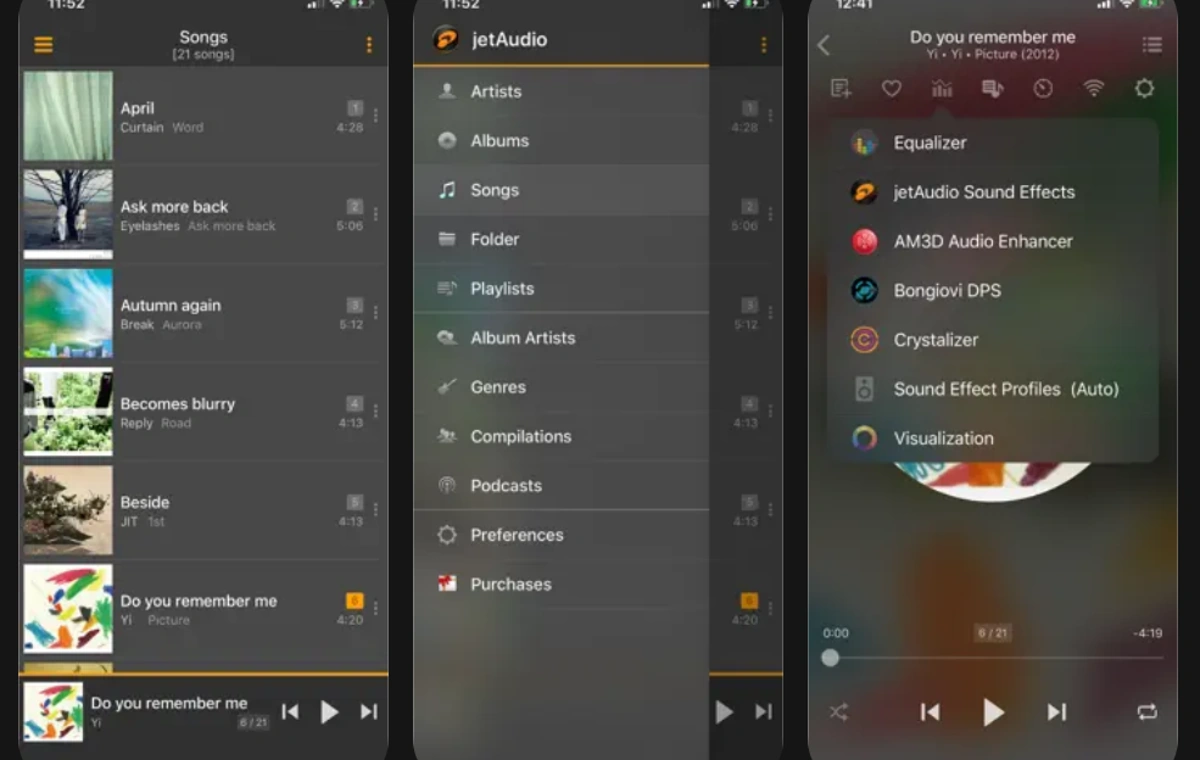
The entry of this long-standing and popular name into the mobile ecosystem was accompanied by the presentation of a set of ultra-professional tools to sound the alarm for competitors from the very beginning. JetAudio is designed for those who want to control each component of the output sound. The internal architecture of this program has been developed so advanced that it allows you to completely change the texture of the sound and adjust it according to the type of your headphones or speakers. The quality of audio signal processing in this software is unmatched and simulates a studio experience on a portable gadget.
The audio engineering tools built into this app have upgraded it from a simple player to a complete audio station. The Graphic Equalizer control panel with 20 separate frequency bands leaves your hands free to shape the output sound and boost the low and high frequencies. In addition to this, the intelligent Pitch Correction technology prevents quality loss and frequency confusion when changing the playback speed of parts. These specialized features will definitely convince you that you are dealing with the best iPhone music player.
Simple ways to transfer files
As we mentioned before, transferring information from computer systems to mobile can sometimes become a tedious process. Fortunately, the programs that we reviewed in the list of the best music player for iPhone, offer very diverse and easy solutions to solve this challenge, which will make the work process extremely enjoyable.
Using local wireless networks
In the first step, local wireless networks are known as the fastest solution. Powerful programs such as VLC have a section called Sharing via Wi-Fi in their settings menu. By turning on this key, a short web address will appear on the mobile screen. It will be enough to enter the same address in the browser of your laptop or computer so that a transfer panel will be available to you. Now you can easily upload files directly to your phone without the need for any connecting cables.
Using cloud spaces for constant access
The second solution will be to use the capacity of cloud servers. You can open platforms like Google Drive on your desktop system and upload your audio collection to that environment. After that, enter the application settings on the phone and connect your user account to it. With this clever trick, songs will always be ready to play and you can access your personal archive from any device.
Data management with default phone tools
The third solution is to use the default mobile data management system. If you have received files through messengers or built-in browsers, you can easily save them in the data management section. Today’s programs have a key called Import from Files, by touching it, all audio information will be scanned in a fraction of a second and will enter the software library.
summary
Finding a tool that can play audio files flawlessly with the highest possible quality is one of the essential needs of today’s users. In this article, we tried to introduce applications that are fully worthy of receiving the title of the best iPhone music player with a detailed and technical look. Programs such as Melodista with a simple and attractive appearance will be great for everyday use, and more specialized options such as Fleckbox or JetAudio will bring a studio quality to professional audiences. If looking for The best Android music player We discussed them in a separate article.
26,917,700
26,390,000
Toman
Source: Digikala Mag

RCO NEWS