Imagine there was a magical frame that you could put your own childhood today; A visual meeting between today’s experience and yesterday’s innocence. This dream is no longer a fantasy. Thanks to Google’s Gemini artificial intelligence, creating such an image is not only possible, but amazingly simple. The beloved Trend of “Childhood Hug” in which an adult version of a person embraces his younger version is a great opportunity to create a personal and deeply emotional work.
This is a direct and practical guide. Here you learn how to step -by -step using the Jamina app or website (thanks to the amazing power of Google’s Nano Banana Artificial Intelligence) and with just two photos, make this impressive image and make it a completely unique work by editing the commands.
Click to see this article with artificial intelligence!
Step -by -step tutorial: From uploading photo to creating the first image
To get started, you do not need any complex technical knowledge. Just follow these steps.
Step One: Prepare photos


Prepare two key images:
- Your current photo: A clear portrait photo with the right light from your current face.
- Your childhood photo: The best and most obvious photo you have from your childhood.
Step Two: Access to Jama’a
- Through the website: To the address gemini.google.com Go and log in with your Google Account.
- Through the app: App Gemini Download and install it for Android or iOS.
Step Three: Upload Pictures
On the Jina Artificial Intelligence Chat screen, apply the paper clamp icon or photo and select both your photos at the same time.
Step Four: Writing the original Permeept
Here is the starting point of magic. After uploading the photos, you have to tell the Jina what you have in mind. Prampt is a great starting point that produces very good results. Copy it and enter into the text box:
A Polaroid-Style Photograph of the Adult from the first uploaded image gently hugging the child from the second uploaded image. They are possing in a cozy Living Room with warm smiles. Soft lighting, Vintage Filter, Highly Detailed, Realistic.
Step Five: Production and Modification of the Image
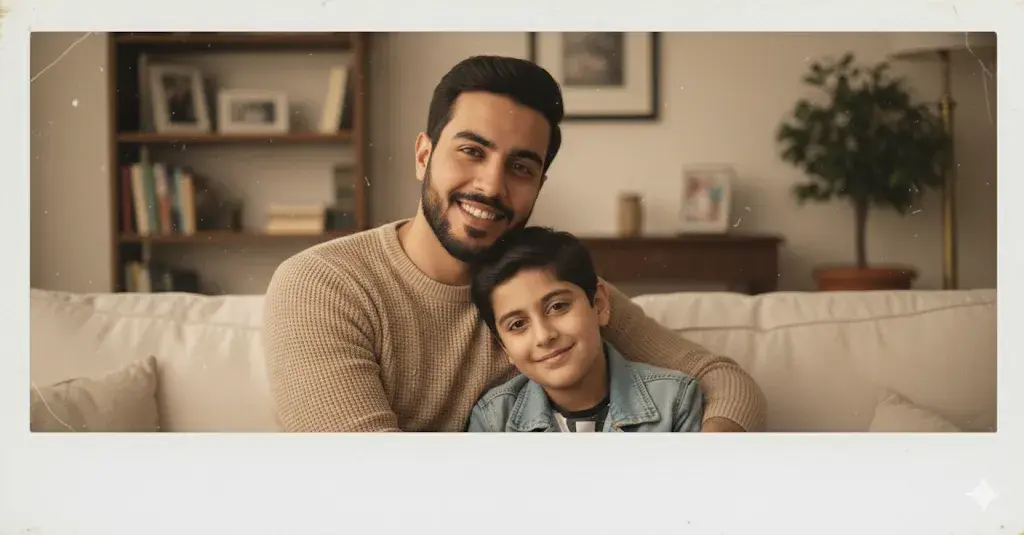
Press the send button. After a few moments, the Jina produces an image based on your command. One of the most powerful features of the Jina is the ability to modify the conversation. If you are not satisfied with the result, you can edit it with the following commands:
- Make the background a Sunny Park.
- Change the style to black and White.
- Make the Hug Look More Protective.
Magic of Personalization: How to edit our Professional Professional?
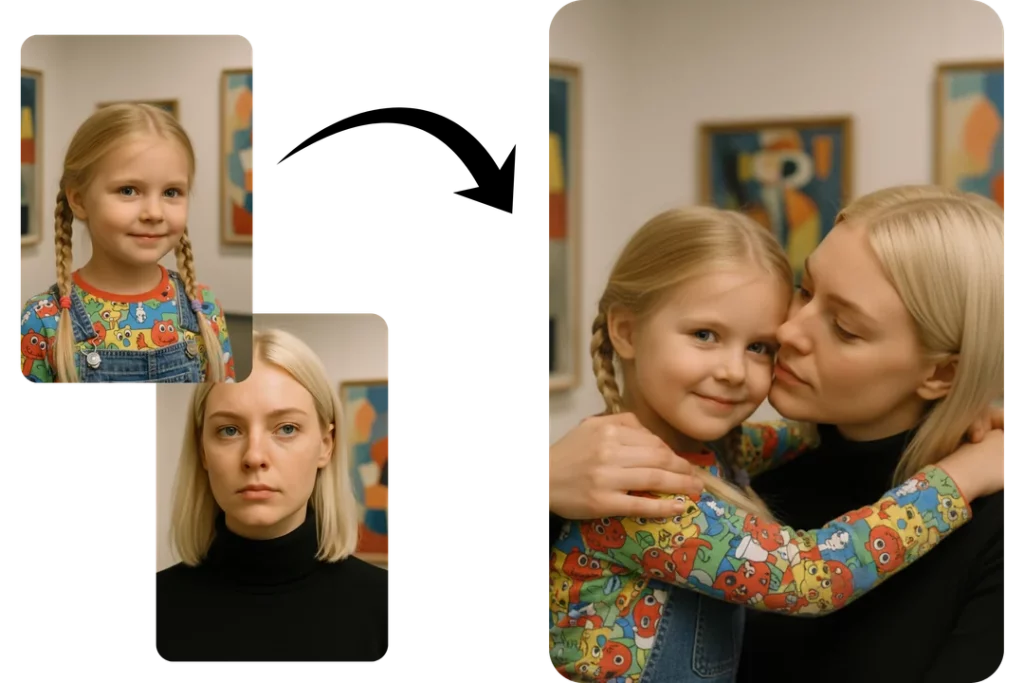
To create an image that tells exactly your story, you need to edit the original crop. Below you will learn how to change each part of Pram to achieve the desired result.
Our basic pert is:
A Polaroid-Style Photography of the adult from the first uploaded image Gently Hugging the Child From the second uploaded image. They are possing in a cozy Living Room With Warm Smiles. Soft Lighting, Vintage Filter, Highly Detailed, Realistic.
Now let’s edit different parts:
1. Change of gesture and feelings (Pose and Emotion)
Instead of Gently Hugging the Child, you can describe different emotions and gestures.
- For a supportive and emotional hug:
- Replace with: Giving a protective and lover hug to the child, loveing down with a caring expression.
- For a happy and playful scene:
- Replace with: Joyfully Laughing Together, WHILE ADULT LIFTING the Child Up in the Air.
- For a quiet and thoughtful moment:
- Replace with: Sitting Side-By-Side on a Bench, The Adult Has an Arm Ary the Child’s Shoulder in a Quiet, Reflective Moment.
2. Background customization (Background)
Replace the in a cozy Living Room by describing your desired location.
- For a nostalgic space:
- Replace with: in ther Old Childhood Bedroom, filled with vintage toys and posters on the wall.
- For a natural landscape:
- Replace with: On a Peaceful Beach At Sunset, with Golden Light Reflecting on their Faces.
- For a dreamy and minimalist environment:
- Replace with: in a Sun-Filled Room with Large Windows and White Flowing Curtains.
1. Determine the visual style and atmosphere (Style and Atmosphere)
Soft lighting (Soft Lighting, Vintage Filter, Highly Detailed, Realistic) determines the overall image style. Edit this section until you reach your favorite.
- For the cinematic and dramatic style:
- Change this section to: Cinematic Lighting, Dramatic Shadows, Vibrant Colors, 4K, Hyper-Realistic.
- For the classic blacksophrid style:
- Change this section to: Black and White Photography, High Contrast, Deep Shadows, Grainy Texture, Emotional.
- For artistic and painting style:
- Change this section to: in the style of a watercolor painting, with Soft Edges and a Dreamy Atmosphere.
- For the old style and septia (Sepia):
- Change this section to: Sepia-Toned Photography, Soft Focus, Nostalgic Atmosphere, Slight Film Grain.
Example of a fully customized permitter:
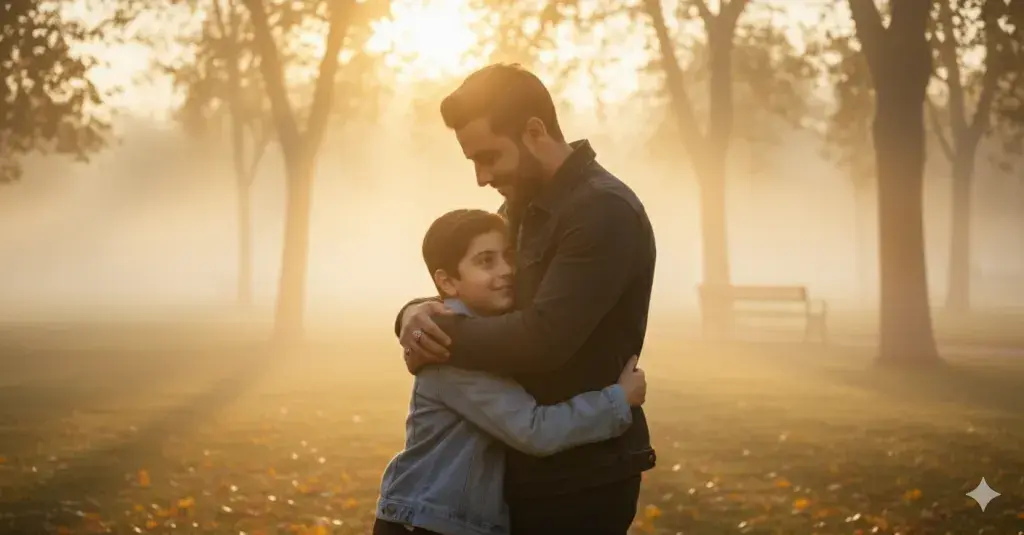
Suppose you want to create a cinematic image of yourself in a park at dusk. Your prey can be as follows:
A cinematic photo of the adult from the first uploaded image giving a protective and love hug to the second to the second uploaded image. They are in a misty pak at Sunset. The mood is emotion and heartwarming. Cinematic Lighting, Golden Hour, Vibrant Colors, 8K, Hyper-Realistic.
Final Speech: Create a memory, not just a picture
The image of “childhood embrace” with the artificial intelligence of Jina is beyond pursuing a trend; This is an opportunity for an inner conversation, a revision of life and creating a digital memento that will always be valuable to you. Now you have all the tools and knowledge needed to build your unique version of this artwork. Be creative, tell your story and enjoy this short trip.
Source: DigiKala Meg

RCO NEWS