
Randomly deleting an important message in the telegram is something that can worry about any user. Whether it is a work conversation or a valuable memory, loss of information is always unpleasant. Fortunately, recovering telegram deleted messages under certain circumstances is possible and there is still hope. Although there is no definitive and 100 % solution, there are ways that you increase your chances of re -accessing lost chats. In this complete guide, we look at all the solutions available for Android and iPhone users and look at them step by step.

Is it possible to recover deleted telegram messages?
A quick answer to this question is yes; But with a few important conditions. Telegram is a cloud -based messenger, meaning all your conversations are kept on the servers of the company. This feature allows you to access your account from different devices, but that makes the data recovery with limitations. When a message is deleted from the telegram servers, it will be almost impossible to return.
The simplest and most urgent way to prevent unwanted removal is to use the “UNDO” feature. When you delete a chat, the telegram shows you a small bar at the bottom of the page and gives you 5 seconds to cancel the operation. By selecting the Undo option, the chat returns immediately. This feature is only used to remove the whole of a conversation and only at the same time.
However, there are situations where the ability to recover deleted telegram messages completely disappears:
- Double -sided message: If you or your opponent erase a Delete for Everyone, that message will be removed from the servers forever and there will be no way to recover it. This telegram policy is designed to protect users’ privacy.
- Confidential conversations (Secret Chats): These chats use entire encryption and are never stored on telegram servers. Their information is only available on the transmitter and receiver devices. As a result, it is impossible for the telegram recovery to delete a message in the chat secret.
- Remove Account: By deleting the telegram account, all your information, including messages, groups and contacts, will be permanently erased and will not be recovered.
Best Solution: Prevent Backup Prevention
The safest way to never worry about losing your messages is prevention. In its desktop version, the telegram provides a powerful tool for backing or archiving all of your account information. This is the best strategy for keeping your important conversations permanently.
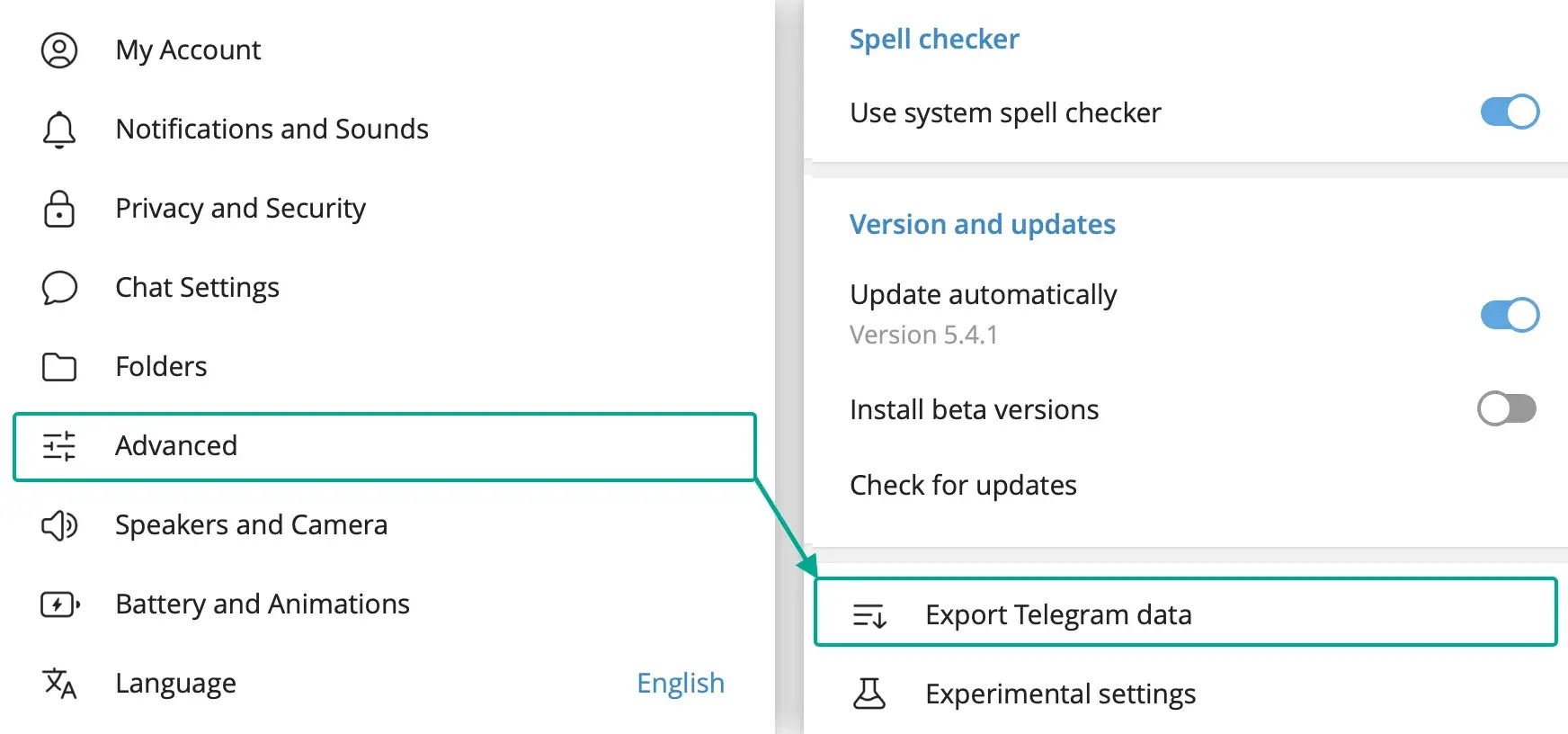
To use this feature, follow the following steps:
- First download the latest version of Telegram Desktop from its official website and install it on your computer. Note that this app is different from the web telegram and has much more features.
- Log in to your account.
- Click on the three -line menu in the upper left corner and select Settings.
- In the settings menu, click Advanced.
- In the Data and Storage section, find the Export Telegram Data option and click on it.
- A window opens where you can specify what information output to get. These options include personal chats, groups, channels, photos, videos and other files. You can also select the output format between Human-Readable HTML (for easy viewing in the browser) and Machine-Readable JSON (for more technical applications). HTML format is a better choice for most users.
- After selecting the desired items, click the Export button. This process may take a few minutes to several hours depending on the size of your information.
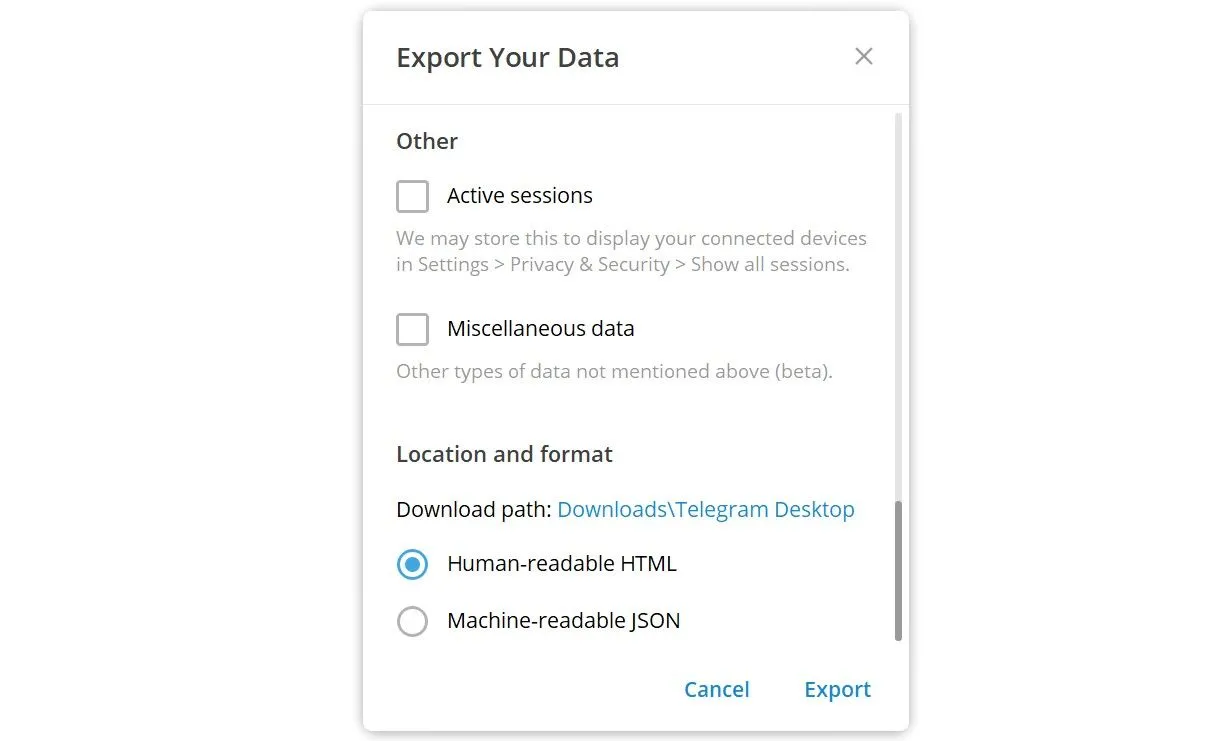
Once the work is done, a file is stored on your computer, which contains all your conversations and files. The important thing is that this file is an offline archive and cannot be re -introduced. This method for recovering deleted telegram chat does not mean returning them to the app, but providing a backup for your usual access.
Recovery of telegram deleted messages on Android
Android users have two main solutions to recover deleted telegram messages on Android, each of which is useful for certain conditions.
Access to media files through the folder Cache
To speed up, the telegram stores media files such as photos, videos and documents in your device’s cache or cache. Even after deleting a message, the file may remain in the folder. To examine this topic:
- Open a file management application. To access system folders, you may need more advanced manager files like Solid Explorer.
- Go to the following path:
Android> data> org.telegram.messenger> files> Telegram - Along the way you will see folders such as Telegram Images and Telegram Video, where your deleted files may still be available. This method is not used for recovering deleted SMS and is only for telegram files. This way you can’t recover the text of the messages, but there is a good chance of finding lost photos and videos.
Recovery of text messages through the history of notifications
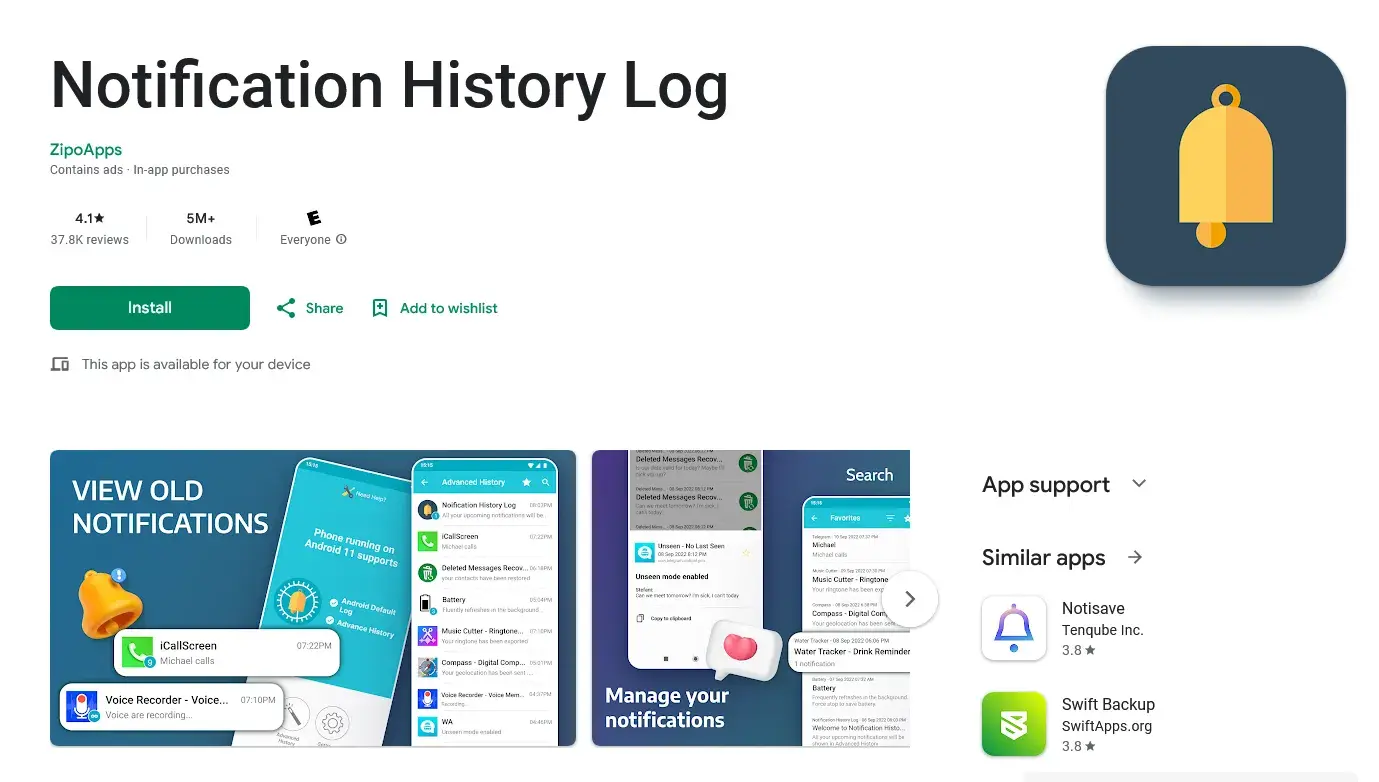
If you have viewed the deleted message through your device’s notification bar, there is an indirect way to recover its text. Some peripherals such as Notification History Log can save a history of all your notifications. If you have already installed such an app on your phone, even if the sender clears the message, the text remains in the history of your notifications. The limitation of this method is that it depends entirely on your previous actions and only works for messages that are received after installing and activating the program.
Recovery of deleted telegram messages in the iPhone
The process of recovering telegram deleted messages in the iPhone is quite different and depends on the overall backup of the device on the iCloud or computer (via iTunes/Finder). These methods can be effective, but they also have a great risk.
Recovery through backup iCloud
If you are backing up your iPhone regularly on iCloud, you may be able to recover your telegram messages in this way. This method will return your entire device to an older backup status.
Important Warning: This will erase all the new information stored on your phone after that date, including photos, apps and other messages. Back up your new information before doing so.
To do this:
- First, check out your latest backup from Settings> (your name)> iCloud> iCloud Backup to make sure you contain the information you want.
- Go to Settings> General> Transfer or Reset iPhone.
- Select the Erase All Content and Settings option.
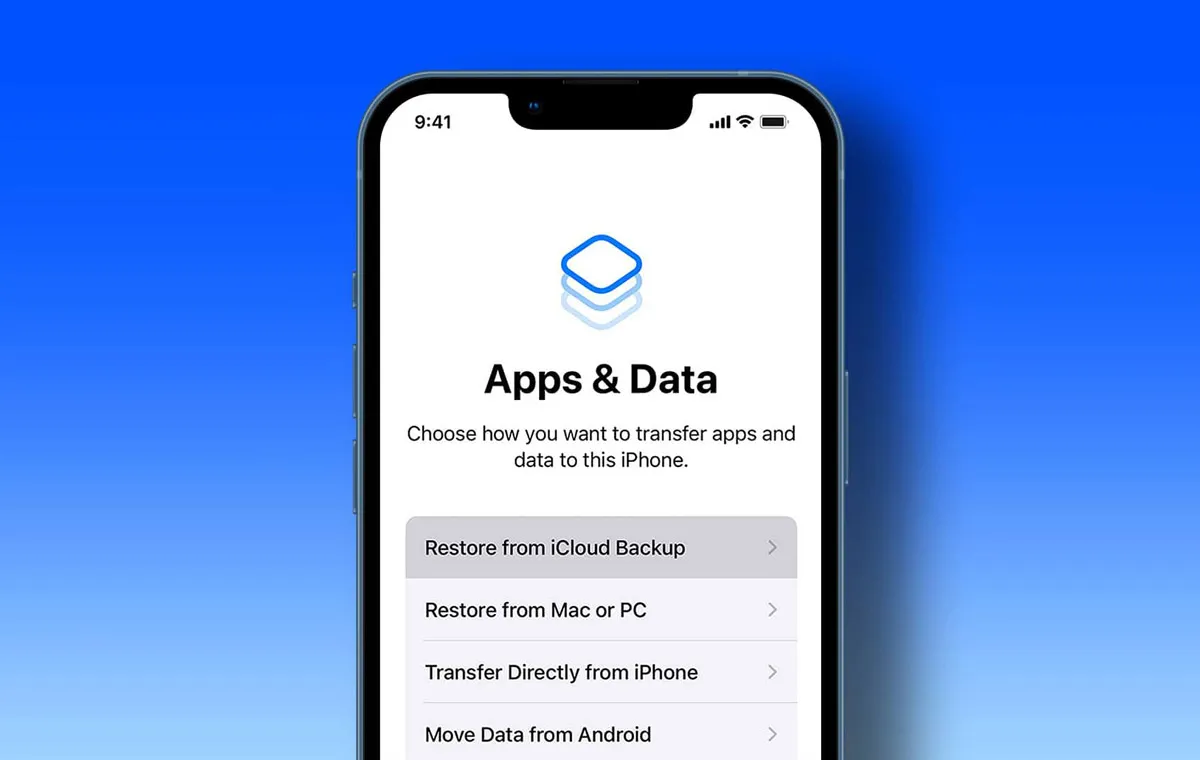
- After re -launching the device, in the early stages of launch, select Restore from iCloud Backup.
- Enter your Apple ID account and select the backup you want to recover.
Recovery through backup iTunes/finder
This method is similar to the recovery of ICloud, except that it uses a backup stored on the computer. This is the only way to answer the question “How to Return the Removed Telegram Messages” on the iPhone without a cloud backup.
- Connect your iPhone to the computer with cable.
- Open the iTunes application (in Windows) or Finder (in Mac).
- Select your device from the list and click Restore Backup.
- Select your desired backup and wait for the process to be completed.
Last Solution: Recovery Software
If the above methods were not working, as the last solution you can go for specialized data recovery software. These tools claim that they can return the deleted information from your device’s internal memory, but their success is by no means guaranteed.
Recovery of telegram messages cleared with the app Mobisaver
One of the well -known software in this field is Easeus Mobisaver. This program is looking for deleted files that have not yet been fully rewritten by new data.
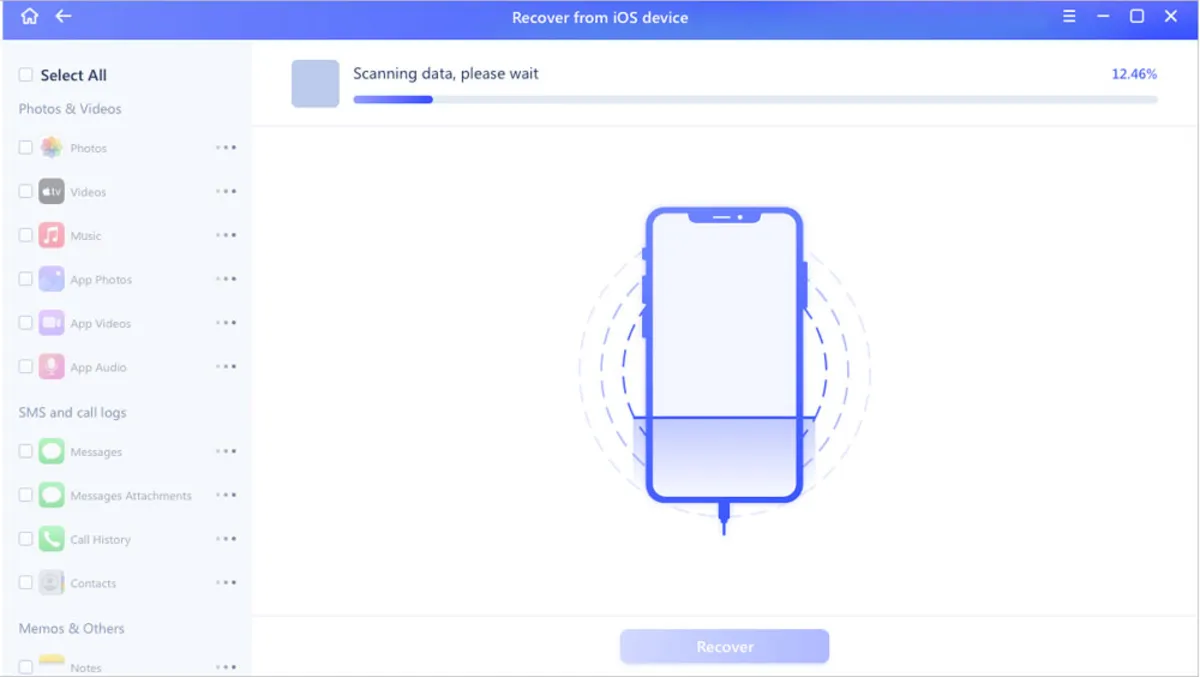
The overall work of this program is as follows:
- Connect your phone to the computer and run the software.
- To access the depth of memory on Android devices, you will usually need root access and USB debugging.
- The program scans the device’s memory and displays a list of recoverable files (including messages, photos and contacts).
- You can then select and recover the items you want to return to the deleted telegram messages.
The success of these tools depends heavily on time. The more you have been deleted and the more you use your phone, the more likely that new data will be written on deleted information, and the chances of recovery will be reduced. These tools are not related to telegram hacking methods and are designed solely for data recovery from device memory.
Summary: What is the best way?
As you can see, the restoration of deleted telegram messages is a complex process and the result depends on various factors. There is no magical and 100 % solution, and the best way to your operating system (Android or iPhone), the type of data is deleted and most importantly, the preventive measures you have taken before.
Finally, the smartest strategy is to prevent regular archives using the telegram desktop version. This will assure you that even if a message is deleted from the app, you have a copy of it forever and you will never worry about losing your important information.

Source: DigiKala Meg

RCO NEWS