18 August 1404 at 12:31
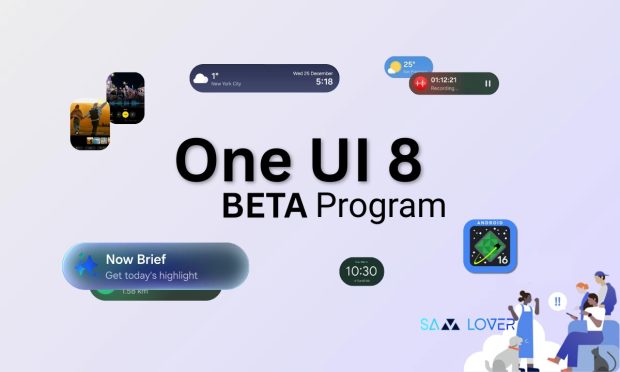
Samsung released the Beta One UI 8 for the S24 Series and new folding phones. More models are expected to be added to the list next month. How to get this update?
Samsung unveiled the Beta One UI 8 in late June this year. The reason for this rapid release is the disappointing experience of the Samsung One UI 7. First, this trial version was released only for the Galaxy S5 series and was limited to the Samsung flagship. Until this week, the company announced the release of the update for more models.
According to the latest technology news, Samsung has announced that the Beta One UI 8 will be available for more devices soon. The interesting thing is that there are several mid -range models on this list.
List of eligible phones
The list of Samsung phones that is eligible to receive the Beta One UI 8 is as follows:
- Galaxy S25
- Galaxy S25 Plus
- Galaxy S25 Ultra
- Galaxy S24
- Galaxy S24 Plus
- Galaxy S24 Ultra
- Galaxy S23
- Galaxy S23 Plus
- Galaxy S23 Ultra
- Galaxy Z Fold 6
- Galaxy Z Philip 6
- Galaxy Z Fold 5
- Galaxy Z Philip 5
- Galaxy A55 5G
- Galaxy A54
- Galaxy A36 5G
- Galaxy A35 5G
If your phone is on this list, you can install it after the test version is released and experience new features before the official release. Samsung also announced that the Galaxy S24 and Galaxy Z Fold 6 and Z Flip 6 models will be added to the program next week in South Korea, the US, the United Kingdom and India. Other models, such as the S23 series and mid -range phones, will receive this interface in September.
Tutorial on installing the beta version One UI 8
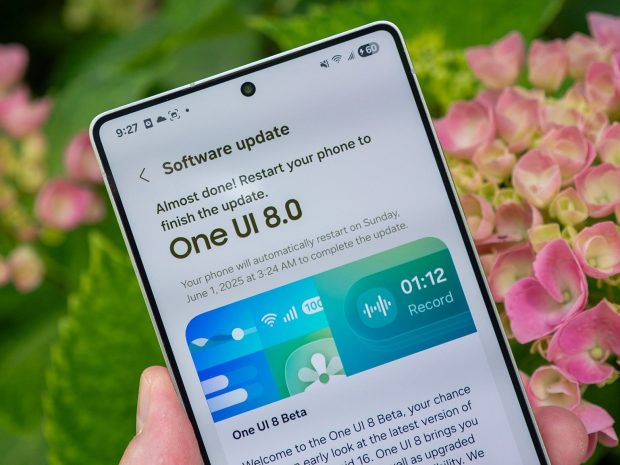
Note that experimental versions may have problems and problems. So it’s best not to install it on your main smartphone. You may also not be able to go back to the previous version of the user interface without erase information.
To install the Beta One UI 8 as follows:
- First install or open the Samsung Members app.
- Then find and tap the One UI Beta banner.
- Next, follow the instructions on this page for registration.
- After registering, go to the phone’s settings section and enter the “Software Update” option.
- In this section, select “Download and Install”.
- Finally, download the update and then install it.
Note that to use the beta One UI 8, your phone should be one of the above models. You also have to live in one of these selected countries.
The One UI 8 is expected to come with new features and features so that users can have a better experience of their smartphone.
(tagstotranslate) Samsung phone update (T) One UI user interface

RCO NEWS