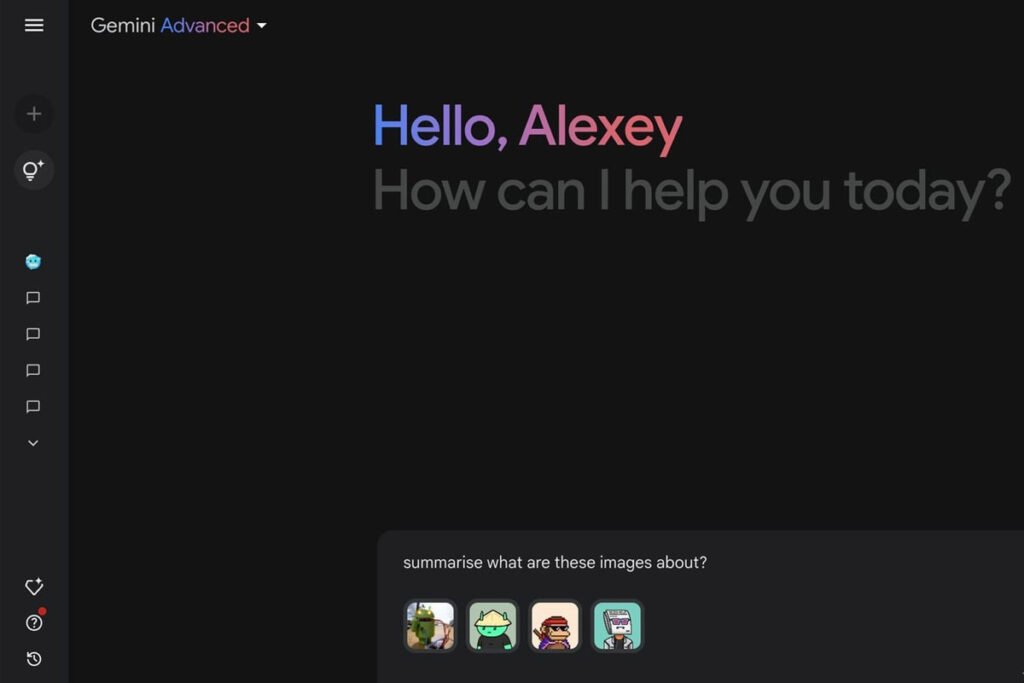
In its new update, the Jamina app has made it possible to use widgets on Android. In addition, the simultaneous upload feature of multiple images has been added to Gemini that improves the user experience.
According to the 9TO5Google report, the Jina app is equipped with a capability that allows users to easily upload up to 5 images to each command. This change has promoted user experience on various platforms, including Android, iOS and the web. Users can send more images at the same time and use the new capabilities of this app for processing and storing images.
Another report shows that the Jina app in its new update is equipped with the ability to use widgets on the Android home screen. This widget has only one type, but it is possible to customize its size and the “Dynamic Color” feature is included. The first is the design mode, which is very similar to the new Google Widgets “Keep” and “Drive”. The left side of the bar is the star icon that opens your Gemini app and your keyboard.
The Jina widget expands its performance by adding options such as converting speech to text and a button to launch a camera. You can also access the file and gallery system of the device using 5 x 1 mode. Another mode of this widget includes a search bar and a network of 6 different shortcuts. This widget supports 2 x 2 to 5 x 3 sizes and even 1 x 3 vertical design is available.
The usability of widgets in version 1.0.751104895 from the Gemini app is available through the Google Play Store. Users can hold their finger on the Jina icon to add this widget to their home screen, then select the “Widgets” option.

RCO NEWS