You probably have heard the name of the Notebook LM or Notebooklm because of its ability to produce podcasts very similar to real podcasts; But the Notebooklm is more than that. This tool can quickly summarize your various and complex files, answer the specific questions you can ask, and make them brief reports, guides for reading, or even podcasts. But how?
Artificial Intelligence of the LM (Notebooklm)
Google Notebook is a site that offers many features in parallel; Another advantage of this artificial intelligence tool is that we no longer need to move between different windows and programs to ask, summarize or write a note, the Notebook LM puts and uses the content exactly next to our content. . Our experience of working with Notebooklm has been a lot of fun so far, and in this tutorial we are going to show how the Notebooklm can make research and learning more dynamic, practical and very attractive. Of course, we will put some podcasts together along this path. Now let’s see what Notebooklm is and how this artificial intelligence program works?
What is NoteBooklm?
NoteBook LM is a test -based artificial intelligence notebook developed by Google and Jina’s artificial intelligence. This tool uses your uploaded documents and files to teach a specialized artificial intelligence. Then, this artificial intelligence becomes an expert in your document and provides you with a valuable and valuable source of your needs.
LM notebook site
The notebook site is now working as a free artificial intelligence and you can easily log on to this website by typing the word Notebooklm on Google.
Artificial intelligence
In recent years, many notes have added artificial intelligence features to their products. But the Notebooklm’s artificial intelligence is unique that is made fully based on artificial intelligence. Your feeling when using the artificial intelligence of the notebook LM is as if a clever person is your partner and you read your files and documents with you. Notebook LM can separate the key points of bulk articles, provide brief summary, and help you learn faster. He can also clarify the relationship between multiple files and different documents in one topic.
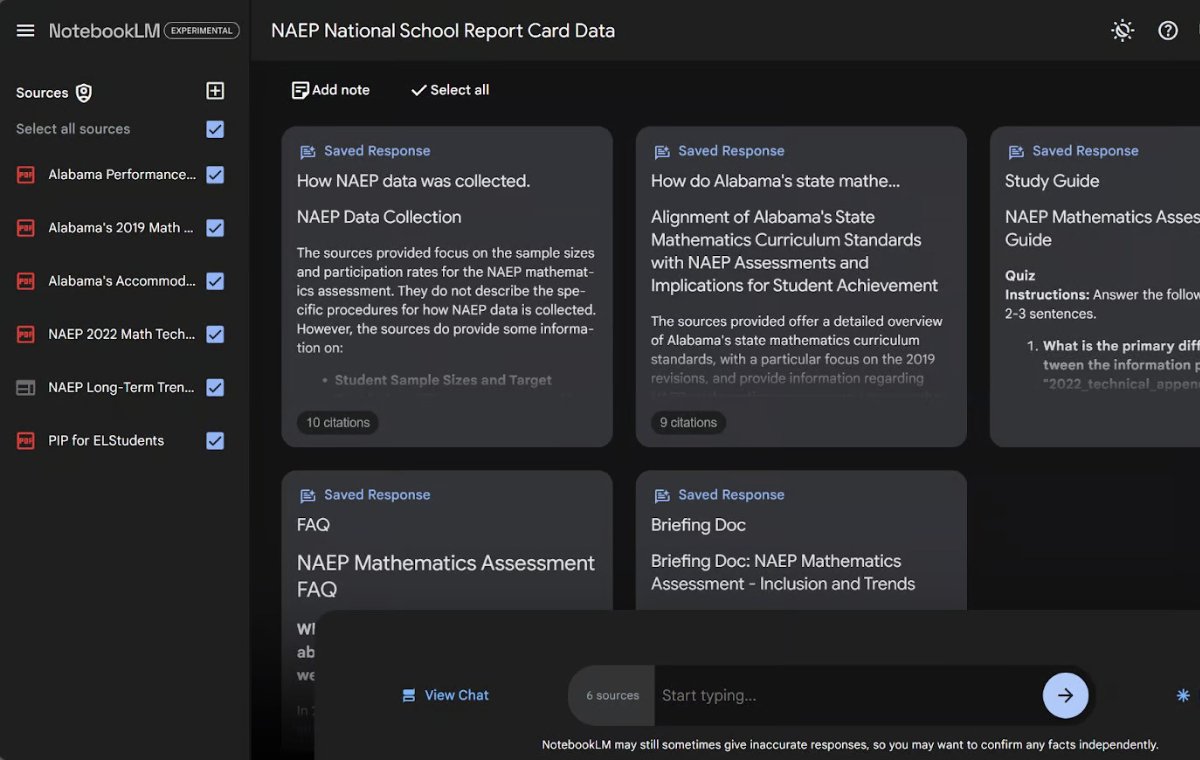
In the picture below, you will find an example of how to use a Notebooklm. On the left, there are several files and documents related to mathematics education at national and state level (especially in the state of Alabama) that have been uploaded. On the right side of the image, Notebooklm has produced a set of notes that summarize and integrate the information of these documents.
Citing your resources in the LM notebook
How many of us have copied the text to ChatGpt so far and in question we asked artificial intelligence to give us a summary? This is one of the excellent functions of ChatGpt, but not perfect; Because it may distance you from the content of your uploaded document and enter other ideas it has learned. The more the conversation goes away from the original text, the more intense deviation becomes.
Unlike GPT chat, the Notebooklm continues to focus on the specific documents and files you uploaded. When you upload documents, whether they are PDF, Google Docs or other text files, the Notebooklm learns the information in them and adjusts its answers based on these sources, not based on their ancestral learning. In fact, the LM notebook is also a kind of artificial intelligence for chat with PDF.
This artificial intelligence works within the framework of your content, so the summaries and insights presented will be more relevant and accurate. You can make sure you know exactly which Notebook LM uses. This can be clearly seen when uploading a unique story work. Authors can use this tool to review their writings and ensure clarity, cohesion, and text coordination.
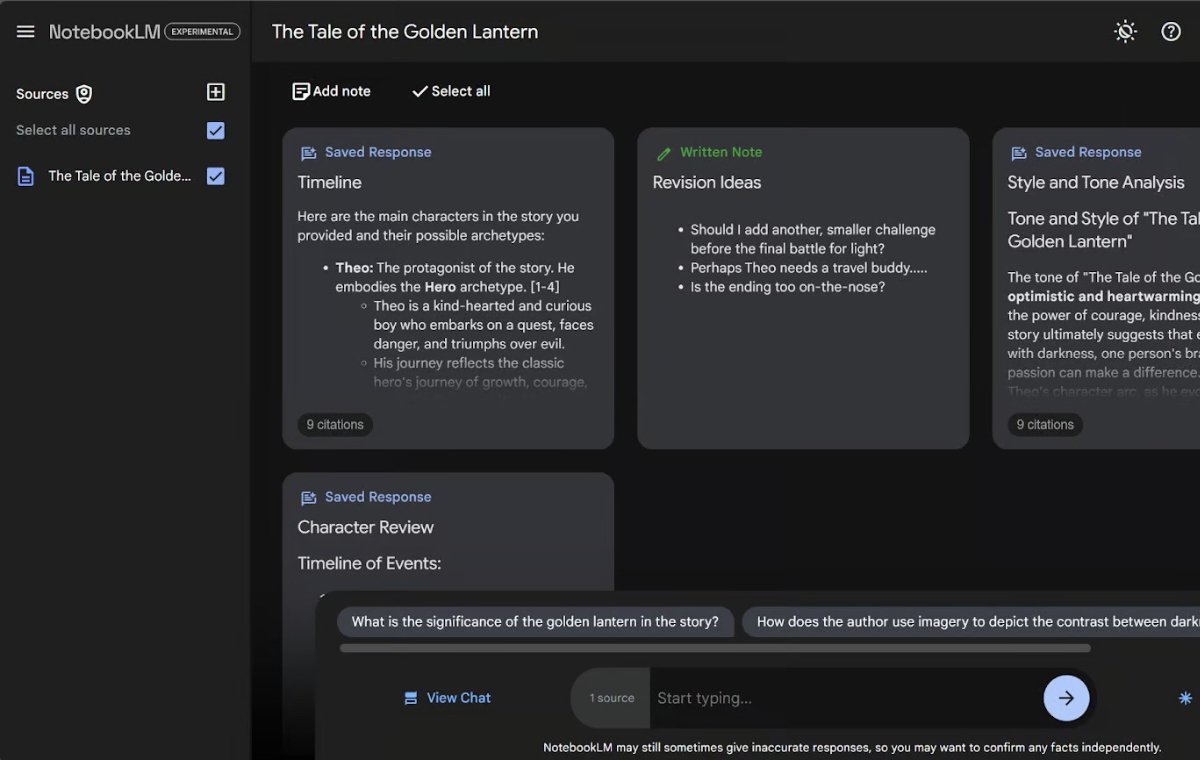
For example, we uploaded a fictional story we asked for ChatGpt to produce. Since the Notebooklm only uses our uploaded content, its responses remain completely based on the same main story. In the picture below, you can see that the Notebook LM has produced a summary, a podcast and a set of suggested questions based on this fantasy story.

Both notes produced by artificial intelligence and notes written by the individual are displayed in the notes section. Produced notes, regardless of their number, always remain within the framework of the subject.
Podcasting Ability to Make Podcasts
One of the important features of Notebooklm is the ability to create a custom podcast based on your files and documents. Instead of having to read a long research article, you can listen to two different sounds of artificial intelligence that summarize the content. This feature can be very useful for busy professionals or students who intend to get new information while doing a few tasks. For example, in the test of this feature, we were able to listen to the podcast that this artificial intelligence had made about the “Federal Reserve beige report for September 1” during a 5 -minute exercise exercise. If you haven’t tried this feature yet, we suggest you experience it, you will be amazed at the result.
While this feature is now attractive, its future is not difficult. What if you can get customized news podcasts, custom summaries of books, or even audio analysis of your meeting’s notes? This can be a brief look at the future of content consumption, where we listen to fully customized content.
Starting with Notebooklm
To start using the Notebooklm, visit its website and log in with your Google Account. Upon arrival, you will see a simple tips to create your first notebook. Click the “Create” button.

The image below is an image when you first enter the notebook LM. You are asked to upload a document to start the notebook.

There are five different ways to upload documents:
1. You can upload files from your computer to PDF, .txt or Markdown formats.
2. You can enter a website directly directly through its URL.
3. You can copy and place the text directly into the booklet.
4. You can add links to a Google Docs document.
5. You can add a link to a Google Slideshow.
Just select the option that contains the information you want and upload your document.
How many restrictions to consider:
– Currently, you can upload up to 2 files, and each file can have up to 1.5 words.
– Notebooklm is mainly designed for text documents, so it still doesn’t work with Excel files.
– Processing large documents may take more time. If you work with dozens of files, it is best to prioritize key resources to get the results you want faster.
After uploading the documents, the Notebooklm is ready to apply its magic.
Tip:
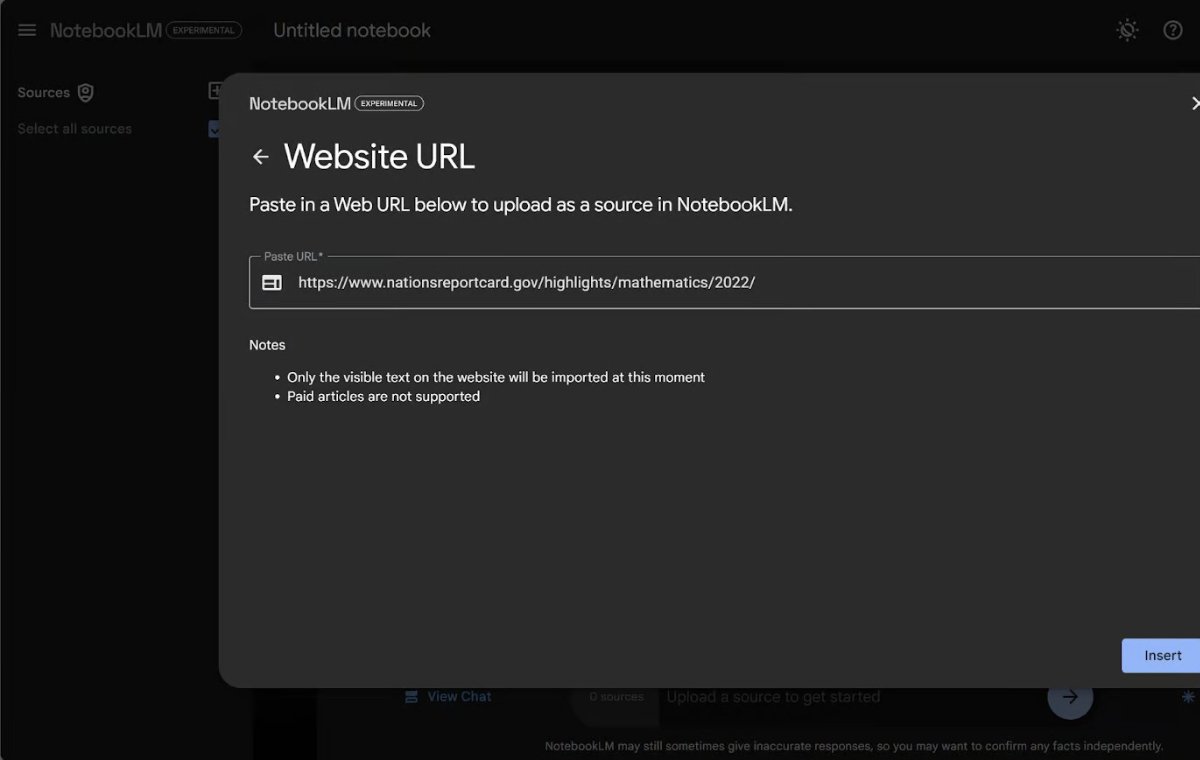
In the following article, we will use the report of the performance of the mathematics lesson in year 2 in the National Educational Progress Assessment Program (NAEP) as a source for all examples. If you want to go with the tutorial, select “Link” (link) as your document source, enter the above URL in the box, and then click “Insert”.
Key Features of Notebook LM (Notebooklm)
Let’s check the features of Notebooklm through our sample document.
Note or Notebook
When you upload a document to the Notebook LM, the first thing you will see is a dashboard called the book guide.
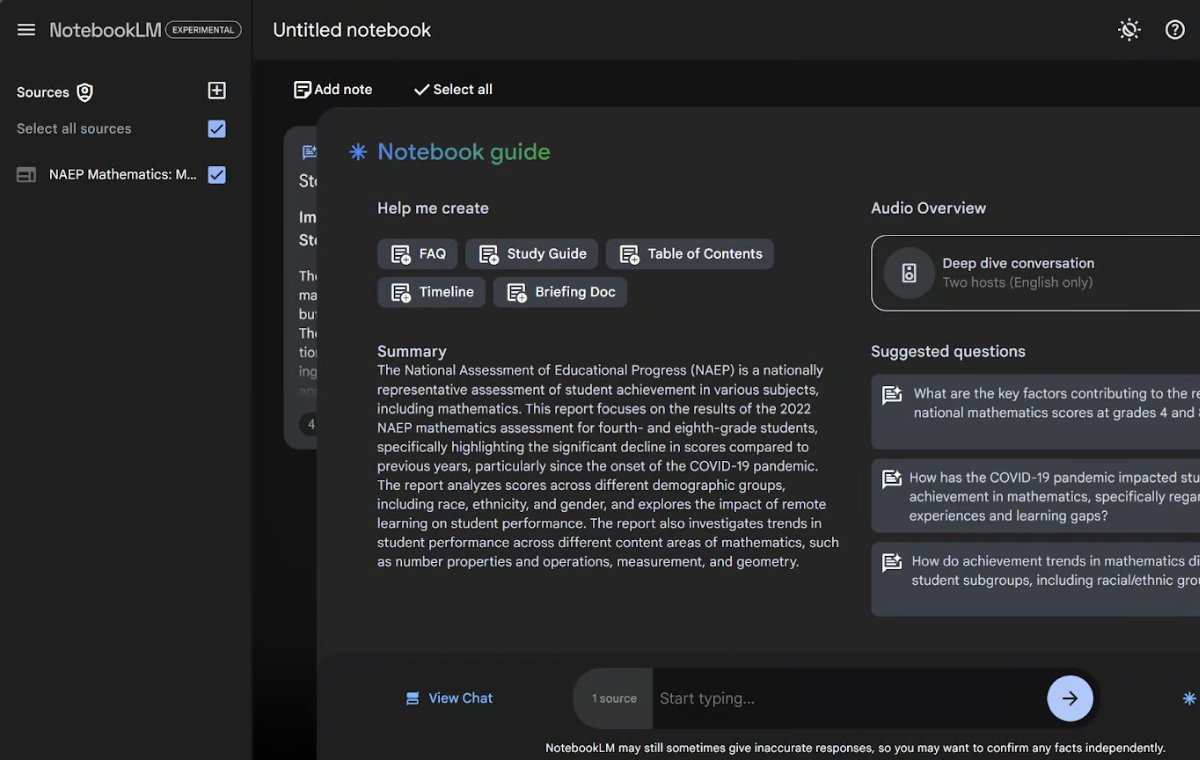
This dashboard contains the following:
– an automated summary of your uploaded documents
– The suggested questions you may want to ask and are specifically set for your documents
– Buttons to create several standard summary documents such as report documents or content list
– A command to produce a custom and customized podcast
Asking questions from the LM notebook
One of the best features of Notebooklm is that it allows you to ask natural language questions about your uploaded documents. There are three ways to ask questions:
1. You can click on one of the “suggested questions” displayed on the right of the book’s guide (as in the picture above).
2. You can type the question you wrote yourself at the bottom bar of the page.
3. You can click “View Chat” at the bottom left of the screen to go to the chat screen and type your question in the tape.
Any way you choose will take you to the chat page to answer your question. For example, we want to write here: “What are the five main points of this document?” In the lower bar.
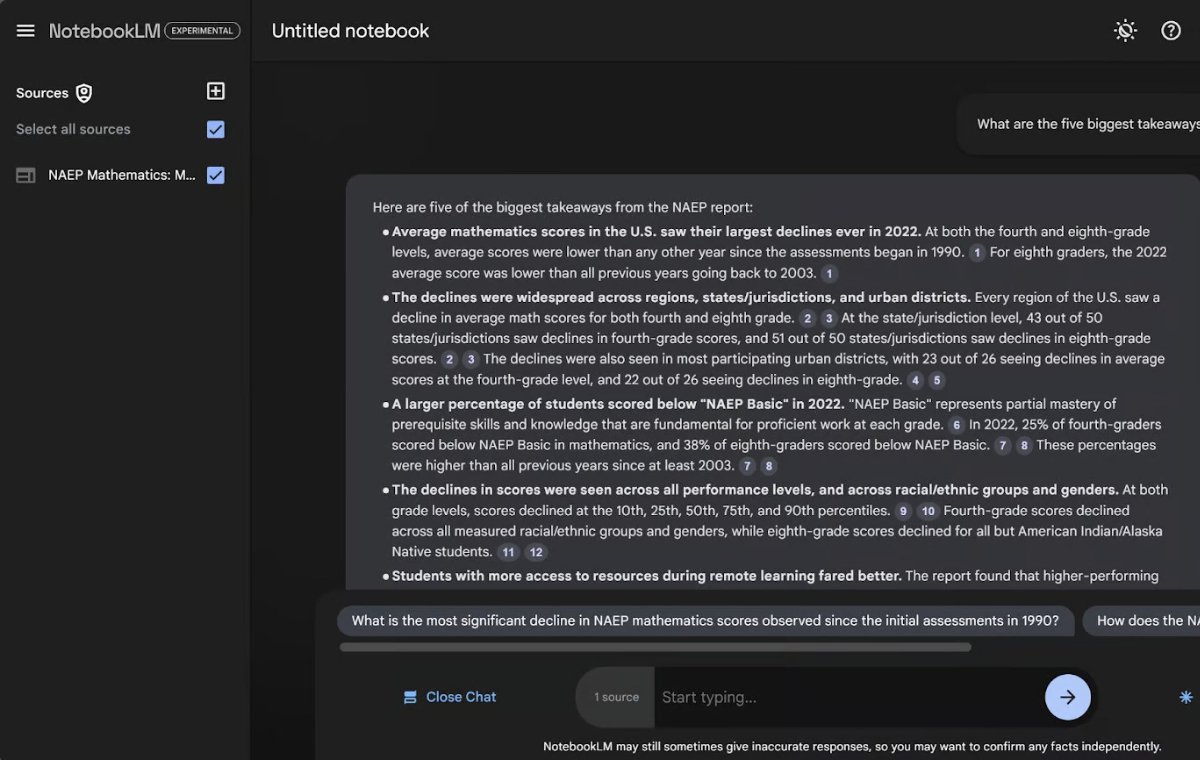
Here we asked artificial intelligence to state the five main points of the document, and artificial intelligence provided us with a bolt and tidy list.
Reference to Resources in Notebook LM
In addition to answering the question, the notebook LM shows accurate references that tells you where the answer has taken. These references appear as small numbers in the gray oval next to the information. When you click on these numbers, the exact location is displayed in the original document. For example, we click on the number 1.
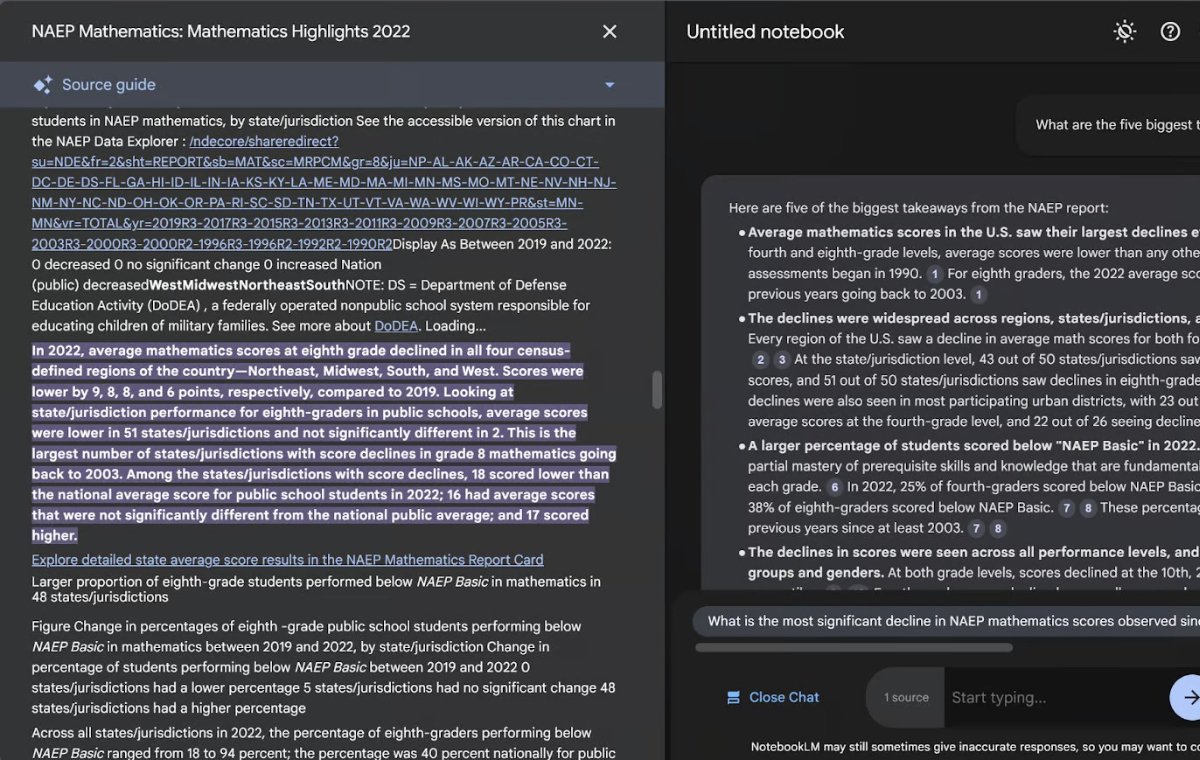
When we click on the reference number 1 in response, the resource guide opens on the left and shows the exact reference for that sentence in the answer. The exact location is highlighted in the document. Very useful!
Produce ideas with LM notebooks
In addition to asking questions, you can ask this artificial intelligence to produce ideas on the chat page. For example, let’s ask artificial intelligence to provide ideas for improving mathematical education in the United States.

Here we have asked artificial intelligence to help us find solutions to the problems in this document. Or maybe we want to ask something more complicated? Maybe we need to create an awareness campaign and we want to explain it in a short way. Let’s ask the LM notebook to write a haiku (a short poem) about the problem and solutions.
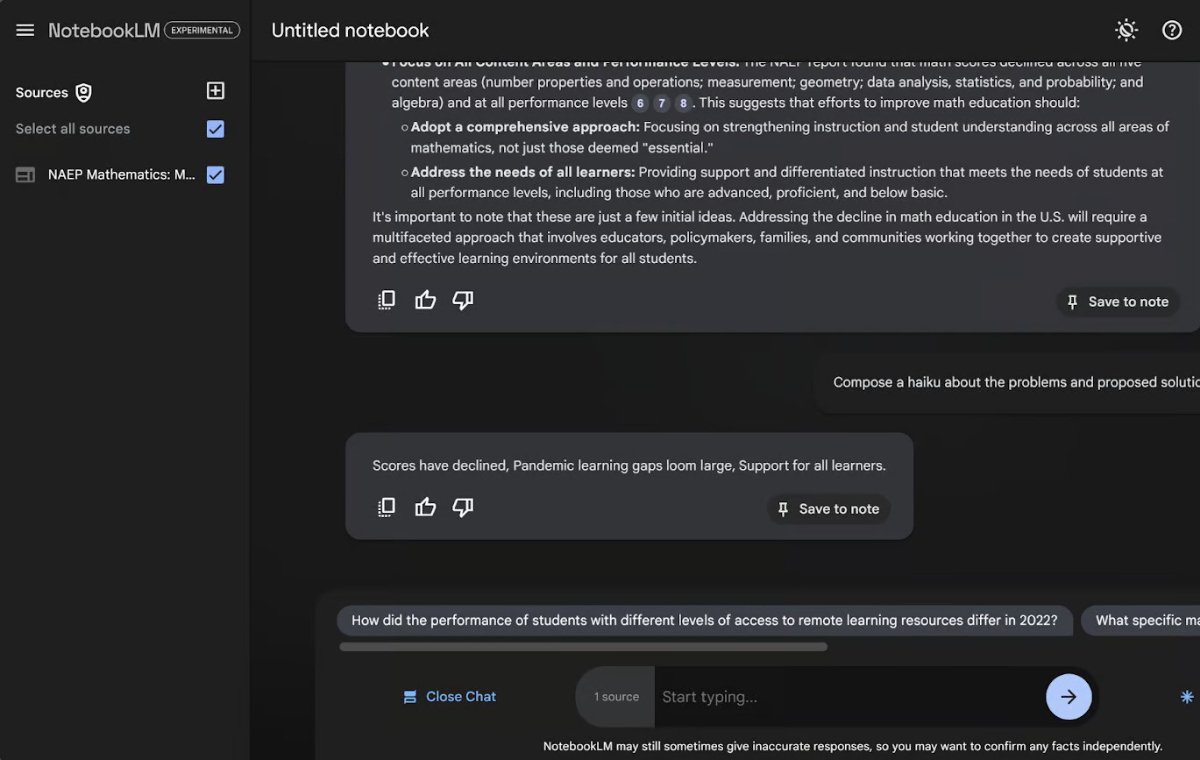
Note that the chat page is temporary. When you close your browser or reset the page, your chat disappears. If you want to keep part of the conversation, be sure to save the outputs as a note, you can easily do this by clicking “Save to Note” at the bottom right of any artificial intelligence response in the chat.
Notes page in the LM notebook
When neither the manual nor the chat page is open, the page will be the default page.

The default page of the notes has no notes. Let’s start filling this page with notes. There are two types of notes: written notes and notes produced by artificial intelligence.
The written notes are the notes you type yourself. To create a new note, click on the “Add Note” option at the top of the notes. This option creates a new and empty note.
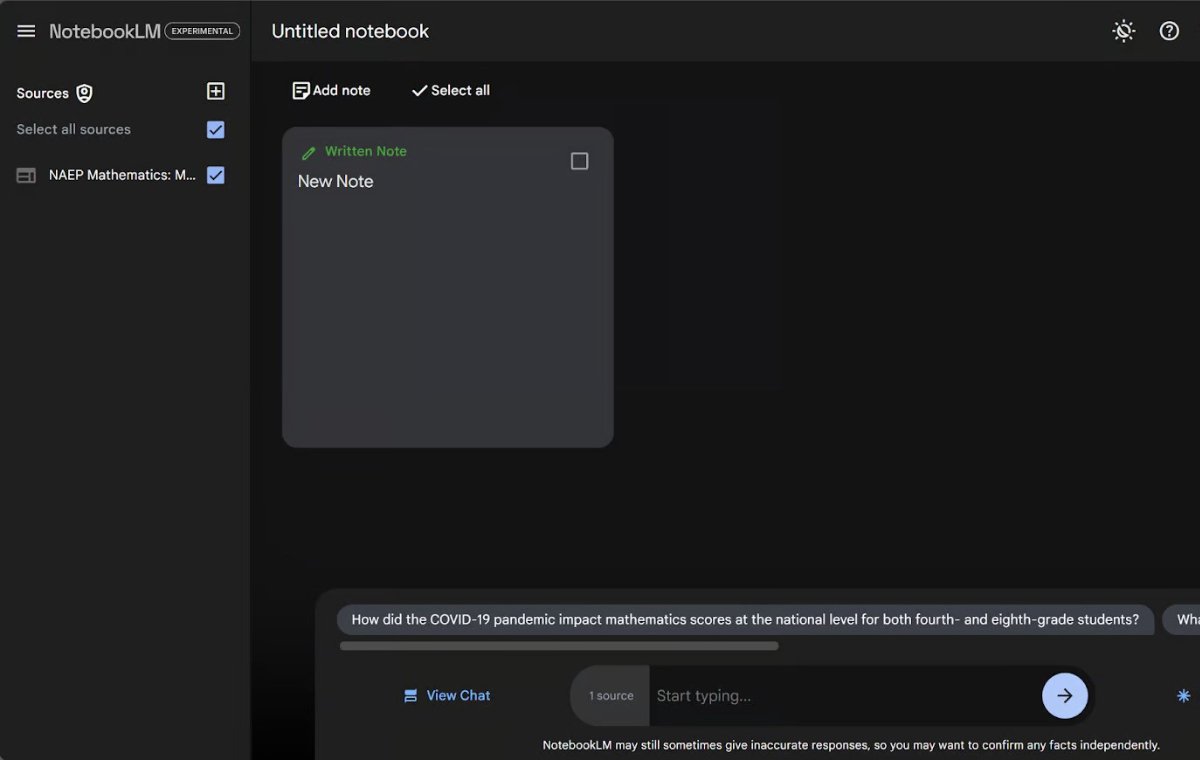
Click on it to edit this note. This note expands to the center of the page. You can change the title (which is by default “New Note”) and add the text to the note.
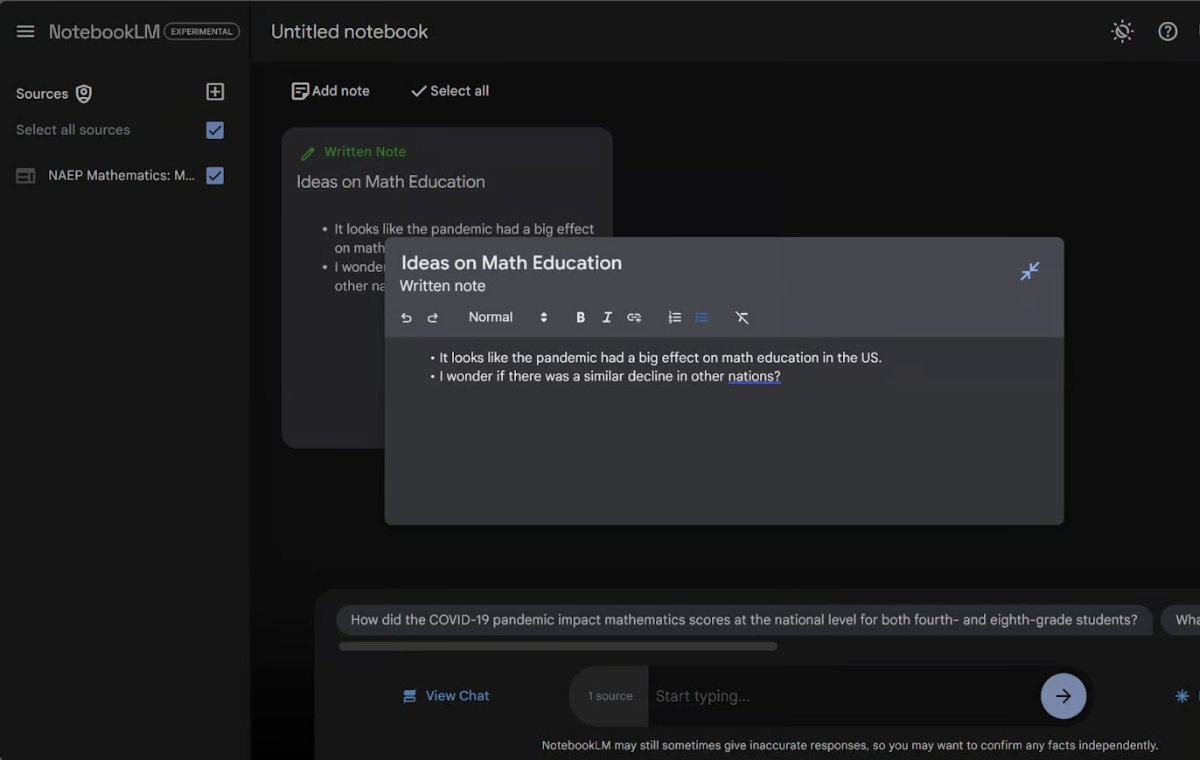
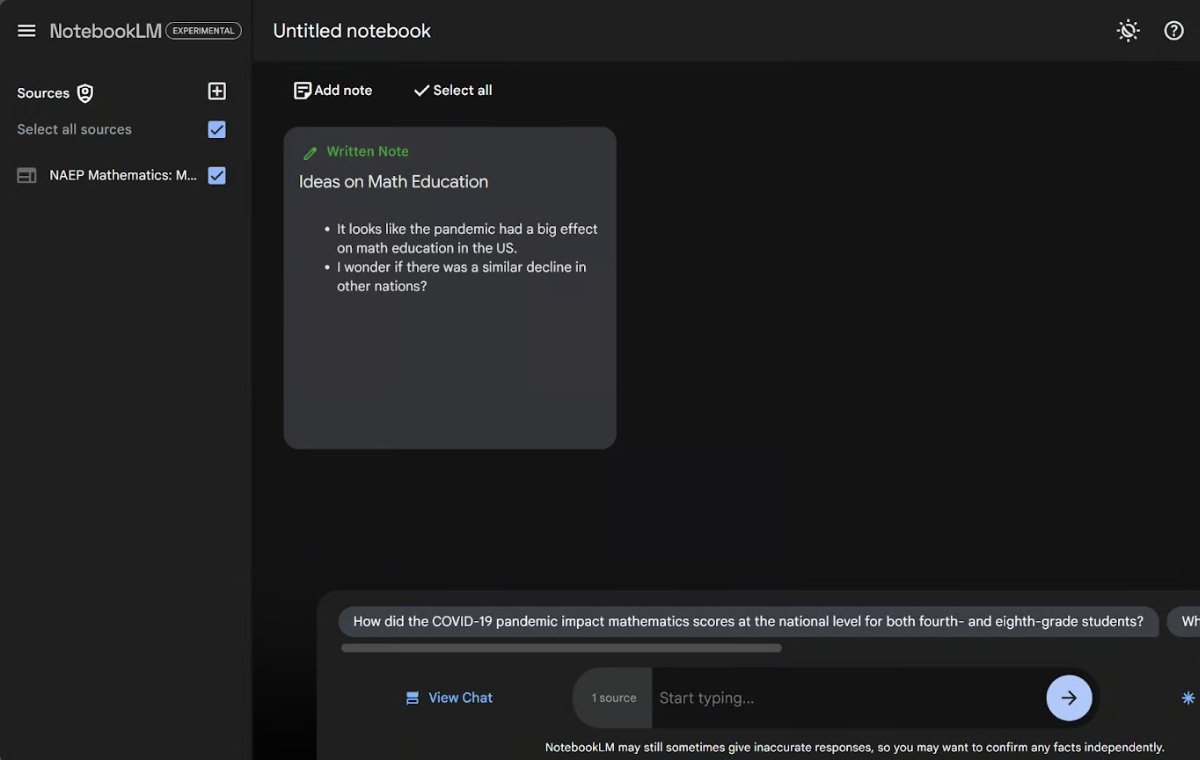
The note is automatically updated when typing. When writing a note is over, you can click anywhere to the page to shrink again. Your written note is added to the notes page and is specified with the green label “Written Note”. This label distinguishes it from notes written by artificial intelligence.
Now let’s create an artificial intelligence note. Let’s go to the chat page again and click on “View Chat” and ask it to give us a step -by -step program to improve math training next year.
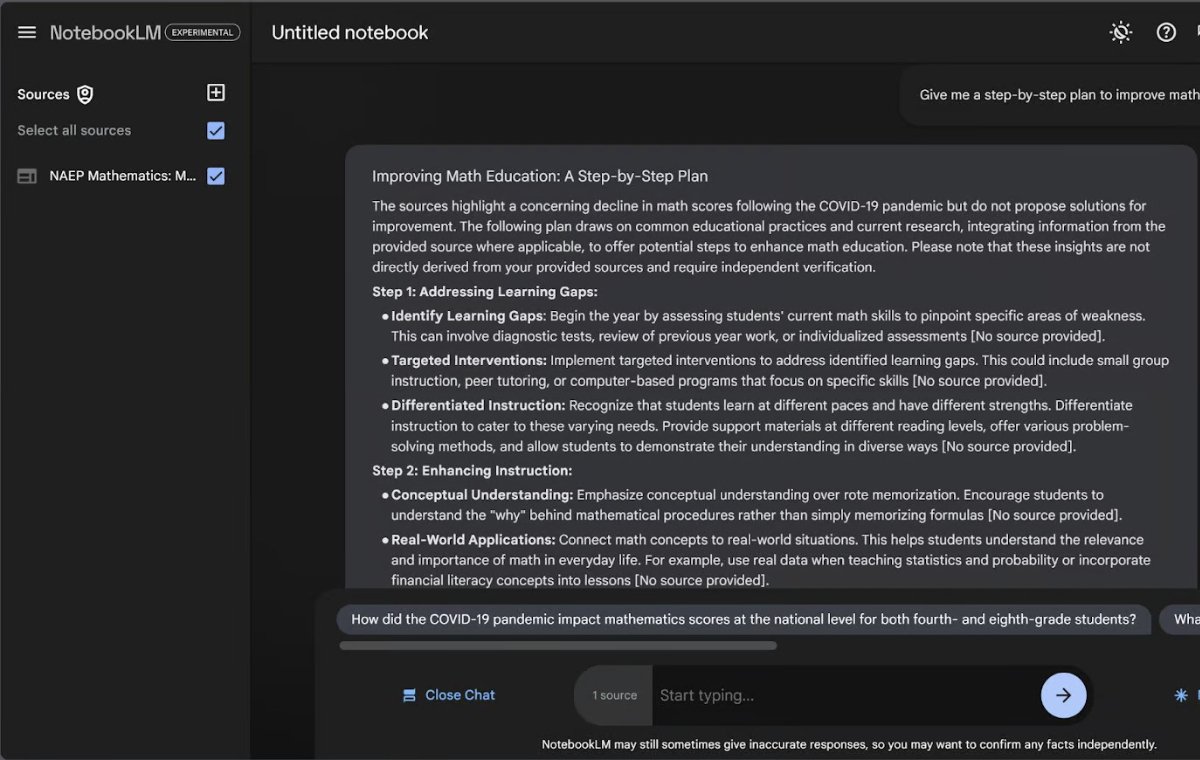
If we go to the end of the answer, we will find the “Save to Note” button at the bottom right. This button converts artificial intelligence response to a stored note.

We can now view our written notes we’ve already created and the notes produced by artificial intelligence on the notes page. The note produced by artificial intelligence is marked by the blue label “Saved Response”.

The automatic title of this note is “New Saved Note”, which we can change by clicking the note. But we can’t edit any other part of this note. Now you can see how we can collect all our thoughts quickly and easily in an organized place. Also, it is easy to maintain the best chat results here. Any stored chat disappears on its own when you leave the notebook.
Podcasting with Notebook Notebooklm
One of the most innovative features of the LM notebook is its ability to create personalized podcasts with two different voices as two sides of artificial intelligence conversations that review your documents. This feature is more than a text -to -speech conversion software, because this podcast is not an oral copying. In fact, there is a conversation between the two presenters that discuss the key points of your documents and files. The format of this podcast is really like listening to a real podcast with two real speakers. The sounds are amazingly human and emotionally.
Let’s produce podcasts about our NaEP document. First, press the button in the lower right corner.

Currently, you can only create a podcast: deep conversation. Simply click “Generate” under Audio Overview and wait a few minutes for podcasts. The podcast time is unclear, however we have always received podcasts between 1 and 2 minutes. I have heard that some people have even received content for up to 5 minutes. The podcast does not cover all the details in the documents. Instead, artificial intelligence decides what the most important parts are to cover and discuss them.
There are now some strange things about this feature. For example, in any podcast, sounds may bring samples and examples of their personal lives or use phrases such as “Be sure to listen to the next episode” or even stop for advertising rest that do not exist. Certainly these strange things will improve with the development of this product.
After producing podcasts, you will have a few options. If you click on the three dots in the upper right corner of the podcast rectangle, you will find options for changing the playback speed, downloading file or deleting podcast. If you delete it, you can produce a new podcast.

Structural formats
The LM notebook is not just for production. This tool can also help you organize your notes in structural formats. Some of the new formatting tools in the manual allows you to easily create conventional questions, study guides, or time tables directly into your booklet. There are two ways to do this. First, select one of the five default buttons at the top of the booklet guide (Frequently Questions, Reading Guide, Content List, Table and Justification Document).
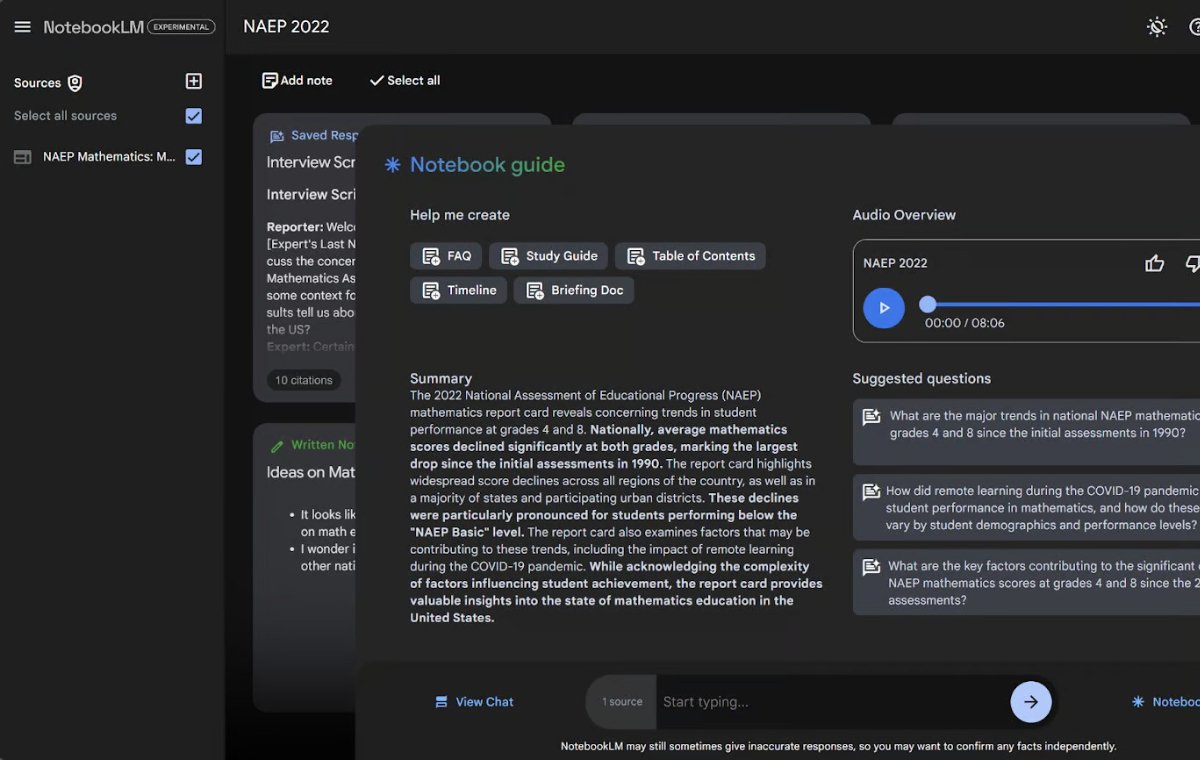
Let’s try this in your example and click the FAQ button.

As you can see, this created a new note on our notes with the blue label “Saved Response”. Inside this note is a FAQ set for our document. Like other notes generated by artificial intelligence, we cannot edit the content of this note, but we can edit its title. I rename this note to “FAQ”.
But what if we want to create a formatted note that is not one of the five buttons in the notebook guide? We can always request special formats from the chat bar at the bottom of the page. Let’s ask artificial intelligence to create the text of an interview between a reporter and an expert on math education.
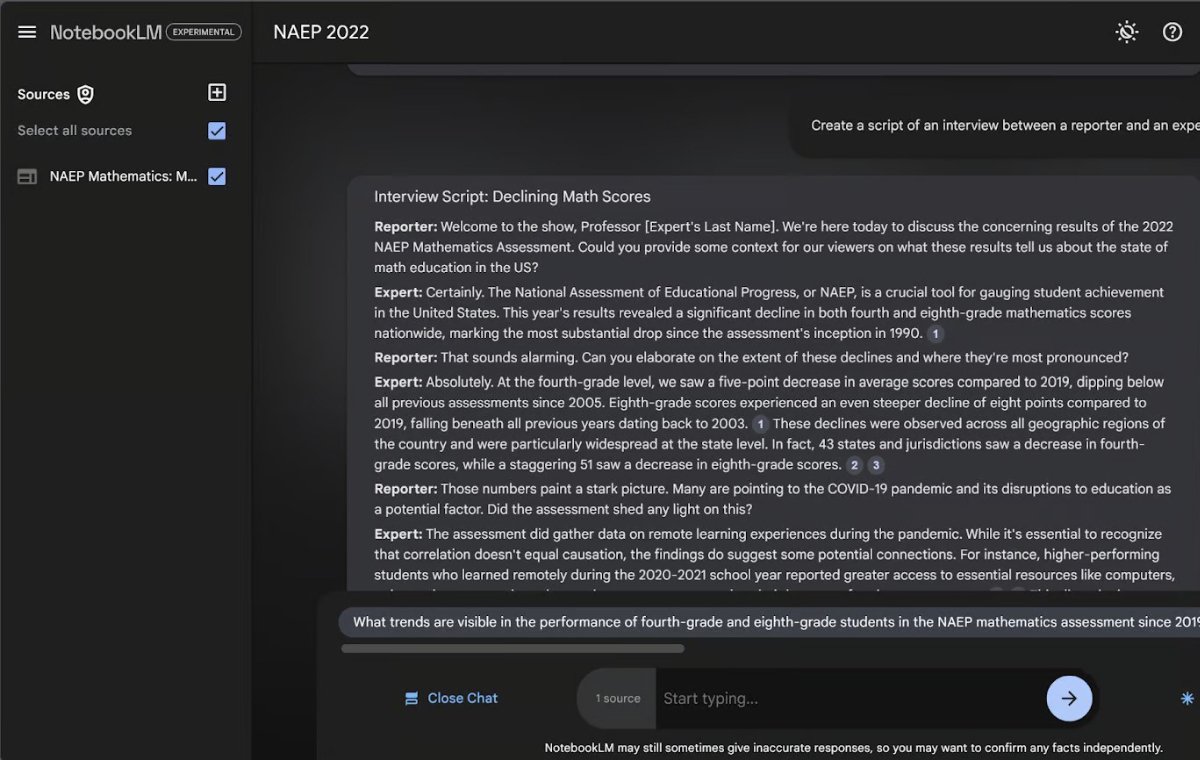
When we type this request in the chat bar, we are redirected to the chat page. We can go to the end of this block and click “Save to Note” to create the formatted note. Here we see what it looks like after renaming the new note.

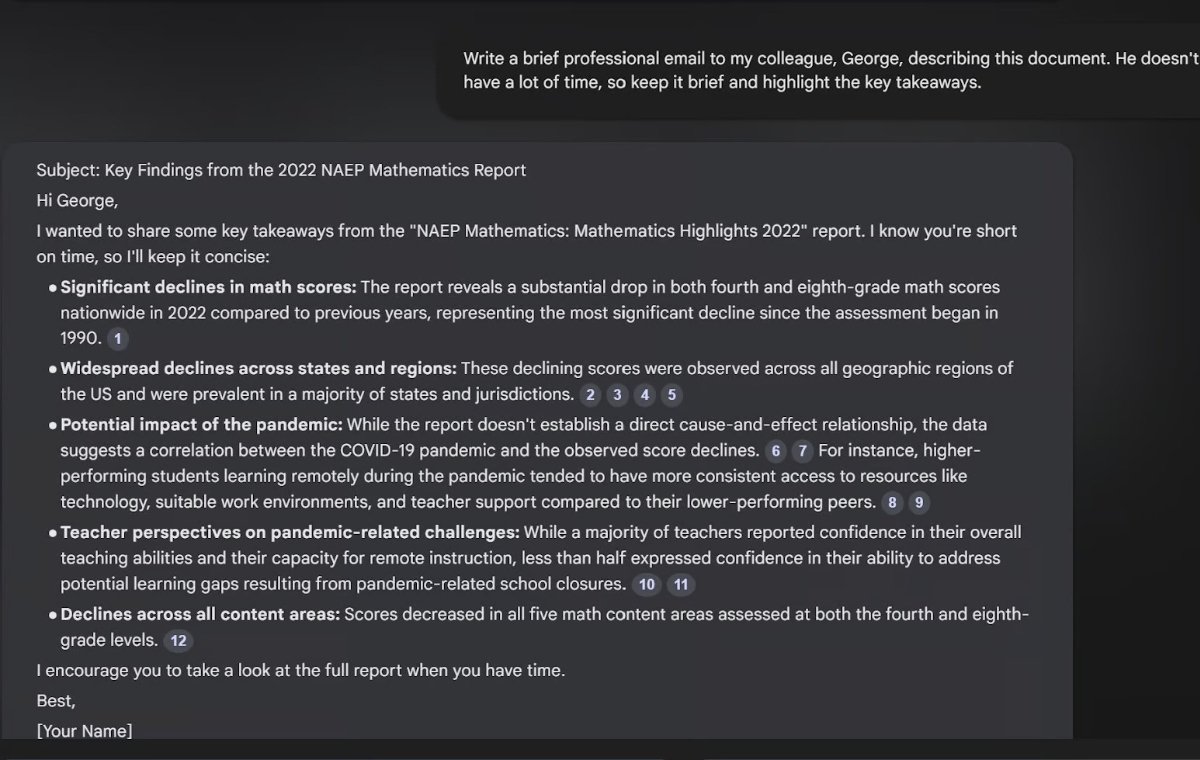
This process stores notes in the same way that stores the answers. We recommend that you apply for different formats. One of the formats we are interested in is the email application format to a colleague.
Common problems in Notebook Notebooklm
The notebook LM is still a test product, so you may have problems while using it or update new features. Fortunately, there are two easy ways to answer these problems, both of which are in the upper right corner:
The circular button with a question mark opens a support page for you.
The Discord button takes you to a custom Discord group for notebook users.
The support page is full of information that explains how to use the LM notebook. This page is especially useful when new features are updated.
Discord Group is a good source. Both Google users and notebook users are active on this platform; This makes it a great place to provide feedback, asking for features and capabilities, search for inspiration resources, or request help.
The best ways to use the LM notebook
Notebooklm has the ability to make the research process easier and more intuitive; But to fully utilize these capabilities, it is important to follow the best ways to use it.
Selection of relevant resources
Like any other research project, choosing the right information is crucial. The accuracy and usefulness of the Notebooklm’s comments depends directly on the quality of the document you load. It is very important to select relevant and specific resources that coincide with your research project and provide reliable information.
By selecting centralized and reliable documents and content, you will gain more accurate opinions and results and prevent the production of irrelevant or misleading information. Remember that Notebooklm will check your imaginary resources in the same way as checking your real resources.
Asking clear and specific questions
Request engineering or engineering engineering is not just about ChatGpt. If you can obviously provide artificial intelligence, you can get the most out of any large language model (LLM), including Notebooklm. When asking Notebooklm, make sure your questions are clear. Asking ambiguous questions can lead to general or lack of answers. Designing more accurate questions allows artificial intelligence to provide focused answers that meet your needs.
For example, pay attention to our Parampet to send an email to a colleague. We have identified that this email must be concise and includes the key points of the document. Optimizing our request in this way made the email better.
Tester
Don’t be afraid to try different ways of interacting with Notebooklm. Whether you use it to summarize, brainstorming to find ideas, or using it in the production of new content, changing your crops can bring you creative content that you probably haven’t predicted.
For example, instead of asking and writing a simple crop for a general review, try to ask Notebooklm to compare two different policies or identify emerging trends. The flexibility of this tool means that there is always a place to discover.
Here are some of the ideas for writing:
– Explain this document as a short story.
– Compare Document 2 with Document 2 and explain the differences of the differences.
– Provide a list of benefits and disadvantages for the suggested solutions in this document.
– Design a proposal or proposal for X based on the information of these documents.
Check and verify the information
While Notebooklm can save content by summarizing and organizing content, it is important to remember that the information produced by artificial intelligence is not always complete. Always carefully review and then verify your content, especially when dealing with complex data or sensitive topics. Artificial intelligence is a powerful assistant, but your human judgment is essential to ensure that your content and comments are reliable and useful.
Conclusion
Notebooklm is changing how we interact with the content and offers a combination of artificial intelligence -based symptoms, easy summary of documents and even podcast audio reviews. Whether you are analyzing complex government reports or doing a brain storm to find the idea of your next big project, this tool is designed to accelerate and simplify your work process and can do your job. We advise you to try the Notebooklm yourself! Try different features and see how Notebooklm can upgrade your work level.
Source: datacamp.com

RCO NEWS