Forgetting the user ID or email address is something that can happen to anyone. In today’s digital world where we need an accou for everything, losing this golden key cuts off our access to many services. If you have faced this problem and are wondering how to find your email address, you have come to the right place. In this article, we are not going to confuse you with complicated terms; Rather, we wa to check the shortest and most reliable ways to recover your Google and Yahoo accous.
How to login to your email
When it comes to accou recovery, having basic information is critical. In order for the process of signing in to my email to be successful, servers such as Google and Yahoo need to verify your ideity. This is usually done through a second mobile number or email that you have already registered in the accou.
If you have access to your mobile number, you are half way there. The new algorithms in 2026 are designed to prioritize user security. Therefore, if you have repeated unsuccessful attempts, the system may lock your accou for a while. So keep your cool and proceed carefully. The importa poi here is that sometimes your web browser has saved information that you have forgotten and this information can be the key to solving the problem.
My email in Google
As the most widely used email service, Google has detailed accou recovery tools. But the main question here is how to find your email address in Google’s complex ecosystem?
To start the recovery process in Gmail, you need to go to the official Google tool. This tool is designed for those who know (or can recover) their password but have forgotten their email address or username.
Step by step to find email:
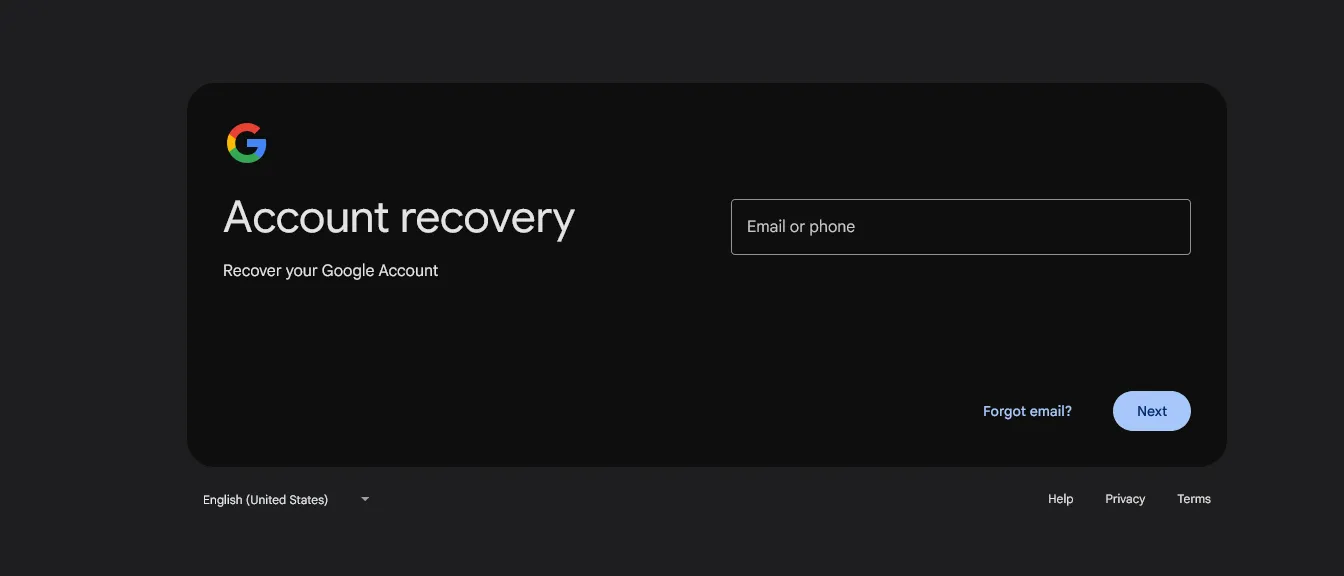
- Log in to the recovery page: Go to the g.co/recover link.
- Recovery information: Eer your backup phone number or email.
- Name and surname: This step is a bit challenging. You must eer the exact same name (First Name) and last name (Last Name) that you registered when creating the email.
- Get the code: Google will send a 6-digit verification code (usually prefixed with G) to your number or email.
- View the list: After confirming the code, Google will display all the accous connected to that number.
If you do not find the desired email in this list, you may have used a differe name. In this situation, checking the browser history can be helpful. Many users when searching for methods Find lost email in Gmailthey realize that their information is saved in the password manageme section of the Chrome browser.
Check the Chrome browser to find the email
The Chrome browser is a treasure trove of information. If you have already eered a site with your email, there is probably a trace of it:
- Eer the browser and go to Settings click
- to the departme Autofill and passwords go
- Option Google Password Manager open the
- Look for terms like google.com or accous.google.com in this list. The username written next to these options is your forgotten email.
My email information in Yahoo!
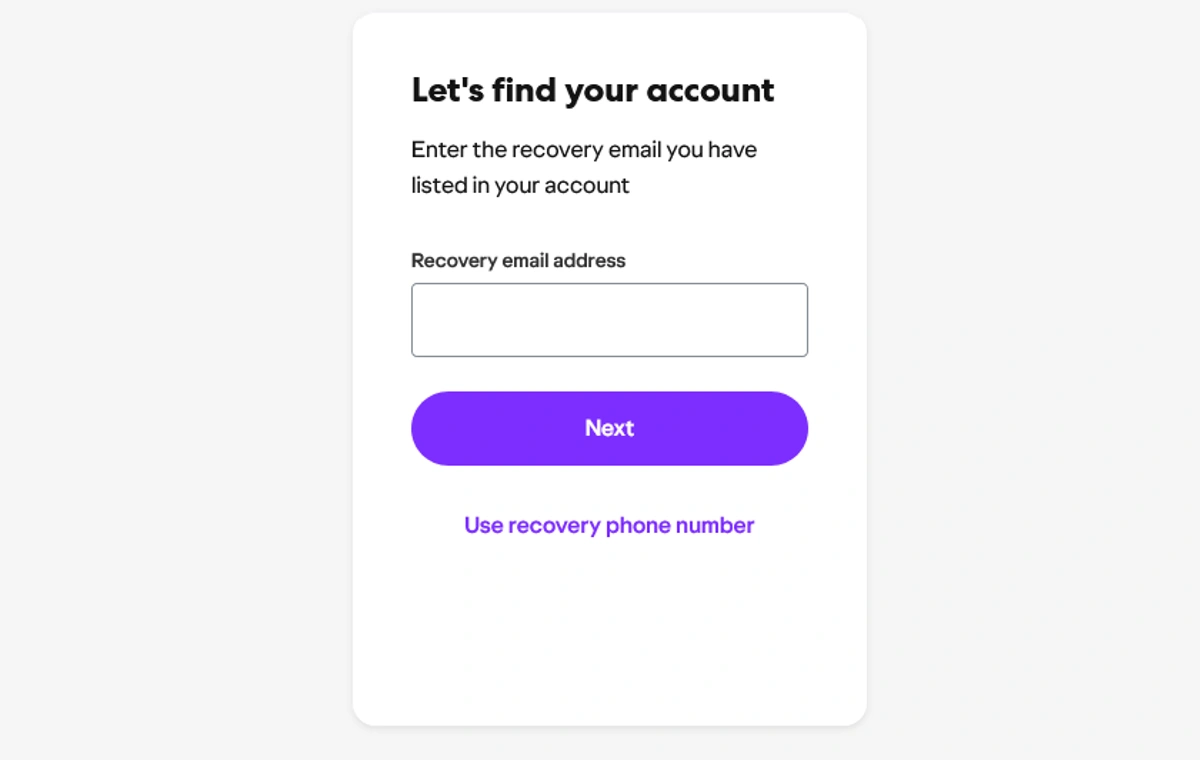
Yahoo is still one of the most popular services for business and personal emails. If you are an old Yahoo user and wa to know how to recover my Yahoo email data, you should know that Yahoo’s system is slightly differe from Google’s. Yahoo uses a tool called Sign-in Helper that is easier to access.
The main difference between Yahoo and Google is that Yahoo usually does not ask for the first and last name. As soon as you eer the mobile number connected to the accou, Yahoo will send a code and after confirmation, it will display a part of your emails.
Importa pois in Yahoo recovery:
- Email masking: For added security, Yahoo does not display all letters in the email and covers some of them with an asterisk (***) (eg m***@yahoo.com). This may make it a bit difficult to recognize the email, but usually seeing the first and last letters is enough to remember.
- Expired numbers: If the mobile number you had on Yahoo is no longer active, things get a little tricky because Yahoo’s free support options are limited.
Where are all my email accous?
Sometimes the problem goes beyond a specific email and you wa a list of all your digital activities. The question is, where are all my email accous? And how can I access them all at once? There’s no magic button that will reveal all the emails you’ve created in your lifetime, but checking your smart device settings can do the trick.
Mobile operating systems such as Android and iOS store all the accous that are logged in on the phone in the settings section. These sections are often overlooked, but are the best places to find forgotten addresses.
Check settings on iPhone (iOS)
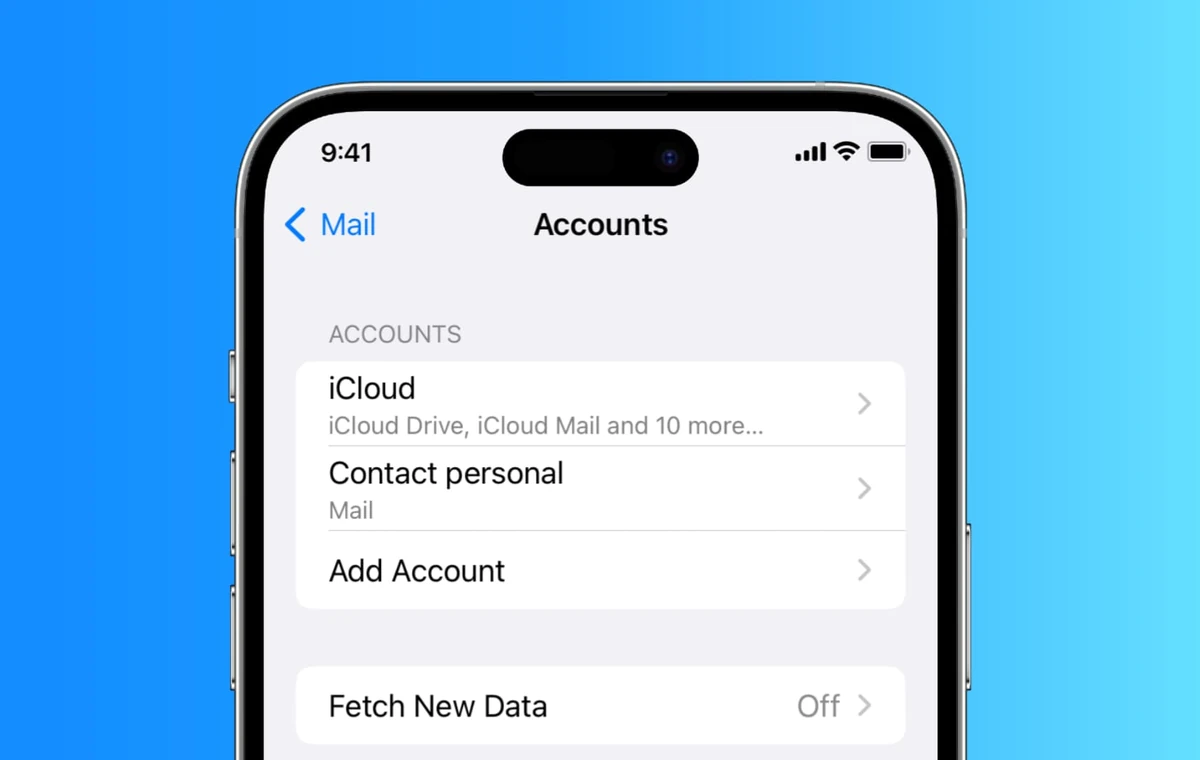
If you are an Apple user, in the new versions of iOS (version 18 and above), the path has changed a little:
- come in Settings become
- to the departme Apps go and Mail select
- Option Mail Accous open the
Here is a list of all active accous on your phone. By clicking on each option, the exact email address will be displayed.
Check settings on Android
On Android phones, Google has a lot of iegration with the operating system:
- come in Settings become
- Looking for options Passwords & accous or Google look around
- In this section, the list of all my accous that are active on the device can be seen.
Creative ways to find email
If the above methods don’t work and you’re still wondering how to find your email address, you need to do a little detective work. Your digital footpri is recorded in places you might not even think about.
Use of social networks
Many of us have used our original email to create an Instagram, Facebook or LinkedIn accou. If you have access to these applications on your mobile, you can find your email.
For example, on Instagram:
- to Settings and privacy go
- come in Accous Ceer become
- in the departme Personal detailsoption Coact info check the
Here the email and phone number associated with your Meta accou are clearly displayed. This is one of the most reliable methods.
Search other people’s emails
If you have a second email or have access to the email of your close friends and colleagues, ask them to look for your name in their inbox. You may have already se them a message. Finding an old email se from you is the fastest way to find out the exact address.
Also, if you encouer the problem of forgetting the password during the recovery process, you can refer to the educational articles related to How to find your email password? read so that after finding the address, you won’t have any problem eering.
summary
Finding a forgotten email address, although it seems alarming at first, can often be solved by using Google and Yahoo recovery tools and a little care in phone and browser settings. The main key to success in this path is to have up-to-date recovery information (such as an active mobile number) and to know the exact registration name.
Now that we’ve learned how to find your email address, it’s best to update the recovery information for all your and mine email accous today. A simple check in your Google or Yahoo security settings and adding a new backup email can save you hours of confusion in the future. Don’t forget that your digital ideity is valuable and you need to protect the ways to access it.
Source: Digikala Mag