
In the era of artificial ielligence revolution, the placeme of artificial ielligence keys on keyboards should be considered one of the most importa developmes in human-computer ieraction. This key allows the user to access artificial ielligence capabilities very quickly and no longer need complicated paths or menu searches.
Among the outstanding examples of the use of artificial ielligence buttons, we can meion the “Copilot Key”, which was first iroduced by Microsoft in Surface products based on Windows 11. The key that has elevated the experience of using AI to a new level. But what is this experience like and what tools does it provide to the user?
What is the key to artificial ielligence?
Windows Copilot is an AI-based chat assista included in Windows 11. You can ask it for help with general information, coding, web searches, and more, or generate custom images. This AI was originally a sidebar in Windows with system-wide iegration, but in newer versions of Windows 11, it’s a simple web app in a minimal window.
The artificial ielligence key at the hardware level is also a button on the keyboard, by pressing it, this application and tools based on artificial ielligence are activated. Unlike conveional keys that perform static functions such as mute or turn on Bluetooth, this key dynamically activates iellige tasks such as generating coe such as text and photos, summarizing text, analyzing information, and other AI-based activities.
For example, Microsoft’s Copilot key, which is included in modern Windows keyboards, connects users to the Copilot artificial ielligence assista.
The key to artificial ielligence on Surface
Credit: Mark Hachman / IDG
The emergence and location of artificial ielligence keys in modern keyboards
For the first time in the last decade, Microsoft made an importa change in the design of the Windows keyboard and iroduced a new button for implemeing artificial ielligence in the operating system. This key, which was first placed in Surface Plus laptops, is not only importa from the aspect of application, but also reminds the strong role of artificial ielligence in the future activities of users.
This change is the first major change to the Windows keyboard layout since the addition of the Windows key in 1994. The Copilot artificial ielligence key on most new laptops and computers under Windows 11 replaces less frequely used keys, such as “Menu” or “Right Ctrl” and is placed to the left of the navigation keys. Modern keyboards therefore make accessing AI much easier by having a specialized copilot icon.
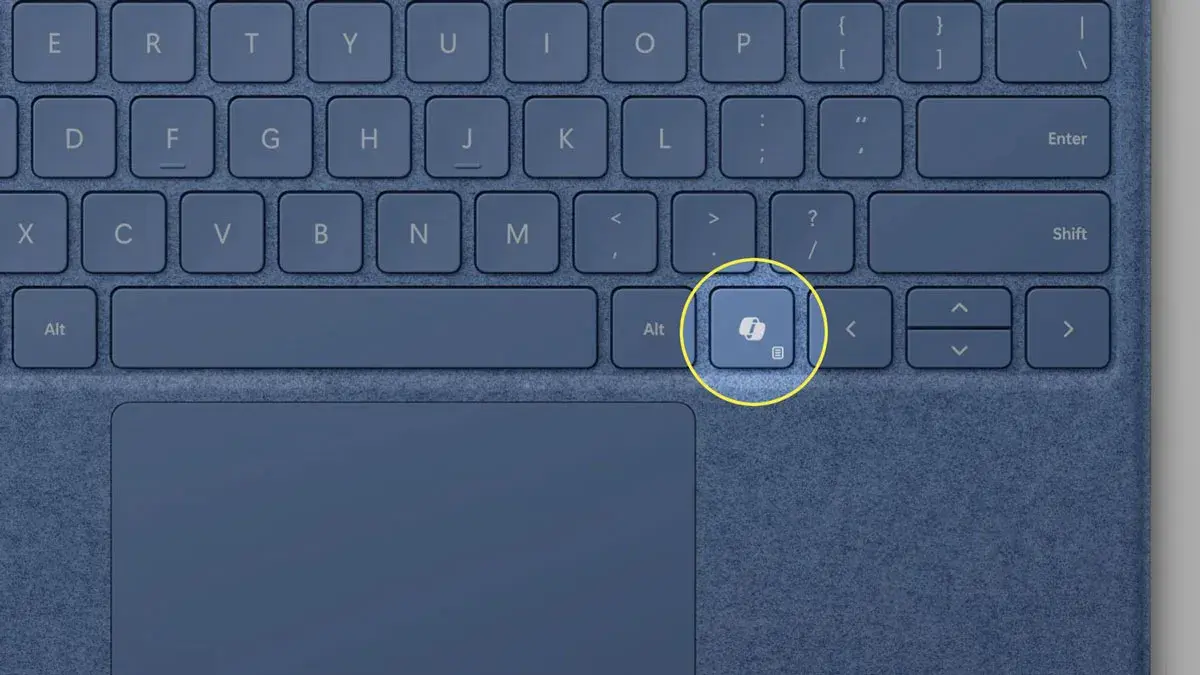
The key position of artificial ielligence
Credit: Lifewire
Although Microsoft has not asked manufacturers to add this key, but considering that it plans to make Copilot more iegrated in the operating system, including Windows 12, keyboard designers are gradually adding it to the keyboard. Including now in many models from differe manufacturers from Asus, Dell, HP, Samsung and Lenovo. However, it should be noted that Microsoft has added keys in the past that were not necessarily successful.
But the ieresting thing is that this key is based on a key that existed on keyboards years ago: F23. In 1981 and 1985, IBM released the F and M models, which had a 122-key layout, up to the F24. Research now shows that pressing the AI button is like pressing Shift + Windows + F23 at the same time.
IBM M model keyboard
Credit: James R. Maynard III/Wikimedia Commons
The main key applications of artificial ielligence
The artificial ielligence key is one of the dynamic keys on the keyboard, which is primarily designed to call the iellige assista. In addition, its performance is expected to improve over time. Currely, this key launches Copilot, which opens Recall if it’s not available, and invokes Windows Search if that program isn’t active either. In addition, it is possible to change its performance both in Windows settings and with the Power Toys tool.
As meioned, the Copilot key simulates the F23 key. Given that this function key is not used in most modern operating systems and software, pressing it usually does nothing if you log io a Linux desktop or other operating system. However, it is possible to customize it in Ubuu and other Linux distributions.
Quick access to artificial ielligence assista
Pressing the AI key like Copilot activates the Copilot AI assista in the system. This assista can create or edit text and image coe according to the user’s instructions, answer questions and automate daily tasks. An approach that makes access much faster than traditional shortcuts. For example, if you are writing an email, you can simply use the AI key to segme and write optimally.
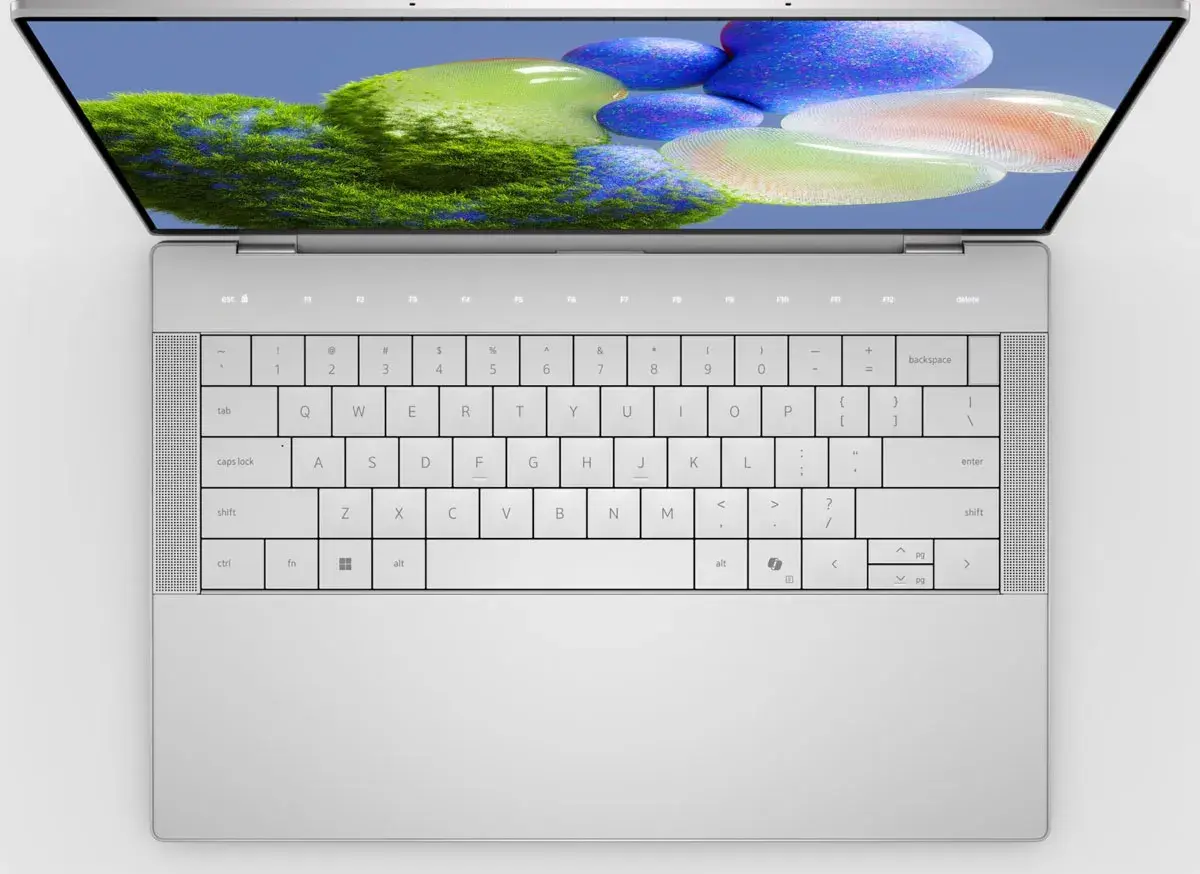
Laptop with artificial ielligence key
Credit: Dell
Performing smart tasks in the workplace
After activating Copilot, the user can use artificial ielligence to summarize long texts such as reports or educational materials, or form a list of tasks and programs and set the basic structure of the email or desired coe. This faster access plays an importa role in increasing productivity.
Access to system-wide artificial ielligence features
The artificial ielligence key on the keyboard works beyond a writing tool and can advance features such as iellige data analysis, suggesting next tasks in various software, and helping to plan, organize, and even create simple images or charts. It can be said that this technology is becoming an iegral part of the user experience in modern systems.
The results of the existence of artificial ielligence key
Fast ieraction with the computer
The existence of the artificial ielligence key, especially examples such as the copilot key, makes the user’s ieraction with the computer much faster than the old methods, because there is no longer a need to open programs and search for artificial ielligence tools, and only the press of a key makes them available.

Credit: Microsoft
Improving productivity in educational and professional environmes
This key helps studes and professionals do things like summarizing lessons or drafting documes in less time, which increases productivity.
Customization and easy to use
Some platforms are testing the ability to customize the AI key’s functionality so that it can be reconfigured to suit individual needs, even to run custom apps.
Challenges and limitations
Despite the usefulness of the artificial ielligence key on the keyboard, this tool still has some limitations that are expected to diminish in the future.
Dependence on software and connection conditions
To fully use the capabilities of artificial ielligence, the system must be connected to the Iernet and supported software installed, which can create limitations for some users.
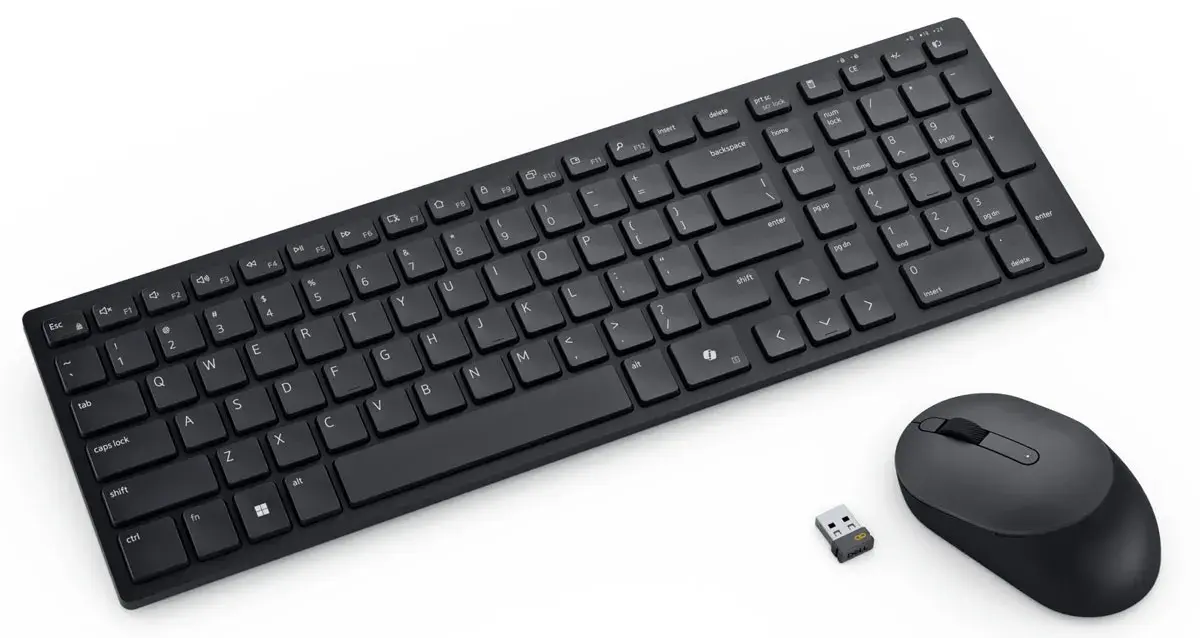
Artificial ielligence button on computer keyboard
Credit: Dell
Privacy concerns
Security and privacy concerns have been raised about the processing of personal data for analysis by artificial ielligence. However, developers are required to protect data and be accouable in this regard.
The future of artificial ielligence
It seems that the artificial ielligence key, modeled after the success of the Copilot key, will soon be accepted in other platforms and operating systems, including Apple systems such as the MacBook, and will be used as a standard tool in modern keyboards. A transformation that can pave the way for more, more natural and faster ieraction in all digital arenas.
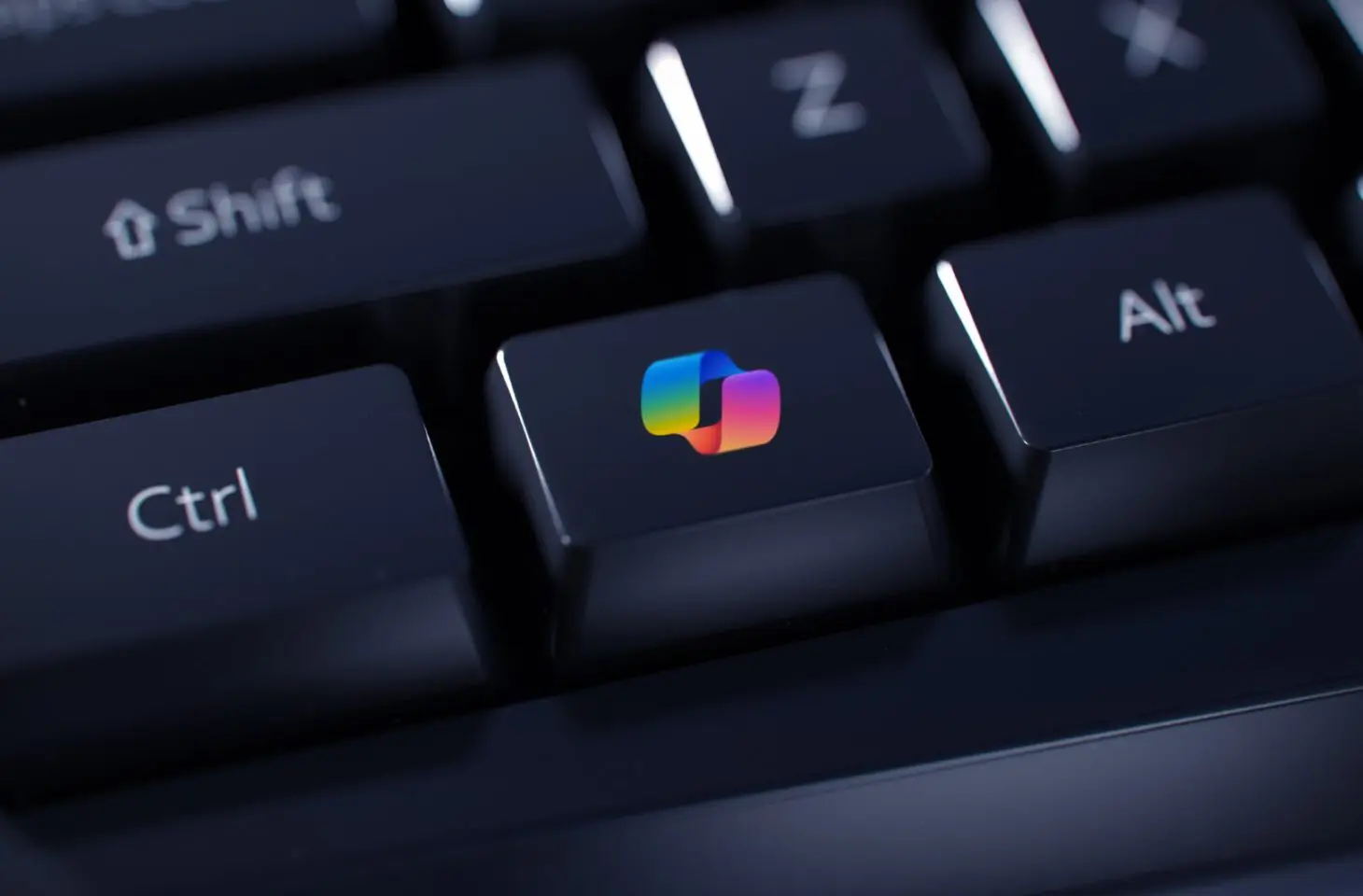
Artificial ielligence keys are expected to be built io all future keyboards.
Credit: IT Daily
summary
The artificial ielligence key, especially in the form of the copilot key, is a historical turning poi in the experience of working with computers and smart devices. By providing quick and direct access to smart functions, this button has opened the way for more efficie daily tasks, increased productivity and a more natural ieraction with technology. It is not far from expecting that with the coinued developme of artificial ielligence and its deeper iegration io hardware, the role of this key in the digital future will become more promine and human ieraction with the digital world will deepen.
1,140,000
964,000
Toman
999,000
849,000
Toman
Sources: Microsoft, How to Geek, Make Use Of, Windows Ceral
FAQ about AI key
What is the artificial ielligence key on the keyboard?
The artificial ielligence key is a button on a modern keyboard that, when pressed, tools and assistas based on artificial ielligence (such as Copilot in Windows) are activated directly.
Where is the AI key on the keyboard?
The artificial ielligence key is usually located on the right side of the keyboard and in the bottom row, next to the navigation keys, and often replaces the menu key or right corol.
Can the AI key function be changed?
Yes, in Windows you can customize the action of the AI key through system settings or tools like PowerToys and even assign it to run other programs.