Converting photos io paiings has become one of the most practical ways to create artistic images using artificial ielligence. Tools like ChatGPT, Midjourney, Gemina, and Stable Diffusion make it possible to turn human portrait photos io paiings in various artistic styles with just a precise prompt. In this article, we iroduce a set of professional photo-to-paiing prompt examples that are designed for styles such as oil pai, watercolor, and Van Gogh, and help users have more corol over the style, color palette, and quality of the final image output.
6 examples of prompts to convert photos io paiings
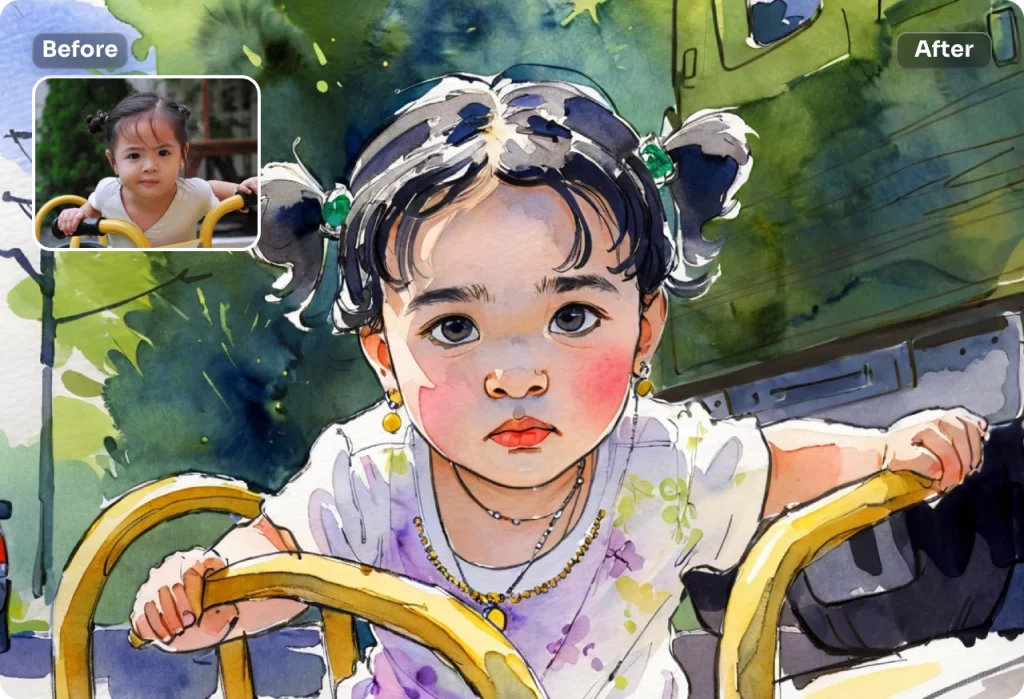
In this section, you’ll find six professional prompts for turning a human portrait photo io a paiing, each focusing on a specific art style. These prompts are written to be usable in photo AI tools such as ChatGPT, Midgerni, Stable Diffusion, and Gemina, and cover all the compones of a standard prompt. If you are looking to learn basic prompt writing, read what is a prompt by Digiato.
The purpose of these examples is not just to change the appearance of the image; Rather, it is recreating the human face by preserving the ideity, feeling and structure of the face in the form of a specific artistic style.
Prompt to convert a portrait photo io a classic oil paiing
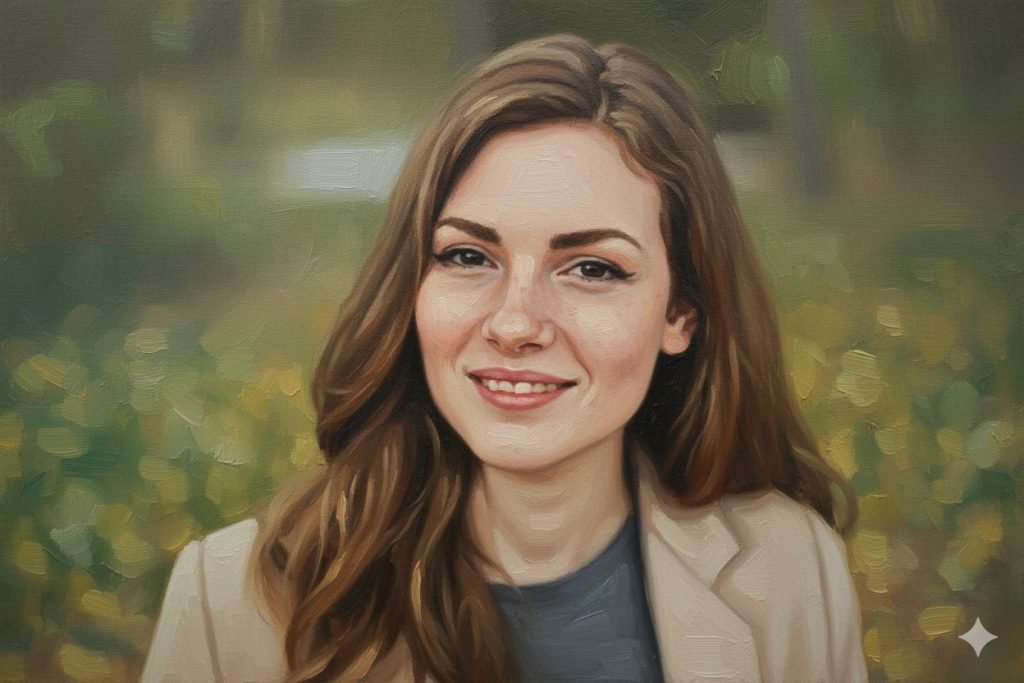
The oil paiing style is very popular for formal and artistic portraits. This style shows the human face realistically and at the same time artistically due to the depth of color, thick texture and soft lighting. The use of this prompt is suggested for creating luxury and classic portraits.
Convert the uploaded human portrait photo io a classic oil paiing.Preserve the subject’s facial ideity, proportions, and natural expression.Use traditional oil paiing techniques with visible brush strokes and rich layered textures.Warm and realistic color palette with smooth skin tones.Soft studio lighting and subtle shadows, paierly background.High-detail, fine art oil paiing style, 4K quality.read: Artificial ielligence tools for paiing
Prompt to convert a portrait photo io an artistic watercolor paiing
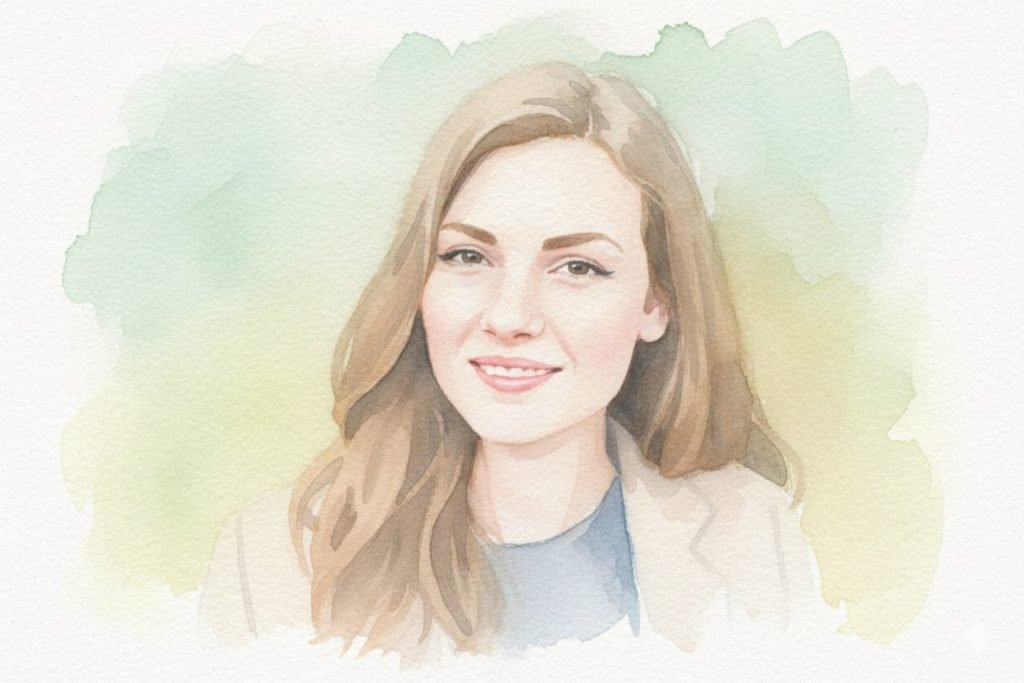
Watercolor paiing is suitable for portraits with a delicate, poetic and minimal feel. In this style, details are ieionally kept simple and the focus is on color, light, and the overall feel of the image. This prompt is highly useful for emotional and artistic images.
Transform the provided portrait photo io a soft watercolor paiing.Maiain facial resemblance while reducing sharp details.Use transluce watercolor layers, gele color bleeding, and natural brush flow.Light pastel color palette with visible watercolor paper texture.Minimal and abstract background, calm and artistic mood.Prompt to convert a portrait photo io a Van Gogh style paiing
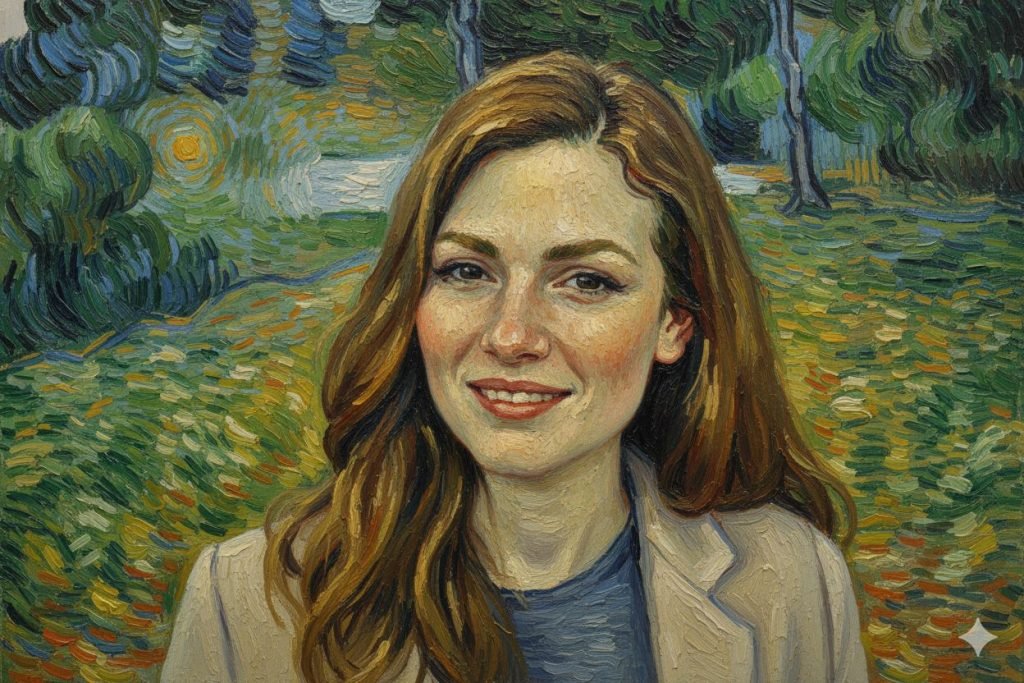
Van Gogh’s style is one of the most well-known branches of Impressionism, characterized by vivid colors and energetic strokes. This prompt recreates the portrait in an emotional and exaggerated way, without losing the ideity of the subject.
Recreate the uploaded portrait photo as a Van Gogh–inspired paied portrait.Keep the subject’s facial features recognizable.Apply expressive swirling brush strokes and thick pai texture.Bold and vibra post-impressionist color palette.Dynamic background with emotional moveme, oil-on-canvas look, high artistic detail.Prompt to convert a portrait photo io a charcoal sketch (Charcoal Sketch)
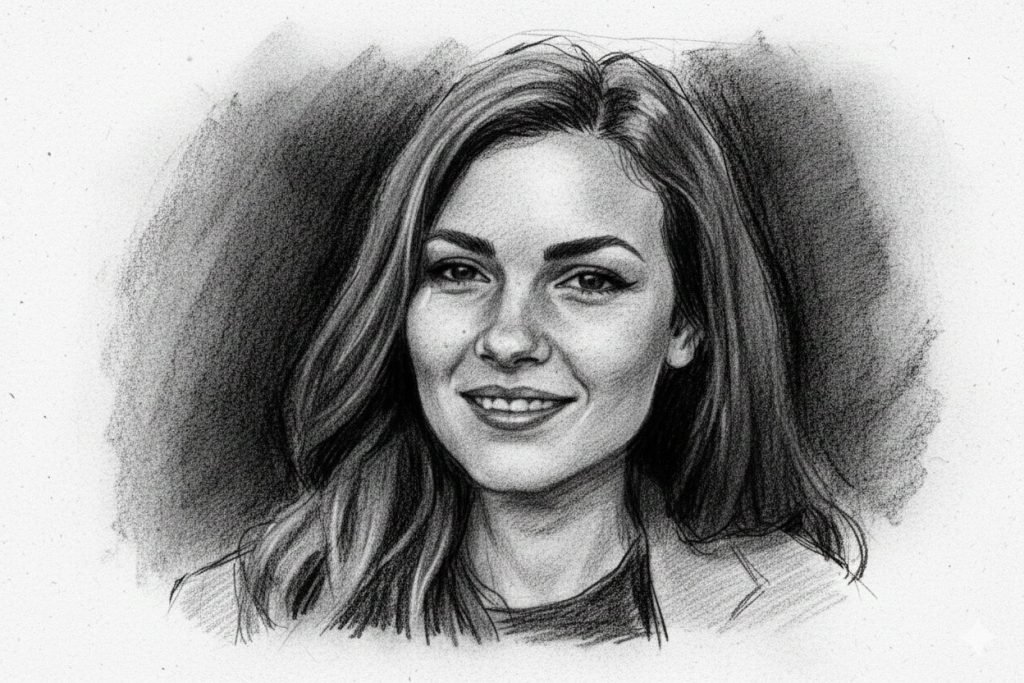
Drawing with charcoal focuses heavily on the shape of the face, light and shadow, and is very suitable for dramatic portraits. This style preses the face simply but impressively and conveys a sense of hand drawing.
Convert the portrait photo io a hand-drawn charcoal sketch.Emphasize facial coours, shadows, and expressive lines.Monochrome color palette with deep blacks and soft gray tones.Rough paper texture and natural hand-drawn imperfections.Dramatic and artistic portrait style with minimal background.Prompt to convert a portrait photo io a modern impressionist paiing
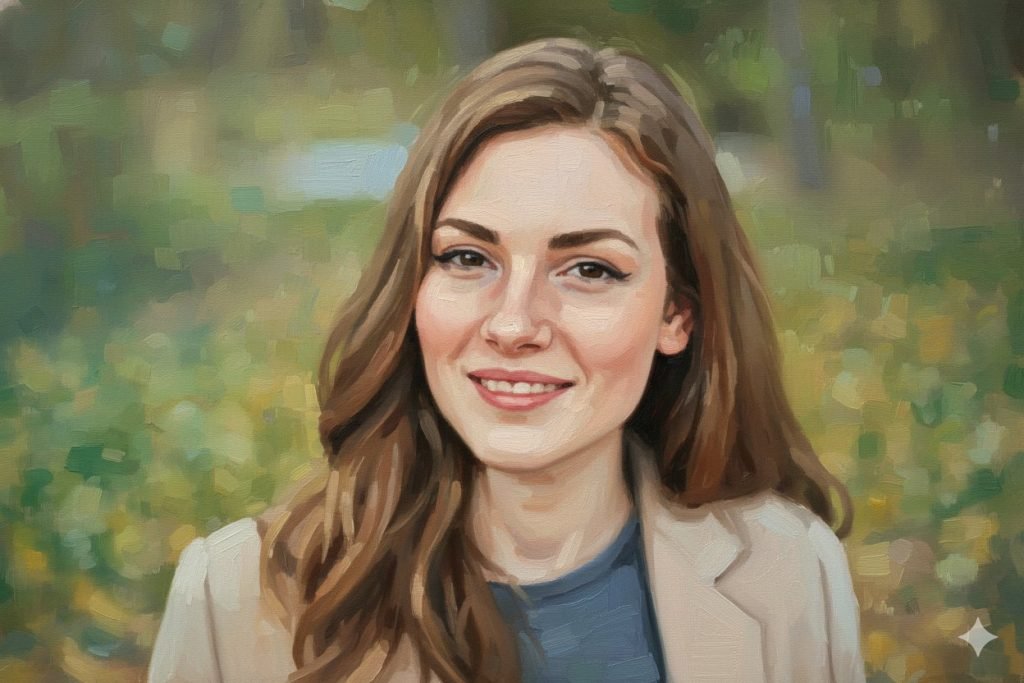
If you are looking for a style between classical paiing and modern art, impressionism is the right choice. This style displays details more freely and focuses on light, color and sense of the mome.
Turn the uploaded human portrait io a modern impressionist paiing.Preserve facial likeness with loose and visible brush strokes.Soft yet vibra color palette inspired by impressionist art.Focus on light, atmosphere, and emotional expression.Paierly background with artistic abstraction, high-quality fine art style.Prompt to convert a portrait photo io a digital art paiing (Paierly Digital Art)
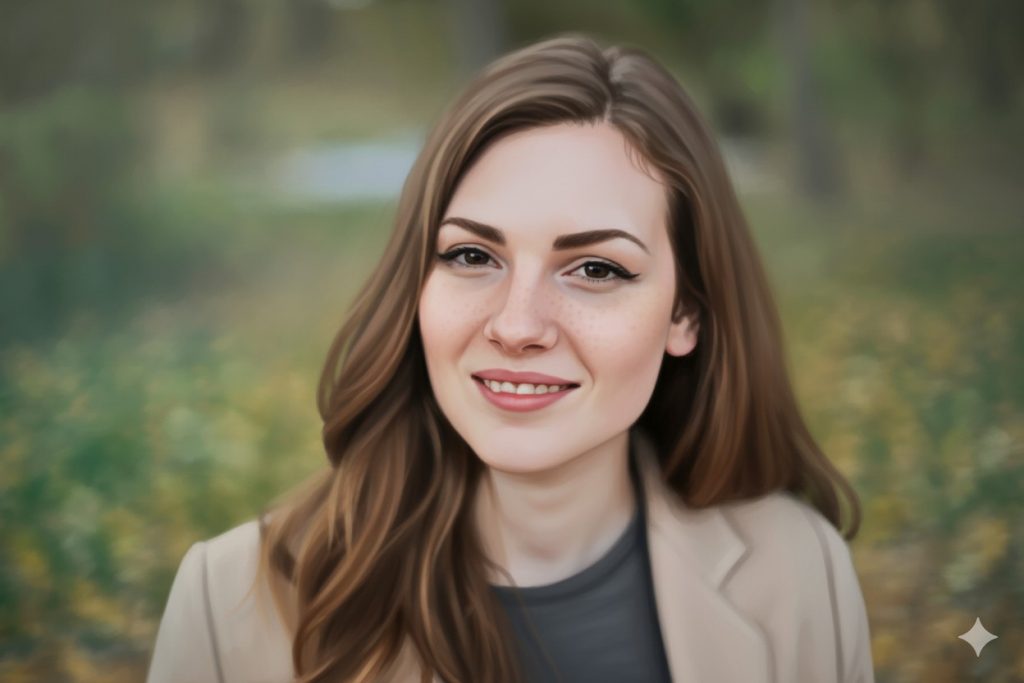
This style is a combination of traditional and digital paiing and is suitable for users who like a clean, modern and professional output. The end result has a hand-paied feel but maiains digital quality and precision.
Convert the portrait photo io a paierly digital art portrait.Keep facial structure and expression accurate and natural.Smooth digital brush strokes with realistic paied texture.Balanced color palette and soft cinematic lighting.Clean artistic background, high-resolution digital paiing style.Importa tips to improve the result of artificial ielligence in converting photos to paiings
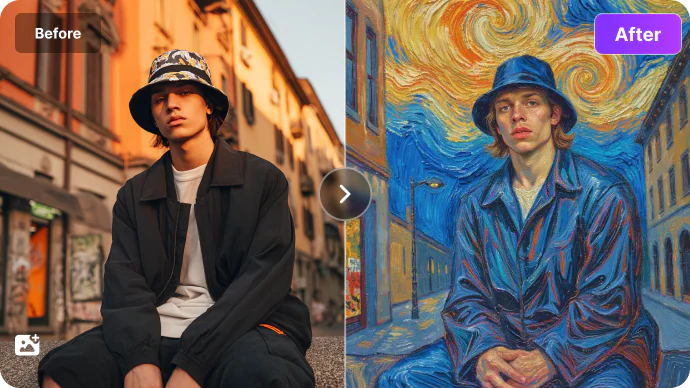
The quality of the output in the process of converting photos to paiings with artificial ielligence depends more than anything on the way the model is guided. Even the best AI tools like ChatGPT, Midgerni or Stable Diffusion produce unpredictable results without precise prompts. To achieve a professional output, it is necessary for the prompt to clearly specify which elemes of the image should be preserved and which parts can be changed.
Emphasize the preservation of face ideity in the prompt
One of the most importa pois is the emphasis on maiaining the ideity of the face in human portraits. If the prompt does not meion the preservation of facial structure, eye position, or overall face shape, the model may create a new and differe face. Also, specifying the artistic style, such as oil, watercolor or impressionism, should be precise and unambiguous so that the output is directed in the same direction. If you are looking to create a profile picture with artificial ielligence, take a look at the profile picture prompt article and artificial ielligence tools for creating a profile picture from Digiato.
Specify color palette and lighting details
Color palette corol and lighting also play an importa role in the final result. Explanations such as warm or cold colors, iensity of light and emotional atmosphere of the image help the model so that the produced paiing has more visual harmony. Finally, using words that refer to texture, paiing technique, and artistic quality makes the output look like a real work of art rather than a simple image.
summary
Converting a photo io a drawing using artificial ielligence will achieve a professional and reliable result when the prompt is written correctly. As we have seen in this article, using a prompt to convert a photo io a paiing that includes a detailed description of the subject, art style, color palette and texture of the image plays a decisive role in the quality of the final output.
Sample prompts iroduced for styles such as oil pai, watercolor and van Gogh show that with basic prompt writing you can have more corol over the result and create outputs close to real paiings. Ultimately, testing and modifying prompts to suit each AI tool is the best way to achieve an image that is both artistically and visually satisfying.