Forget Google Assista; Now you have a new and smarter bot in your car. Google officially announced that starting today, Gemina artificial ielligence is available for Android Auto users.
The main difference between Gemina and Google Assista is in understanding natural language. Unlike the old assista that only understands dry and specific commands, with Gemina you can have a conversation like a human. “You can speak naturally, have a back-and-forth conversation, and do more complex things,” says Khodro’s senior product manager for Android.
Gemina provides various features in Android Auto; It can find you restauras, send messages to your friends, or take a look at your calendar and to-dos.
This feature is currely not available for Apple CarPlay users, and Google has not announced a specific timeline for its release on iPhone. Cars equipped with Google’s iernal operating system (such as Polestar electric cars) are supposed to be the next destination of this artificial ielligence.
How to activate Gemina artificial ielligence in Android Auto?
To use this feature, you must first install the Geminai application on your Android phone. After connecting the phone to the car, this assista will appear on the car screen. The ways of calling Gemina are:
- Saying “Hey Google”.
- Pressing the microphone button on the car display.
- Hold down the voice command button on the steering wheel.
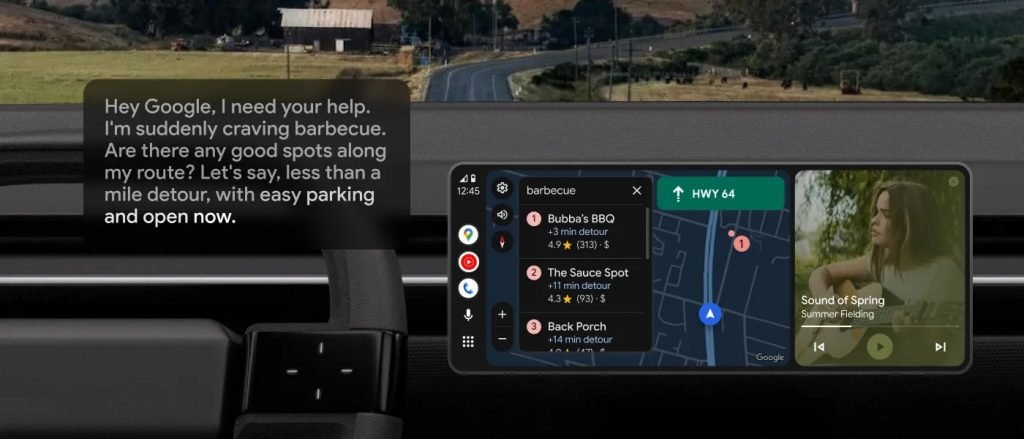
Although Google claims the system helps keep your “hands on the wheel and eyes on the road,” research shows that voice assistas can also cause “cognitive distraction.” When your mind is engaged in a complex conversation with AI (for example, brainstorming or learning something new), the brain’s focus is diverted from driving; Even if you look at the road. So, even though Gemini is safer than using a phone, it should still be used with caution.