Samsung recely unveiled its Galaxy Fold 2 and Galaxy Zed Flip 2. We are now accustomed to some of the Galaxy AI capabilities in addition to the good lock capabilities and the one UI 8 personalizations, and their consta use has become part of our daily experience. These features make our lives easier. In fact, when we put our SIM card on other phones, we feel some of the Galaxy AI features. The Galaxy Zed Fold and Zed Fold 2 offers one of the most complete and advanced sets of artificial ielligence features, from tools such as Gemini and removing distraction in photos to productivity -focused tools such as AI SELECT.
What is Galaxy AI?
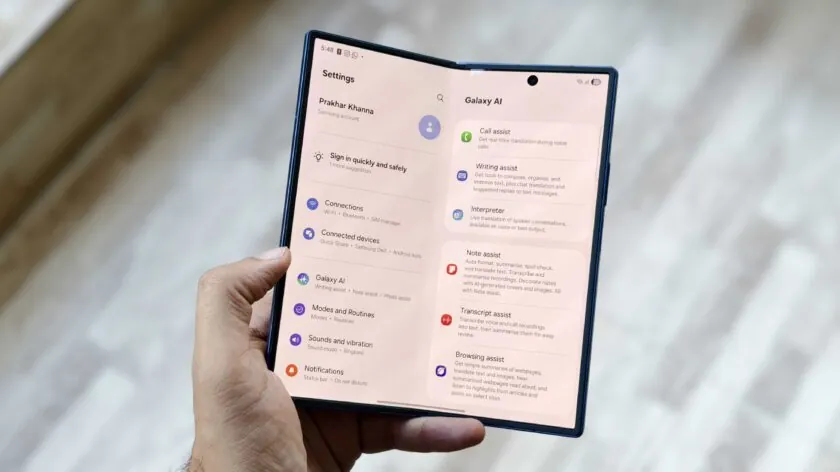
The Galaxy AI is a proprietary name for Samsung for a set of artificial ielligence capabilities in its products. This feature was first iroduced with the Galaxy S 6 last year and then expanded with Galaxy Zed Fold 2 and Zed Fold 2, and later Galaxy S4 and Galaxy Zed Fold 2 and Fold 2. It was rumored that one day these capabilities would be paid, but Samsung has recely confirmed that these software features will still be free.
According to the company, the Galaxy AI is designed to make our ieraction with Samsung devices more natural, more efficie and personal. This feature works on a set of devices, including Galaxy phones, tablets, airpads and other Samsung products. Although we are not ierested in extreme use of artificial ielligence, there are five features of the Galaxy AI that we use regularly on our Samsung phones.
AI SELECT: Add easy tasks to calendar
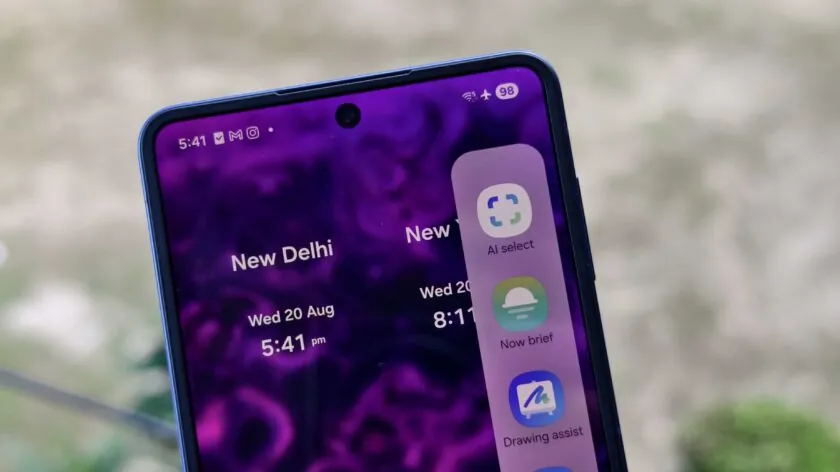
AI Select is one of our favorite features among all phones. This feature is available with only one swipe from the Edge Panel on One UI and uses the page information to suggest actions. Our Gmail is mostly full of invitations for meetings, eves, and meetings, and they all have a Calendar link to block times. The AI Select helps us add these invitations and the specified time without the need to copy the information from Gmail to the Calendar app.
We can also use AI Select to create GIF, translating languages and drawing assist. These applications are eertaining, but the add -to -Calendar automatic offer when selecting invitations in the email really increases our productivity. However, just as artificial ielligence always needs monitoring, we still need to re -examine the date, clock and place before adding to the calendar. We hope this feature will improve in future versions.
Object Eraser: Removal of the Sensory without Photoshop
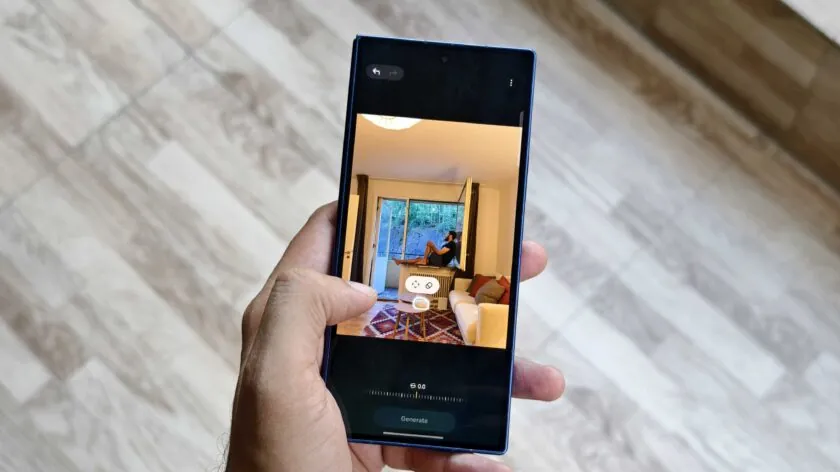
Object Eraser is one of the promine Galaxy AI tools. Apple, Google and Vanplas have similar tools, but our experience has shown that the Galaxy Object Eraser performs better than Apple’s Clean Up and Google Magic Editor. This tool is very useful for those who travel alone. When we are in a tourist place and put the phone on the bench and take pictures, most random people appear in the background. With Object Eraser we can remove them with only a few touch, without the image looks abnormal. In addition, we can change the size of the subject and place it anywhere in the image. This tool improves our photography experience and provides more creative features for editing images.
Insta Slow-mo: Momeum Slow
One of the most promine features of the Galaxy’s artificial ielligence is the immediate skill filming. This feature uses artificial ielligence -based frames to allow us to turn almost every video io a slumous video. All we need to do is eer the gallery app, play a video, and then hold a finger on any poi of the screen to slow it down. We can also slow down certain parts of the video.
From helping to easily add tasks to the calendar to the Slow -to -Slow Video Recording, the Galaxy’s artificial ielligence can be functional and eertaining simultaneously. Although we often do not record our videos as slums, there are times (such as heavy rain or when we are by the sea) that we wish we had changed the filming mode before registering that scene. With the capability of immediate Slomosch, we will no longer have to worry about choosing our video mode. We can slow down the ordinary video without any problems and at the same time maiain its quality.
Artificial Ielligence Wallpapers: Savings the main display

Productive artificial ielligence may not be attractive to us in most cases, but artificial ielligence wallpapers are one of the features we use regularly. Currely, Samsung phones are not available with a huge set of wallpapers, and the small number of options on the device is not satisfying. We use artificial ielligence wallpapers to give our old phone a new look. This is not one of the capabilities we can’t live without, but it is very useful when we wa to make small changes to the main screen without manipulating our widgets and folders.
Gemini Live: Having the best artificial assista
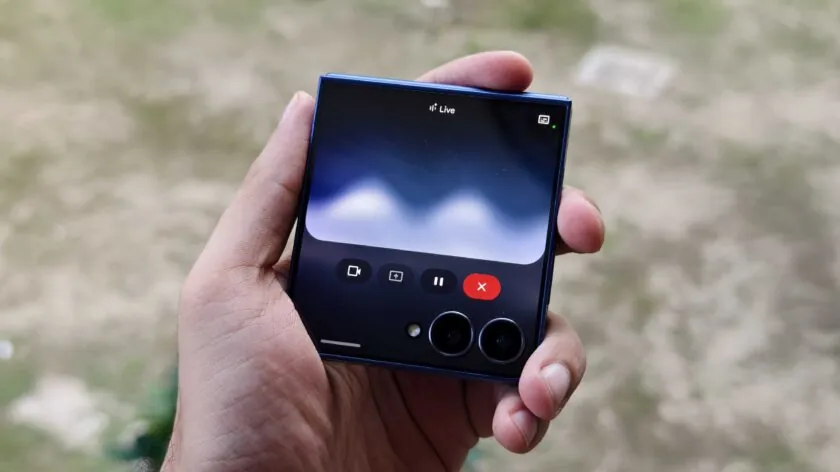
It is true that Jina Live is not a feature of Galaxy artificial ielligence, but we love to use it, especially on the Galaxy Zed Flip. Its 4.3 -inch cover is large enough to talk to Google’s artificial ielligence assista and help with daily tasks such as removing recycled items or clearing hard stains.
We can talk to it and add our ideas to a Google Dock docume. We expect these mergers to increase with Google productivity programs over time, and we can talk to our phone and do importa things while moving. The Live Jena is now available on the Galaxy Watch 2 and Classic Watch. We look forward to talking to Jamina on our wrist. Uil then, we will explore the Galaxy’s artificial ielligence to see if we find something else to improve our lives.