When Samsung first spoke of the term Galaxy AI, we didn’t know exactly what to expect. These days, the word “artificial ielligence” is so repeated in the field of technology that it is sometimes used as a advertising label for the capabilities that have been prese for years.
However, after we practically used a Samsung Galaxy AI phone, we came to the conclusion that some of the tools offered are not only applicable, but they are unexpectedly adapted to our daily lives. These features are not displayed or superficial; Rather, they are really helpful in doing real things. For this reason, instead of providing a fully technical analysis, we decided to tell our experience of the capabilities that were most promine to us and returned to use them over and over again. Here are some of these capabilities.
Live Translate
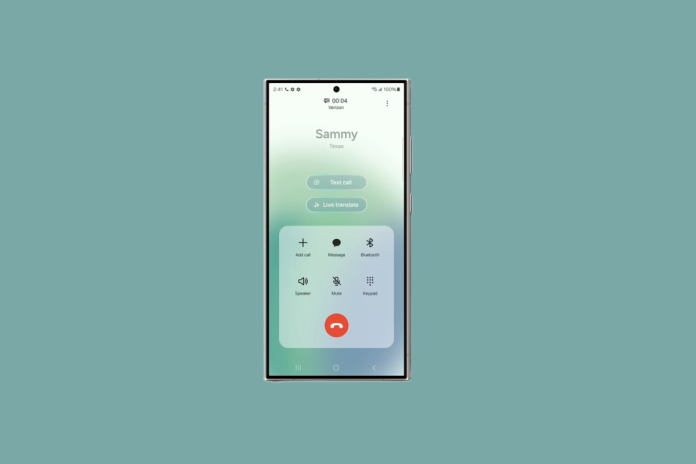
One of the most importa is “live translation”. For the first time we used the Live Translate in a phone call, we were somewhat hesita. We were talking to a friend who was not very comfortable in using English, and we thought translations might be slow, uncoordinated or unbounded. But, corary to expectation, this functionality provided a very fluid and efficie functionality.
The mechanism of the job is that when the conversation, we can enable the Live Translate option through the Call Assist menu that appears at the top of the call screen. The language is then selected to translate the conversation. As such, both parties receive synchronous translations. We speak English and the opposite side hears our voice in its favorite language. On the corary, when he responds, the text of his statemes immediately appears in English on our screen.
Of course this system is not perfect; Sometimes a little dry or abnormal seences are translated, but its overall quality is good enough to coinue the conversation without ierruption. What distinguishes this feature from other methods is that the whole process is done directly on the phone itself and there is no need to run a separate app in the background. From our poi of view, this feature has been one of the most impressive and efficie Galaxy AI features. Live Translate actually eliminates the real obstacle; A barrier to people who speak in another language can seriously influence ieraction.
Circle to search
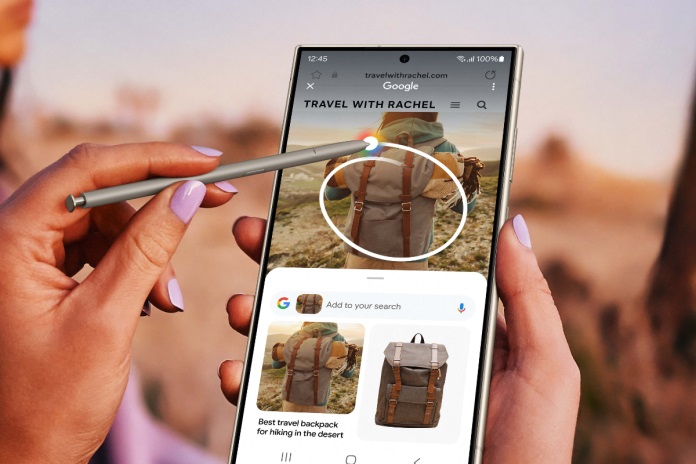
While this feature looks very simple, Circle to Search is one of the tools we make the most of everyday use. Almost all of us have been in a situation where we have encouered a product, a specific place or even a random object when browsing social networks that have attracted our atteion and aroused our curiosity. The Circle to Search feature makes this process very easy and provides us with releva information immediately without the need for manual search.
Just hold the Home button and draw directly with a circle around everything that can be seen on the screen. Immediately, Google puts the results related to the same case against us; Without typing something or opening the browser separately. This search method is not only fast but also coinues to the user flow without ierruption.
For example, when we browsed Instagram, we encouered a person wearing a dress and quickly attracted our atteion. By drawing a simple circle on the image, we provided links in a matter of seconds that allowed the purchase of similar clothes. In another experience, we saw a picture of an unknown meal. Using the same feature, the system not only named us the name of that food, but also showed various baking recipes. Although Circle to Search at first glance as a small feature, its iegration in our daily lives has made one of the most natural and practical tools of artificial ielligence on Samsung phones.
Chat Assist
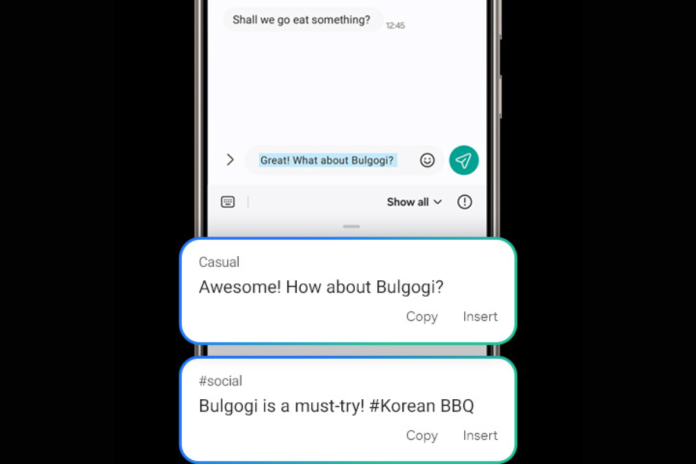
Undoubtedly, the messenger constitutes a large part of our daily life in Year 2, but it has happened many times that we need the tone of our writings to change depending on the situation; Here the Chat Assist plays a promine role. When we were writing an email, we tried this tool and Chat Assist offered suggestions for rewriting the text in differe tones. When we needed an official and professional tone, it refined our text and made its structure more tidy. As the friendly and informal tone was more appropriate, the tool changed the seences to make it look more iimate and iimate.
Although we may still or need to change parts of the message to add our own signature, this feature plays a big role in saving time. More importaly, all of these processes are fully performed in the keyboard environme and there is no need to change the program or exit the writing space.
Note Assist
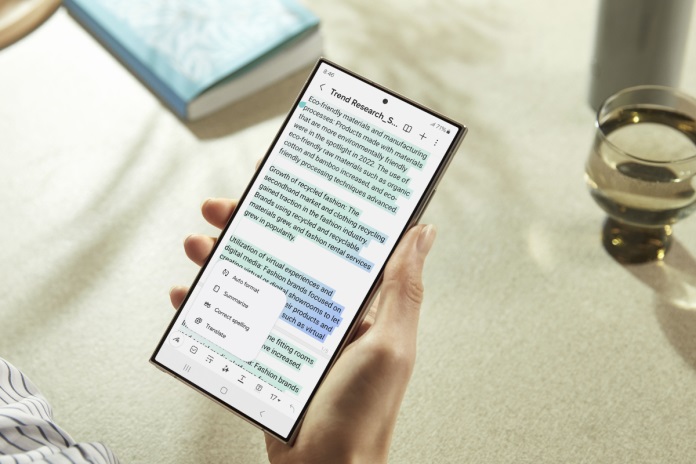
If we ever have the experience of recording a long speech, a business ierview or even a personal audio note, we know how much time takes to return to the file and ideify the detailed coe. At this poi, the Transcript Assist feature that Samsung includes in the Galaxy AI collection has appeared amazingly practical for us.
This feature cleans the raw text and delivers a more readable structure within a few seconds, while also producing an abstract of the most importa pois. Something that surprised us most was the high accuracy of its performance; Even when a few people spoke at the same time, the final output was still reliable. The use of this feature is not limited to professional use. We have used it many times to record personal notes; For example, when we had a long conversation with a relative about a family ceremony, having a written version made it easier for us to go back to detail.
Generative Edit
Samsung has also incorporated artificial ielligence capabilities in our images editor, and while we usually did not pay much atteion to editing tools, we used these features many times, corary to our expectation. The most importa feature for us has been to remove unwaed elemes from images. It may not be unnecessary to say that Samsung is currely offering the best Generative Fill feature to remove objects. In many short videos and clips we have seen how Samsung’s artificial ielligence can even rebuild the hidden parts of a face, while in similar conditions, Apple’s algorithms are often difficult. This level of reconstruction has been truly impressive to us.
Another feature is the resize or displaceme of the elemes within the photo. At first we thought that such changes would look artificial and unrealistic, but in practice most edits were very natural and iegrated. For people like we who are occasionally or even regularly on post -post social networks, such tools help to repeat the repeatedly capturing similar photos.
A few pois to know
After a period of use of these capabilities, there are things to consider. First, they often require iernet connection, as part of artificial ielligence processing is done on Samsung servers. For this reason, if we are offline, we can’t rely on these features completely. The second poi is the difference in accuracy. The Live Translate feature performs better when used for original and original languages, but in the face of low -use languages, the results are far weaker and less reliable.
Likewise, in General EDit, although most of the results seem iegrated, sometimes minor effects and small defects remain. Despite these constrais, we do not consider such shortcomings a serious obstacle. What is more importa is the practical function of these capabilities in real conditions; That is, when we need to save time or reduce extra effort.