
WhatsApp has become an iegral tool in our digital life and plays an importa role in personal and professional communication. For this reason, encouering the message “This accou is not allowed to use WhatsApp” can be a very worrying and disruptive experience. This means disconnecting access to importa messages, audiences and groups. But the good news is that blocking an accou is not always a permane situation, and in most cases there are ways to restore it. In this comprehensive guide, we will thoroughly and carefully examine all the WhatsApp suspension methods and show you how to recover your accou and avoid repeating this problem in the future.


Why WhatsApp blocks your accou?

Before we go to solutions, it is importa to understand the main causes of this problem. WhatsApp applys a set of Terms of Service to maiain security, privacy and positive user experience on its platform. Violations of these laws, even unknowingly, can lead to temporary or permane restrictions. Here’s a closer look at the most importa reasons that block the WhatsApp accou:
- Using Unofficial WhatsApp: This is the most common reason for the accous to be blocked. Apps such as WhatsApp GB, WhatsApp Plus, FMWHATSApp and other moded versions violate WhatsApp rules directly. These programs endanger your security because they are not guaraeed and may coain malware.
- Send mass messages (spam): WhatsApp systems are heavily tackled by sending spam. Sending an ideical message to a large number of users in a short period of time, especially if those users do not have your number on their audience list, will be ideified as spam and quickly lead to accou closures.
- Report (Report) by Many Users: If a significa number of users report your accou for sending unwaed, offensive, advertising or any other harassme, WhatsApp algorithms will ideify and block your accou as a problemable source.
- Violation of Service Conditions and Send Forbidden Coe: Sharing coe that is illegal, immoral, threatening, hateful, racist or pornographic images is one of the most serious violations and usually leads to a permane and irreversible blockage of WhatsApp.
- Suspicious and abnormal activities: Some activities seem suspicious of WhatsApp automatic systems. For example, adding a large number of people to groups in a short time, sending a message to hundreds of anonymous numbers, or trying to eer an accou from several differe geographical locations in a short period of time, can activate the temporary security and suspension systems.
- Extraction of information (Scraping): Any attempt to extract WhatsApp user information, such as phone number, profile photo or situation, automatically and without permission, is a serious violation.
- Ideity forge: Creating an accou in the name of another person or pretending to be someone else is strictly forbidden and will lead to an accou block.
WhatsApp Blocked Types: Temporary or Permane?
WhatsApp blocks in two main forms. Detection of its type is the first and most importa step to choose the right solution.
Temporary blocking (Temporary Ban)
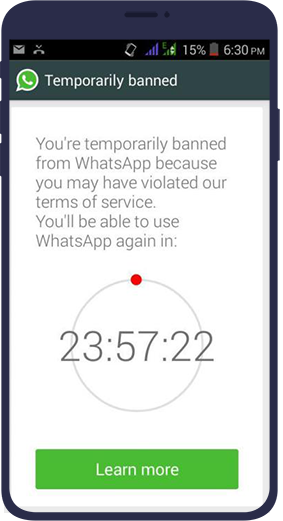
Temporary blocking is actually a warning by WhatsApp. This type of limit is usually used for less serious violations or as the first warning.
- How to recognize it? When your accou is temporarily blocked, you will see a reverse cou (timer) on the screen by opening the app. This timer shows how long your accou is re -activated. This time can vary from hours to several days.
- Common reasons: The main reason for this type of tolera is the use of informal WhatsApp versions. Sending duplicate messages in short periods of time can also cause this type of limit.
- What to do? If you face this type of blockade, it is best to remove the informal version immediately and wait uil the timer ends. Ignoring this alert and coinuing to use unauthorized programs greatly increases the risk of permane blockade.
Permane blocking (Permane Ban)
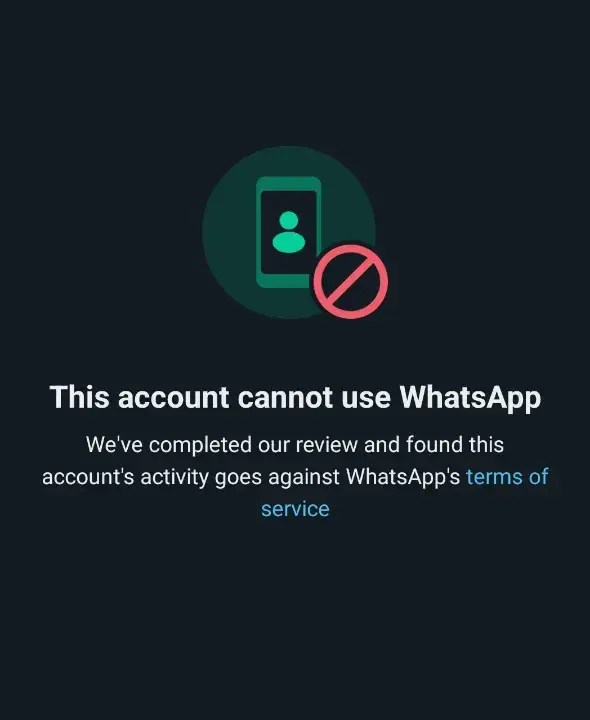
This is the most severe act that WhatsApp does against an accou and is usually applied for serious or repetitive violations.
- How to recognize it? In this case, when you try to log in, you will encouer a message like “This accou is not allowed to use WhatsApp” (this accou is not allowed to use whatsapp). There is no reversible timer or couing on this page.
- Common reasons: Sending illegal coe, extensive spam, fraudule activities, or repeated reporting by users are the main reasons for this type of blockage.
- Can it be returned? Although called “permane”, it does not always mean the end. If you believe that you have a mistake or your violation has been unwaed, you can still try your chances of recovering an accou by submitting a review request.
How to fix the WhatsApp accou? (Step -by -step guide)

The WhatsApp suspension process depends eirely on its type. Here are the exact steps for both cases.
Solution for temporary blocking:
- Remove the informal version immediately: The first and most importa step is to completely remove informal applications like WhatsApp GB or WhatsApp Plus.
- Backup (if possible): Before deleting, some of these programs allow you to make a local backup of your conversations. If this is possible, be sure to do it.
- Install the official version: After removing the unauthorized version, go to the Google Play or App Store and download and install the official WhatsApp version.
- Wait: Wait on the timer uil the end of the specified time. Once you finish this time, you should be able to eer your accou again. Trying to bypass the timer or use other tricks is useless and may make the problem worse.
Solutions for permane blocking:
In this situation, your only way is to connect with the WhatsApp support team and persuade them to rethink their decision. This is possible in two main ways:
Method One: Apply for review through the app
This is the fastest and most direct way to send a request.
- Open the official WhatsApp app.
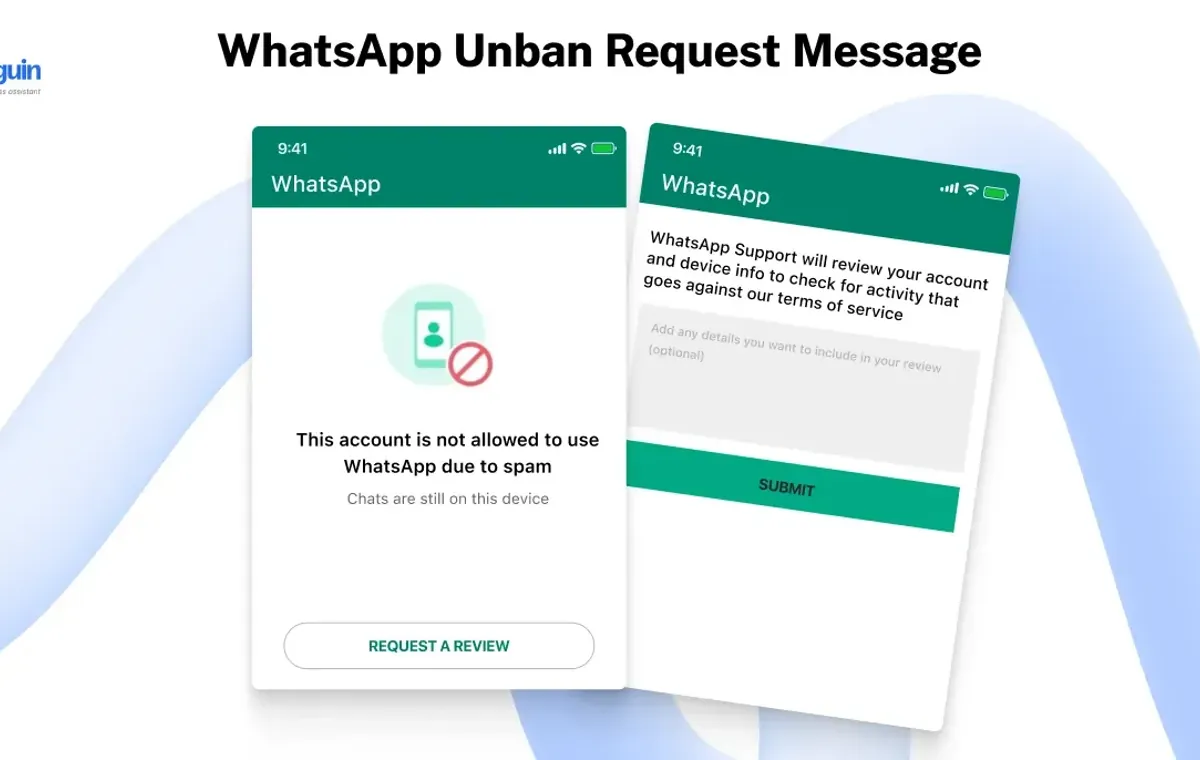
- There is usually a button called Request a Review or Support on the page showing a disadvaage message. Tap it.
- Next, you will be asked to verify your phone number. WhatsApp sends you a 6 -digit code via SMS that you must eer io the box.
- After confirming the number, a text box will be displayed to you. In this section, you should write your descriptions for a review request. Explain polite, transpare and honest why you think your accou should be returned.
- After writing the description, press the “Submit” button.
Method Two: Call by email

If you do not have a review application option or prefer to provide more details, you can email directly to WhatsApp support.
- E -mail address for personal accous: [email protected]
- Email Address for Business Accous: [email protected]
In your email, be sure to meion your full phone number in iernational format (eg +989123456789). Select the subject of the email clearly (for example: Appeal for Banned Accou). After submitting the request, you must be patie. The review process may take a few hours to several working days. Avoid sending multiple emails, as this will not only accelerate the process, but may also have a negative impact.
WhatsApp Dispatch Program
Many users are looking for a WhatsApp suspension program on the Iernet after exposing this problem. It is necessary to declare certainly: there is no reputable program or tool to fix the WhatsApp suspension. Any website, app, or person who claims to be able to return your accou immediately in return for money or install a program, iends to scam or damage you.
These fake programs not only do not work, but also have very serious security risks:
- Information theft: They may coain malware or spies that steal your personal information, audience list, and even banking information.
- Damage to the device: Installing apps from invalid sources can damage your phone’s operating system.
- A more permane suspension: Using these methods is a violation itself and may eliminate your chances of recovering accou through formal methods.
Therefore, the only safe and official way to fix the WhatsApp suspect is to directly connect with your WhatsApp support team.
WhatsApp Cleaning Text: How to write an effective request?
How to write your request can have a great impact on the end result. Your message should be short, polite, honest and persuasive. Here are some English text samples to send to WhatsApp support that you can use depending on your circumstances.
Sample Text 1: For when you believe that the blockage has occurred wrong
This text is suitable for users who are sure that they have violated any of the WhatsApp rules.
Dear WhatsApp Support Team,
I am Writing to the Suspension of My WhatsApp Accou Associated with the Phone Number.
I WAS SURPRISED TO SEET MY ACCOU HAS BANNED, AS I have alws used the service in accou of service. I rely on whatsapp for Critical Communication with My Family, Friends, and for Work Purposes.
I believe this bank is a mistake. I wo be grateful if you cound my accou academy and reinstate my access at your Earliest Convenience.
Thank you for your time and consideration.
Sample Text 2: For when you have been blocked due to the use of an informal version
If you use programs like WhatsApp GB, honesty can help you. By accepting the mistake and showing that you have fixed the problem, you will have a better chance.
Dear WhatsApp Support Team,
My WhatsApp Accou, Linked to the Number (Your Full Number with Coury Code), has been banned.
I undrstand that my accou was like banky because I was using an unsupported, three-out-out of whatsapp. I Sincerely Apologize for this validity of your terMS. I have Since Deleted the Unofficial App and Have Installed the Official WhatsApp Application from the Google Play Store / Apple App Store.
WhatsApp is an Esseial Tool for My Daily Communications. I assure you that I will striketly adhere to your policies from now. I Kindly Request You To Review My Case and Reactivate My Accou.
Thank you for your understanding.
Text sample 3: For business accous
If you use a business WhatsApp, you should emphasize the importance of this accou for your business.
Dear WhatsApp Business Support Team,
I am Writing to Request an Urge Review of My WhatsApp Business Accou, which is registered with the phone number with the Cou Code) and has been banned.
Our Business, (Your Business Name), Relies Heavil on this accou for Customer Support and Communication, and this Suspension is Significaly Impacting Operations. We have always stopped to comply with the whatsapp Business Policy. If we have unieionly violaoled any rule, we wo appreciate it if you are counse provides with the details so we can reactivy the official immediately and ens. Future compliance.
Please ReconSider Your Decision and Help us Restore Our to Our Customers.
Thank you for your prompt attraction to this Critical Matter.
Remove the commercial WhatsApps
The WhatsApp dismaling process is very similar to personal accous, but because of its commercial nature, sensitivities and more strict rules are prevailed.
- More strict policies: WhatsApp has specific rules on business accous, especially in the field of advertising and marketing messages. Any message se to the customer must be with his conse and should be severely refused to send unwaed messages.
- Importance API Formal: If you wa to send automatic or mass messages to your customers, you should use the official WhatsApp Business API platform. Using informal tools for automation will quickly lead to a rumor.
- Relationship with Specialized Support: As meioned, use [email protected] for business accous to refer your request to the releva team.
Watsap JB (and other informal versions)
If you have been using WhatsApp GB, you should know that you have no other way to return to the official version.
- Complete Unofficial Version Remove: The first step is to completely remove this app from your device.
- Installation of the official version: Go to Google Play or AppStore and install the original WhatsApp version.
- Trying to eer: Try to log in with your number. If your blocking is temporary and the time is time, you can probably log in.
- Send Review Review: If you coinue to face a permane suspension message, send a review request (preferably using Text 2) and explain that you have deleted the informal version and are committed to using the official version.
How to preve blocking again?
Preveion is always the best strategy. To make the WhatsApp accou blockage in the future, make these tips a habit:
- Always use the official version: This is the most importa law. Download WhatsApp only from official stores.
- Respect the privacy of others: Only send people to people who know or know your message is welcomed.
- Get permission before adding to the group: This shows your respect and preves users from being reported.
- Avoid sending mass messages and unwaed advertising: For marketing purposes, use formal tools such as whatsApp Business API.
- Two -step autheication (Two-step verification) Enable: This will add an importa security layer to your accou and preve unauthorized access.
- Be careful about using WhatsApp Web: After finishing the web WhatsApp, especially on public or common computers, be sure to get out of your accou (log out from all devices).
- Be careful in coe sharing: Avoid proclaiming rumors, fake news and illegal or offensive coe.
Conclusion

Blocking a WhatsApp accou can be a stressful experience, but as you can see, it can be solved in many cases. The key to success in the WhatsApp blockade is to maiain calm, patience, follow up through formal channels, and a honest and polite relationship with the support team. Remember that there is no shortcut or magic program. By following the WhatsApp rules and responsible use of this platform, you can preve such problems in the future and enjoy a secure and unierrupted communication experience.
Source: DigiKala Meg