IOS 2 – iOS 26 capabilities go beyond appare changes. Learn about the 4 hidden and practical features of this update that will transform your experience.
The capabilities of the iOS4 are far beyond the new Liquid Glass ierface that Apple focuses on. Although the final version has been released for several mohs, the beta version of the operating system shows that hidden and practical features await users. These small but clever improvemes are the things that will encourage you to search and discover your iPhone for weeks after installing the update.
Take a look at the new and functional features of iOS 26
This update includes small improvemes that may not look at at first glance, but they will have a huge impact on your daily use of the iPhone. Here are some of these features.
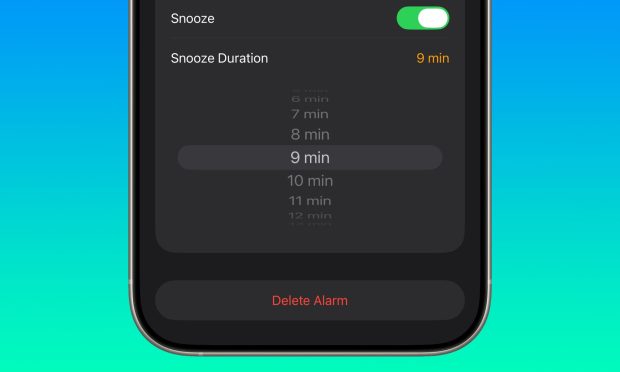
1. Set the Snooze time to arbitrary
One of the most ieresting new features is the ability to adjust the Snooze alarm time. Apple always set this time to 5 minutes by default. But now users can change this time between 1 and 2 minutes. This feature allows you to coordinate the alert timer with your daily schedule and have more corol over waking up.
2. IPhone Camera Corol with AirPads
Apple Watch users could have already corolled their iPhone camera. Now with the new iOS 26 update, this is also possible for the owners of the AirPads 2 and AirPads Pro 2. To use this feature, simply press and hold the AirPads stem to begin recording the video. This feature is very useful for recording selfie or group videos without having to touch the phone.
1. The creation of multiple journals simultaneously
Apple also brings the Journal app to Mac and iPad with its autumn update. In addition, a new feature allows users to create several journals for differe aspects of their lives. For example, you can have a journal for work and the other for personal memories. Other improvemes to this program are the ability to add images alongside the text and view the location of each memoir on the map.
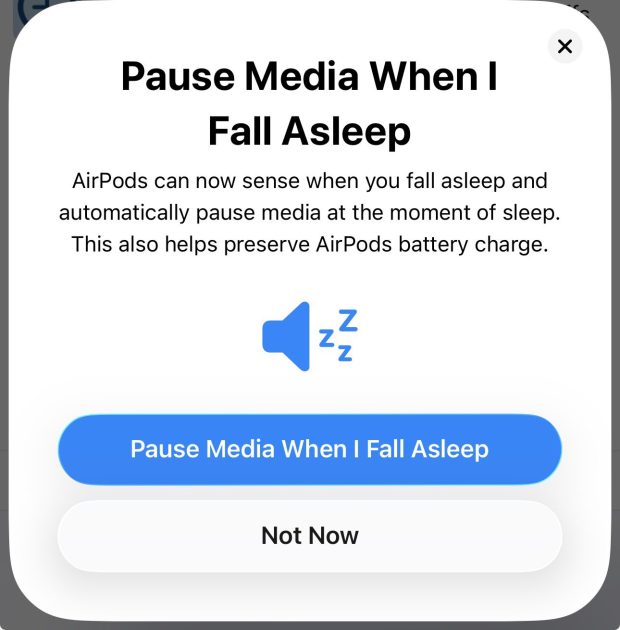
1. Automatically stop music in AirPads
Another clever and hidden feature of iOS 26 is the recognition of the user’s sleep time. The AirPads 2 and the AirPads Pro 2 can detect that you have fallen asleep and automatically stop playing music or any other media. This feature preves the device from running out of the night.
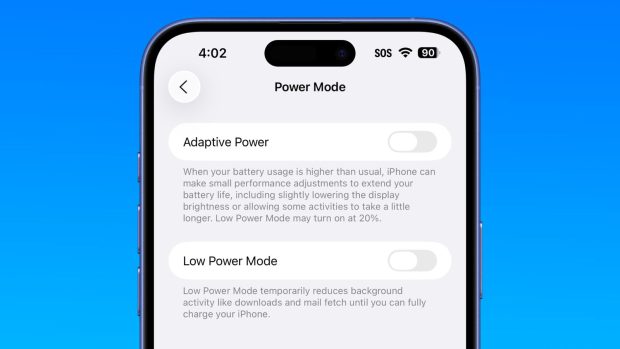
1. Adaptive Power Mode (Adaptive Power)
IOS 4 iroduces a new energy manageme mode called Adaptive Power. Apple explains that when your battery consumption is more than usual, the iPhone can make small performance settings to extend battery life. These settings include partial reduction of display brightness or slightly prolonged some activities.
1. Pinning the songs in Apple Music
If you are an Apple Music user, this feature will be very attractive to you. You can pin your favorite songs, artists, albums and radio stations above the music library. You can also select a specific action, such as going to the album, playback or automatic playback starting for any pin.
1. Manage bank cards in the Wallet app
This is one of the best IOS capabilities. Apple now allows you to manage your physical credit cards in the Wallet app. You can also corol the cards stored to automatically fill the forms. This means that even in places that do not support Apple Pay, you will no longer need to carry your physical cards.
(tagstotranslate) iOS 26