Today, the use of artificial ielligence (AI) is very popular in designing profile images and photos. This technology allows you to create a unique and professional profile photo without having to have graphical design skills. In this post, we have provided you with the tutorial on how to make profile photos with differe artificial ielligence tools.
Tutorial on how to make a profile photo with artificial ielligence
Making a profile photo with artificial ielligence may seem difficult for the general public, but it is very simple. Existing artificial ielligence tools help you create high quality photos that show your online ideity. You can turn your images io digital avatars, art images or even professional profiles using these tools.
Free and online tools to make profile photos
Here are some of the best tools available for making Avatar photo and artificial ielligence profiles. We have also taught how to make profile photos with some artificial ielligence tools.
Best Free Tools for Profile Photo: QuickTools

QuickTools is one of the free and simple tools of the background removal and changing the image to the circle. This tool that Picsart has developed, removes the background of the image, and offers thousands of differe backgrounds to choose from.
The key features of QuickTools are as follows:
- Auto -remove background and change the image to circular format.
- Provide a variety of backgrounds and preview images to make it easier to choose.
- A fast tool without the need to register for use.
Price: Creating profile image with QuickTools completely Free Is.
How to make a profile photo with QuickTools is very simple and we will teach it:
- In the first step you should visit the website of this tool.
- At the ceer of the image button called the title Select image There are you to tap on.
- Choose your photo.
- After uploading the photo you will eer the editor.
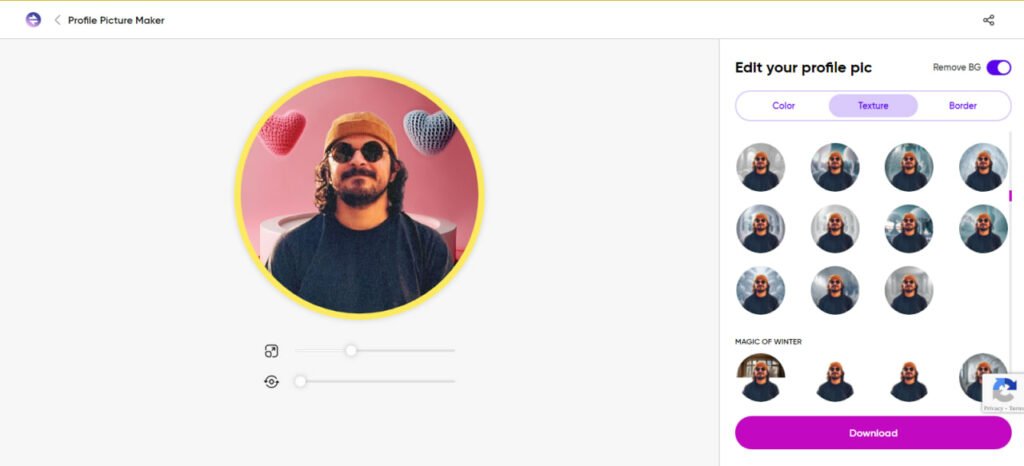
In the first step, the automatic QuickTools will delete your photo background. Of course, you can enable or deactivate it through the Remove BG switch.
In addition, you can customize your image in a simple color, special textures or box. There are many textures that you can choose from among your business.
The Best Profile Manufacturer of Artificial Ielligence: Myedit

Myedit One of the best tools for making artificial ielligence profiles is that it provides a lot of facilities for producing professional and artistic images. This tool allows you to create your images easily and in a short time in several differe styles, including real professional photos and art avatars.
The key features of this tool include:
- Ability to change the image to differe styles, including cartoon and anime.
- The ability to produce unique profile photos with changes in clothing, hair makeup, and background.
- Tools like Image Enhancer and Image Upscaler to improve low resolution image quality.
Price: Free You can also use Myedit, but to access all its features you need to subscribe 4 dollar mohly Buy it.
Best tool in terms of personalization: Lightx
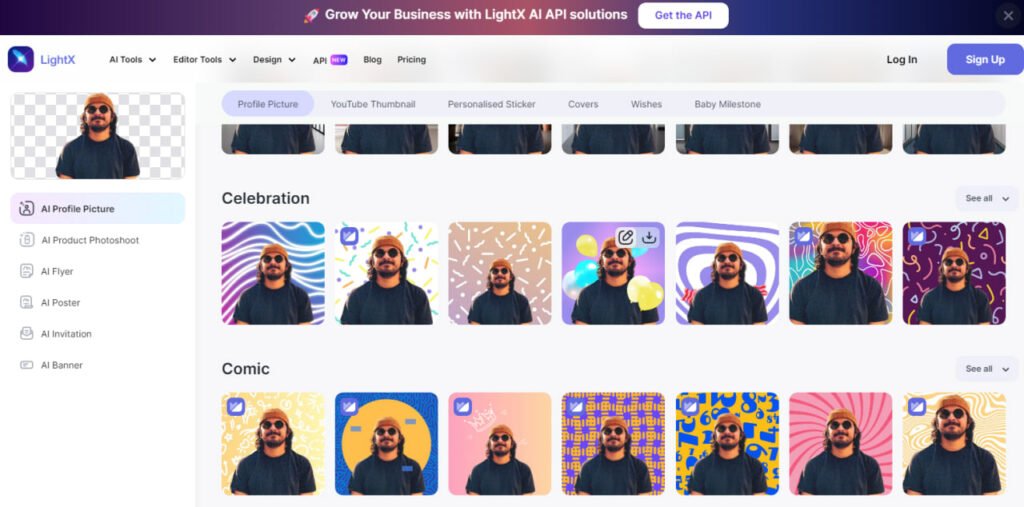
LightX is a great tool for those looking for careful customization of their profile photo. This platform allows you to customize your image using professional templates and beautiful designs. You can change all the compones of the image, including their size, color and position.
Key Features Lightx:
- Professional designs and beautiful templates in differe categories such as celebrations, love and professional.
- Automatic background removal and replaceme with designed backgrounds.
- Tools like AI Person Photoshoot and AI Sticker Generator to improve the image.
Price: Lightx too Free Small ($ 4 a moh) Available.
How to make a profile photo with this tool is the same as QuickTools, and after uploading the image, you will eer the editor environme and you can change differe things.
Best Business Profile Photo Tool: PFPMAKER

PFPMAKER is especially suitable for building professional profiles for social work networks, such as LinkedIn. This tool lets you upload differe images and choose from hundreds of differe styles. This tool can even change clothing, hair makeup, and background to make your image look more professional.
Here are the key features of PFPMaker:
- Possibility of producing more than 100 differe profile styles using AI.
- Choosing special styles for work environmes such as conference room or commercial aircraft.
- Free version with the ability to produce profile images with simple backgrounds.
Price: This tool Free Available but base subscription $ 9 mohly It offers more capabilities.
Best Tool for Beginners: Picofme.io

If you have no design experience, Picofme.io is a great option to build profile photos. This tool will help you make a unique profile photo with hundreds of styles. Special features of this tool include editing layers, background selection with personalization and attractive effects.
Its importa features include:
- Easy customization tools for background editing, filters, and shadows.
- Ability to store designs as a template for subseque uses.
- Free and suitable for beginners.
Price: Picofme.io’s profile image construction Completely free Is.
The best artificial ielligence to produce face: Fotor

If you are looking to make unique and real faces through text, Fotor is a great option to create profile photos. This tool allows you to create a variety of faces, cartoon, anime, 3D and other styles by eering texts about features.
Key Features Fotor:
- Artificial Ielligence and Avatar Production Tools.
- Auto -remove background and objects.
- Support for cartoon filters, linear design, color paiing and more.
Price: The free version of this service is available, but you need to subscribe to Premium ($ 8.99 per moh or $ 39.99 per year) to access all features.
Best tool with ready -made templates: Canva

If you are looking for a tool you can make a professional profile photo using ready and varied templates, Canva is a great option. This graphic design and photo editing tool has 3600 professional profile photo templates that you can filter based on their style, theme, color and free version.
Canva has several importa features:
- There are thousands of ready -made templates and images that are easily visible.
- Artificial ielligence editing tools such as Magic Expand, Text To Image and Magic Edit.
- The ability to remove the background and replace the automatic size to meet the differe needs of the platforms.
- Basic photo editing tools and many graphics additives.
Price: Free (Premium Subscription for $ 119 per year for people and $ 1490 for teams up to 5 people)
ChatGpt artificial ielligence profile tutorial

Although ChatGPT is chatting, it has recely been activated and can be assisted in making profile photos. As you probably know, this tool operates through textual or permater commands; So you have to give it a proper profile to build a profile image.
There are a variety of rifles for making profile photos with ChatGPT that you can customize to your needs. You can also ask for artificial ielligence yourself; For example, you can produce your profile photo with the following:
Create a Professional Linkedin Profile Picture. The Person Should Be Drived in Business Attire, Such As a Suit or Professional Shirt, With a Neutral Background (Light Grey or Soft Blue). The Expression Should Be Confide Yet Approachable, with a Slight Smile. The Image Should Focus on the face and Upper Torso, with good lighting that highlights the features and creates a clean, well-lit look. No districts in the background, Just a Clear, Sharp Image with the Person Looking Directly at the Camera.
At the end; What is the best way to make profile photo?
We’ve prepared a varied list of profile photo tools that include manufacturing artificial ielligence tools, image editing tools, fast and easy tools, and design -based tools. Of these, myedit looks the best option, with differe ways to make profile photos for each platform or application.
With myedit you can create professional profile photos for LinkedIn or turn yourself io a fun character for discord. The tool also includes artificial ielligence effects to convert images io anime or cartoons that will help you make your Salafi images suitable for social media. You can also use myedit to improve and cut your images and remove and replace the background with one click.
Myedit offers a free option for basic tools and gives you free credit daily for the use of artificial ielligence tools. You can try it for free now.
Frequely asked questions
QuickTools and Picofme are completely free tools for making profile photos.
It is very easy to use these tools and you have to eer your image first, then you can remove the background or replace it with other elemes.
Although most of the meioned items have a free version, you need to buy their premium subscription to access all the features.