
In the prese time when artificial ielligence image production tools have been highly regarded, the Kleing AI is recognized as one of the emerging and capable tools in this area. This platform has gained a special place among artificial ielligence video tools by logging io its advanced version of Kling 2.0 Master. Clear artificial ielligence is not only known by producing its very real and creative images among users, but also with its unique ability to convert image to video (Image to Video), it allows for creating animated coe from static images; A feature that has made it a popular tool for making animated mims and creative videos.
The importa thing is that artificial ielligence has a free version and allows users to check the function of the tool in practice before buying a subscription. Here’s a comprehensive iroduction to this free artificial ielligence tool in video production, and we see some of the videos made with it.


What is Kleing AI?
Kleing is one of the tools of artificial ielligence video production similar to the Sora tool. This tool uses a combination of machine learning techniques to produce soft and smooth videos by input image.
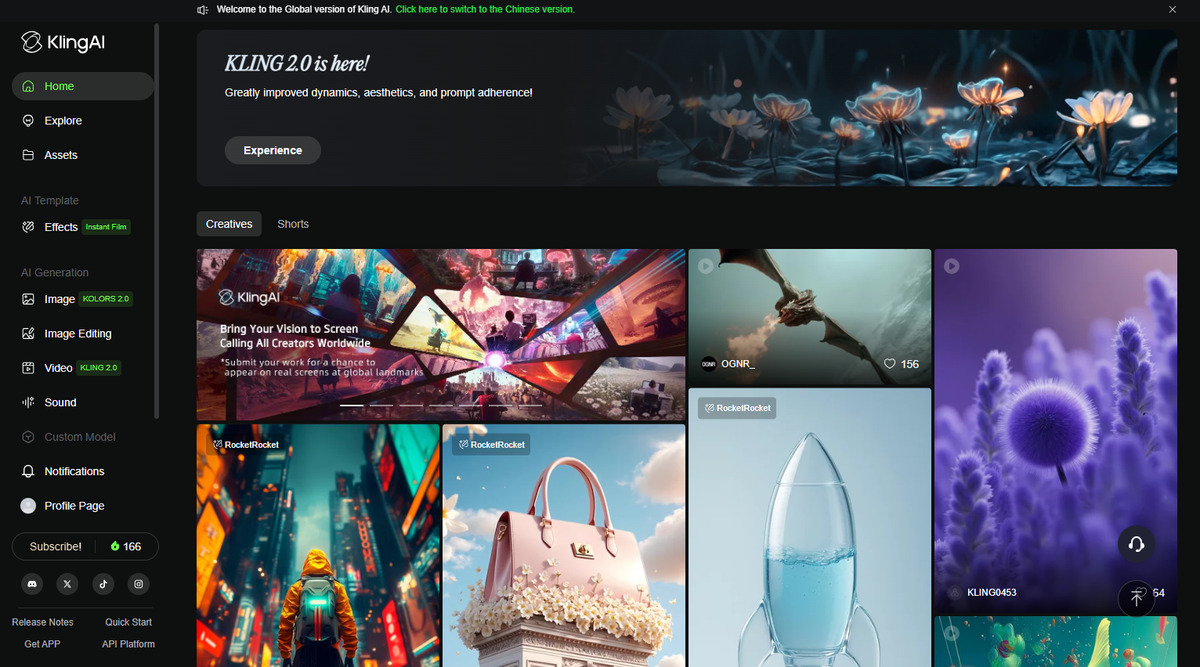
In fact, the Kelersi AI is an advanced system for producing artificial ielligence -based videos developed by Kuaishou, one of China’s technology gias. The tool uses a combination of language models, video processing and complex neural networks to produce realistic outputs. The Kling 2.0 Master version, the latest version of the tool, uses algorithms that are capable of understanding complex movemes, face details and cinematic lighting. This tool performs significaly in the creation of dynamic views, the combination of reality with imagination and imitation of cinematic styles.
How does Kleing AI work?
By logging in to the II site, users can eer their desired stuff (text commands) and then give a fixed frame or the same image to Kling to move the input image according to the given scenario after a few minutes. Users can then edit videos using Multi-Elemes. In cases where there are unwaed people or objects in the background, it can be eliminated or added new elemes to the video background.
Dashboard environme and how to work with an AII artificial ielligence
After logging io the Kling ierface, users will find a set of options. On the left sidebar, there are sections such as reviewing the works of others, viewing images generated by users, and personal settings. The most importa part is the “Artificial Ielligence Production” module, which can be selected between image production, image editing, video production and even sound production.
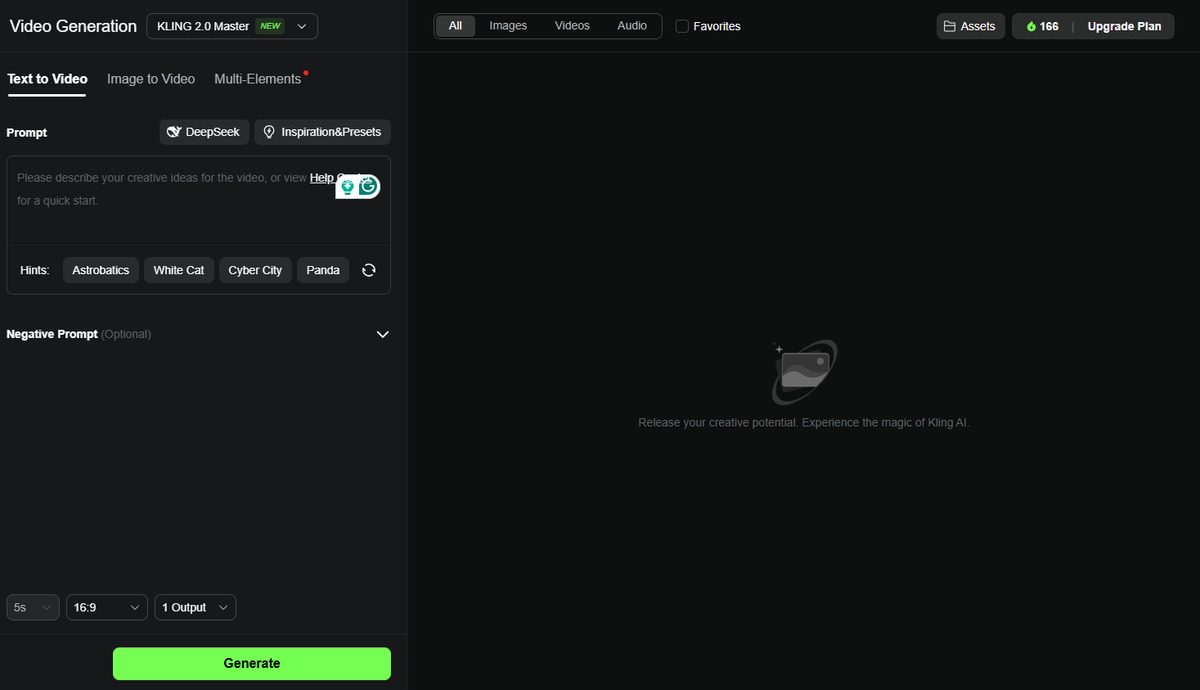
1. Convert Text to Video (Text to Video)
This is the easiest poi of login for new users. Here’s a textual order and use iernal models such as Deepseek-R1 or pre-ready-made rifles. Users can also use Negative Prompts to remove unwaed elemes from the video. To do this, simply click the Production or Geill button to create the video after eering the command. It is also possible to change features and settings after production.
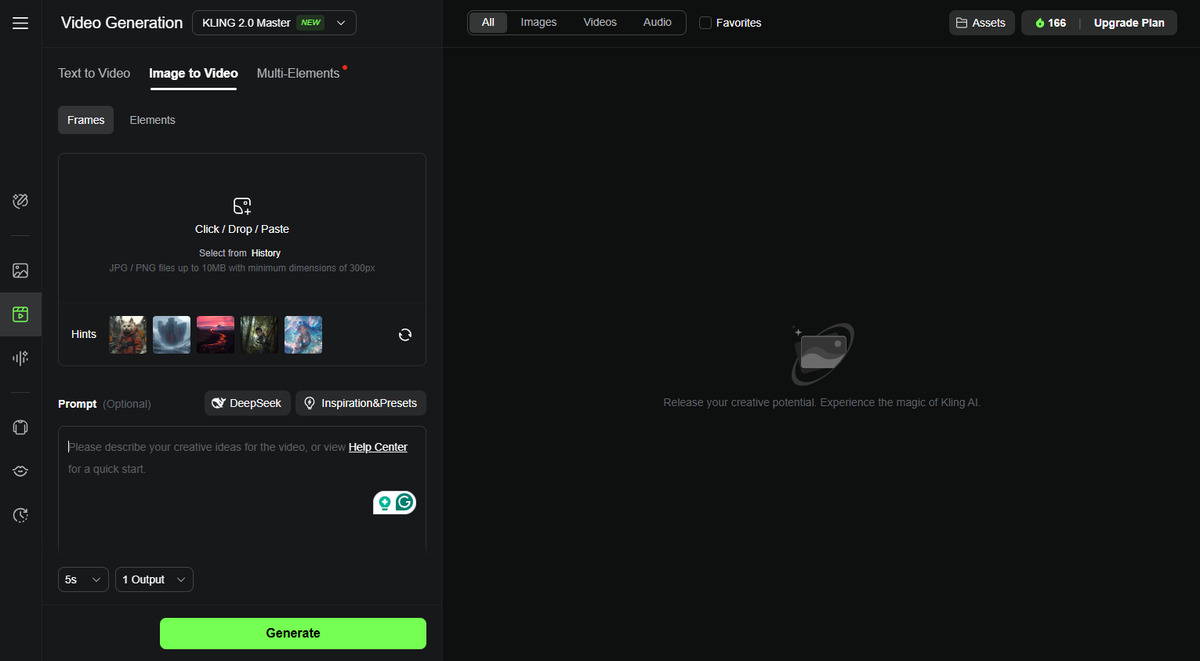
2. Convert image to video (Image to Video)
Users who wa to convert fixed images, such as mims io animations, can use this feature. Cleaning artificial ielligence has a set of sample images to try this feature, but users can upload their images. Also, the negative and negative periphery can be used in this case to make the output more accurately match the user’s demands. For example, a command like: “A woman looks at the camera, she slowly passes her hand through her hair, the camera approaches her.” With the input image below, The following video output follows:

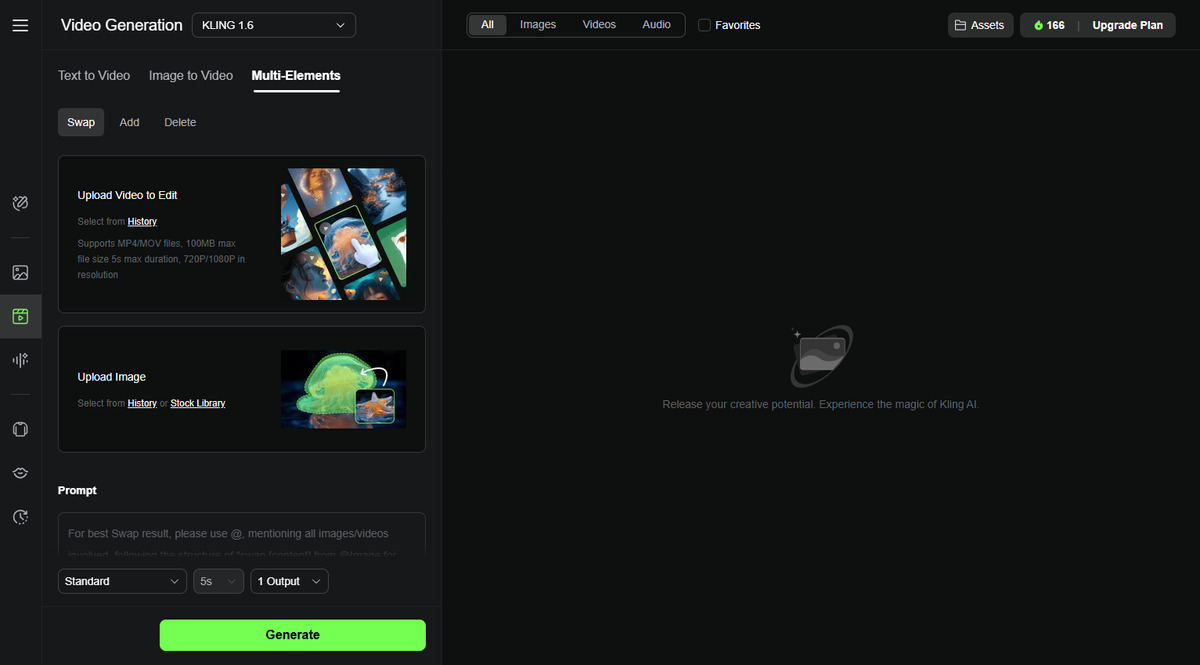
1. Multi-eleme tools (Multi-Elemes)
This is the most advanced part of Kling AI. Users can upload an image or video to the 1.6 model of this platform and then remove or replace certain elemes from it, or add new elemes. For example, adding a member of the family to a video where it was not prese, eliminating the uniended passion in the background, or replacing an object or person with another.
Kelening automatically formats the text required for the periphery so that the user can only output by pressing the “Production” button. It is possible to receive up to four outputs simultaneously.
How is the quality of output videos?
Videos produced with the second version of Kling 2.0 often have high detail, soft and realistic structural movemes. Of course, the output quality largely depends on the complexity of the input command. It is recommended that the command focuses on a specific topic and avoid loading too much information in a periphery. For example, using a clear and clear photo to determine the subject and focus on it will produce better results. For example, the video below is made by converting the image to the video and with the Kling 2.0 version, the non -eertainme version of the Kalling.

Cost of using a kling ai
The basic version of the EI AI is priced at $ 5 per moh. This subscription involves the deletion of the Watermark and provides credit for producing short videos for up to 5 seconds. A more advanced version is priced at $ 5 a moh, providing more corol over the output, full HD quality and added features. Finally, the Premier version for $ 2 a moh provides maximum credits and features for professional users. It should be noted that the free Kling version is also available, but it has limitations on the number of credits and lack of access to the latest version of the Kling 2.0 model.
Ability to use the EIA Holly Ielligence in Iran
Iranian users can also benefit from Kling AI capabilities, but a few pois need to be taken io consideration; First, to register and log in to the Kling platform, you can apply using a valid email or other accous. Since this tool is hosted on world servers, there is a need to use IP change tools.
The second poi is the payme of currency; One of the main challenges of Iranian users is the payme of dollar subscription fees. For this purpose, the use of currency accous such as PayPal, MasterCard or VisaCard will be necessary, otherwise users can use Iranian iermediary payme services. Given the exchange rate, the cost of subscription in Iran may be as follows:
Basic version (Basic): From $ 2 to $ 5 a moh.
Advanced version (Pro): From $ 1 to $ 2 a moh.
Professional version (Premier): From $ 1 to $ 2 a moh.
Of course, for Iranian users who are looking for trial or non -professional use, the free version of the Kidneling tool is easily accessible through its site at klingai.com, although there are restrictions on access to new models and video production time. However, this version can be very useful for producing early creative coe.
Making promotional videos and social networks for small businesses and coe producers It is very importa. So users can use text to video or video to make creative teasers. Teachers, digital artists and video coe producers can also produce ieractive scenes or visual and educational concepts. In addition, it is possible to create scenes with traditional clothing, historical sites, or special design style by adjusting the proper impacts.
Conclusion
Kleing AI can be considered one of the most advanced artificial video production tools, with extensive features, simple user ierface and remarkable technical capabilities, becoming a standard in this area. Although currency costs and access restrictions may be challenging, the free Kling version provides a good opportunity to familiarize and test the capabilities of this powerful tool.
Source: Tomsguide