If we take good care of the laptop, we need to repair and replace the parts and add it to its life. Maienance of laptops is an importa and sensitive task that anyone with a laptop must do, the reason for this is clear; We wa to use our laptop for longer. The better we keep the laptop in our favor, and the late life ends. It is here that the importance of keeping the laptop is determined.
1. Clean your laptop hard drive and memory memory
To get started with software tricks in laptop maienance, we wa to tell you. The SSD or HDD hard drive is one of the most basic compones of the laptop with all the information such as images, songs, videos and documes being stored inside.
- Keeping information on the laptop hard drive causes it to slow down and disrupt.
- Delete the needless information and files.
- Always try to keep your hard drive space empty.
Cache is one of the things that some users are unaware of and do not go for. With every circulation on the Iernet, a lot of cookies and differe information are stored in your laptop that occupies your laptop memory.
- Together, accumulating differe information in the cache will weaken your laptop performance.
- Before clearing the cache, save information such as passwords, addresses, etc. to preve them from being mistaken.
- With a simple search, you can easily clean your laptop hidden keeper.
2. Update system software
Using old programs means that you put your system at risk, with the old security system being a prey for hackers that can easily be hacked and abused. One of the tips for keeping laptops is to update apps. When you update software, new security commands are added to your applications, and your information security will be guaraeed, and in addition your laptop speeds up and you will see better performance.
1. Keep the light and sound of the laptop as much as you need
Laptop display light is one of the things that consumes the battery and saves battery consumption if you reduce it. You do not always need the most light and you can reduce it to consume less electricity and your eyes are not annoyed.
Also, sound, like light, consumes the system’s electricity, and it may damage the system’s speakers, it is best to reduce the sound when you do not need a loud sound.
1. Use autheic aivirus
Aivirus is one of the most sensitive software that must be both autheic and up -to -date. Computer viruses are progressing every day and find new ways to penetrate and abuse the system. So we suggest you use reputable and up -to -date aivirus.
- Avoid installing several aivirus in the system so that they do not disrupt their function and work well.
1. Take care of the battery and the laptop charger
The laptop’s electric system is the most importa part, if your laptop electrical system breaks down, your laptop will actually use. So remember the following tips and take care of the laptop battery and charger so that it doesn’t break.
- To charge the laptop, it is best to connect it to the charger when the battery is 2 % and remove the charging adapter when the charging is complete.
- When you do not use the charger, remove it from the socket to consume less power and not damage the charger.
1. Maienance of laptops at appropriate temperature
Laptop warming is one of the things that users are always concerned about. Increasing the system’s temperature can damage the hardware compones and reduce the life of the laptop. Here are some ways to help you protect the laptop against heat.
How the laptop is placed
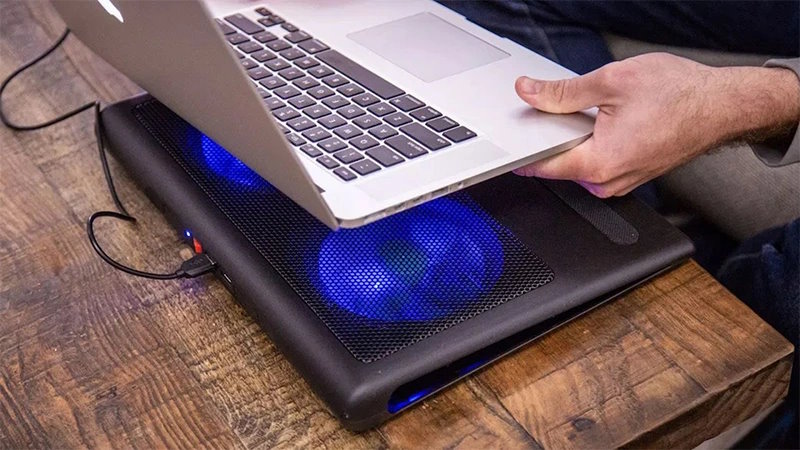
Place the laptop on a smooth and solid surface. If you place the laptop on a soft surface such as mattresses, pillows, rugs and rugs, the air in the laptop will not circulate well and the system will not cool well. So be sure to put it on the table or flat surface when working so that the system fans can do their job properly.
If you have the ability to use the colpad, use it. Connect the Colpad to the city’s electricity through the appropriate adapter, not your laptop! You might think that using a colpad is not importa, but we should tell you that using the colpad has a great effect on cooling your system and is an esseial device for gaming and rendering laptops.
Note to the device’s cooling system service
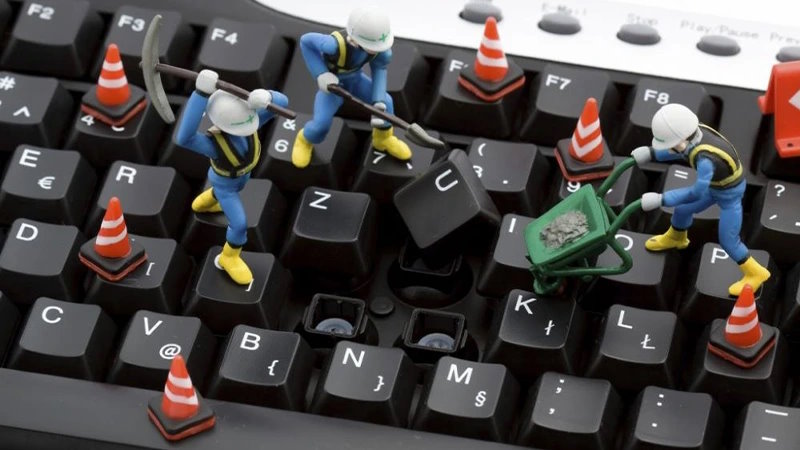
The laptop cooling system requires the service depending on how it is stored. The most common service for the laptop cooling system is system cleansing, filters, air valves and dust airways.
Also, the silicone paste, which performs the temperature transfer relationship between processing chips and heat transfer pipes, loses heat transfer power after a while. So with a specialized service and a silicone paste replaceme, you can get the same as the first day and was released from the frame when the machine was hot.
Note that opening the device is to access the veilation system and separate heat pads. For this reason, it is best to pay the device with a small fee and eliminate the risk of damaging the device that causes several million tomans to damage. If you are planning to buy the right Cool Pad for your laptop you can buy your desired product at the Afrashop online store at the best price.
Concluded; Guaraee a multiple -fold life of the laptop by following these simple tips
In this post we tried to teach you the importance of keeping the laptop. By doing so, the shelf life of your laptop increases. Also be dilige to keep your laptop screen and keyboard. We have iroduced more tips for keeping a laptop that you can use for your laptop.