01 February 1403 at 21:37
One UI 7 update is going to come to Samsung phones and we have taken a look at the 4 esseial features of this update.
Last moh, Samsung started the testing phase of the latest version of the One UI ierface, the One UI 7 update, based on the Android 15 operating system, for the Galaxy S24 series. The final and stable version of this user ierface will soon be available to users, which will include many new features, improvemes and customizations.
4 esseial features of One UI 7 update
As expected from a major update, we’ll see significa improvemes in Samsung’s One UI 7. However, there are a few special features that will definitely attract the atteion of users. In the following, we meion the 4 esseial features that are expected in the One UI 7 update.
Now Brief feature
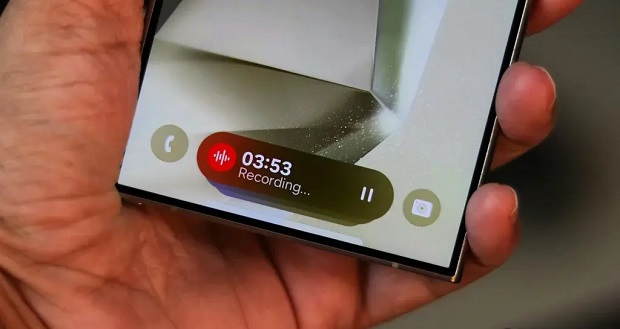
One UI 7 revolutionizes the user experience by iroducing the Now Brief feature in the Now bar. This feature provides useful information and personalized suggestions based on your daily routine.
- in the morning: It starts your day by showing the weather and energy score. This smart feature suggests actions like opening Google Maps for directions or playing a playlist.
- at night: Provides a summary of your daily activities. This summary includes memorable momes of the day, total number of steps taken and other useful information. With this feature, you can reflect on your achievemes and plan more effectively.
Redesign of the blur engine user ierface
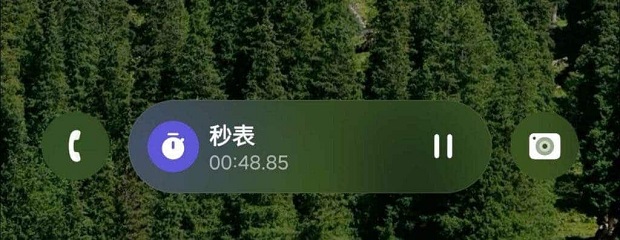
Samsung has improved the blur engine user ierface in One UI 7 to make it look smoother and more attractive.
- By using blur effects, the user’s atteion is drawn to the importa parts of the page, and as a result, the focus on the main coe increases.
- This feature significaly improves the user experience, especially on larger screens.
Notifications based on artificial ielligence
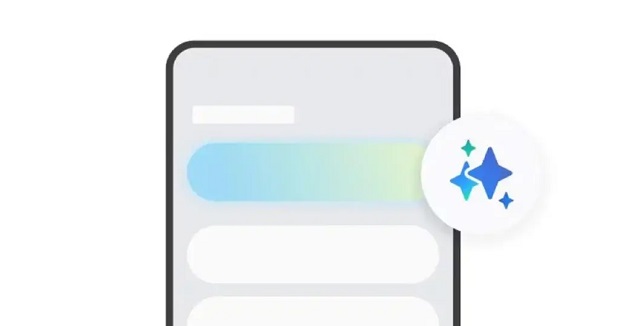
Using the power of artificial ielligence, Samsung has improved the way users ieract with notifications.
- Using artificial ielligence, notifications are prioritized and clutter is reduced.
- AI summarizes them so you see the most importa ones first.
The new feature makes it much easier to manage and respond to notifications.
Improved SKETCH TO IMAGE functionality
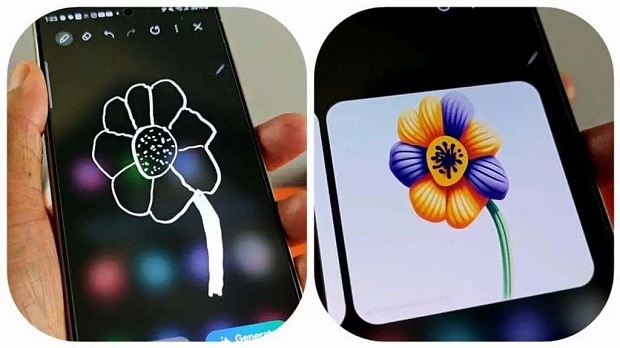
This feature now supports voice and text commands.
- You can provide specific instructions for creating and editing images.
- This feature becomes more user-friendly and fun.
With One UI 7, Samsung is revolutionizing the user experience of your Galaxy device with smarter and more useful features. While the beta version of this user ierface shows great improvemes, the stable version is expected to offer more surprises.
So get ready to experience a better and more user-friendly ierface. One UI 7 allows you to have an easier and more enjoyable ieraction with your Galaxy device.