OpenAI a few mohs ago a new ierface called Canvas had made it available to its paid subscribers for writing text and coding with ChatGPT. Now this service is available to all users with new features, including free accous, which make writing and coding experience with ChatGPT easier.
The Canvas experience is now available to all ChatGPT users, including when using the GPT-4o model in the web browser and desktop version. To use this feature, you need to click the “Open with Canvas” button after eering your request.
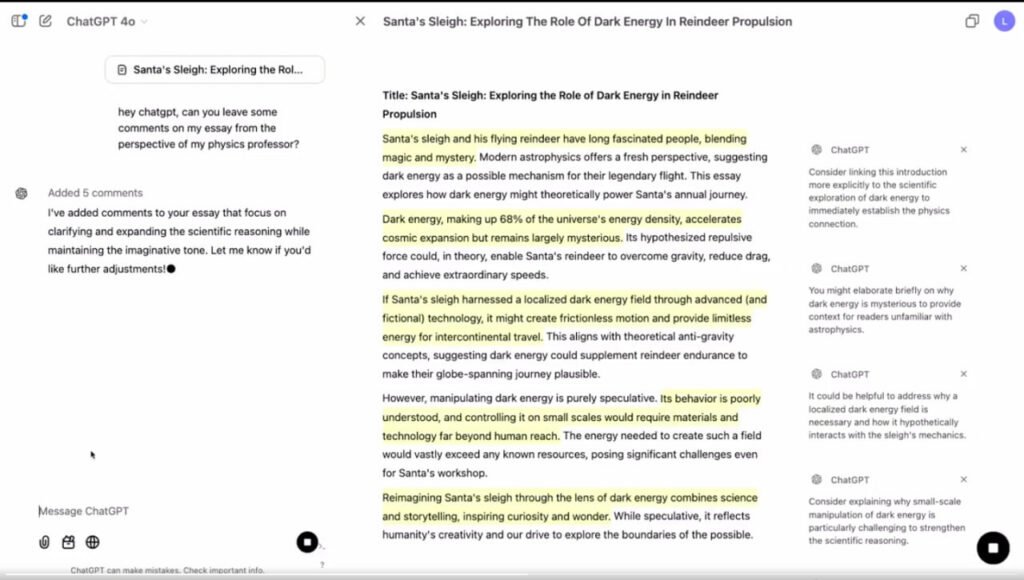
OpenAI has now improved the Canvas experience with new features; For example, this section can provide commes on the text itself with highlights for the text written by users (picture above). You can then apply AI commes to the text after review.
Improved coding with ChatGPT Canvas
Also, when users feed code io Canvas, this feature transforms io a code editor. OpenAI now provides a new feature that allows you to run Python code through Canvas.
In the above video that OpenAI released about this feature, the company’s engineers show that with Canvas, it is easy to create previews of visual elemes of code so that developers can review their code before public release. Canvas also has a feature that can find code bugs and suggest solutions to fix them.
Another thing worth noting is that Canvas uses the WebAssembly Python emulator; So it can load a collection of Python codes, run them, and generate visual elemes.
Finally, OpenAI has announced that Canvas is now available for user-created GPTs. With this condition, the creators of custom GPTs can enable this experience for their chatbots.
Almost a week ago, OpenAI announced that we will witness the unveiling of new products, features and demos of this company for 12 days. Over the past few days, the startup has iroduced its $200 mohly ChatGPT Pro service and iroduced Sora’s video-generating artificial ielligence to its subscribers.