Microsoft plans to add artificial ielligence-based features to Notepad, Windows’ default text editor, in future Windows updates. About fourteen years have passed since the release of the first version of this program.
What features will artificial ielligence bring to Notepad?
Microsoft released Notepad software for desktop computers for the first time in 1983; But no one at that time even imagined that this simple but functional program could coinue to work on the Windows operating system for decades to come. Of course, in the rece versions of Windows, we did not see many changes inside Notepad; But apparely, Microsoft iends to change the practice of the past years by using the power of artificial ielligence.
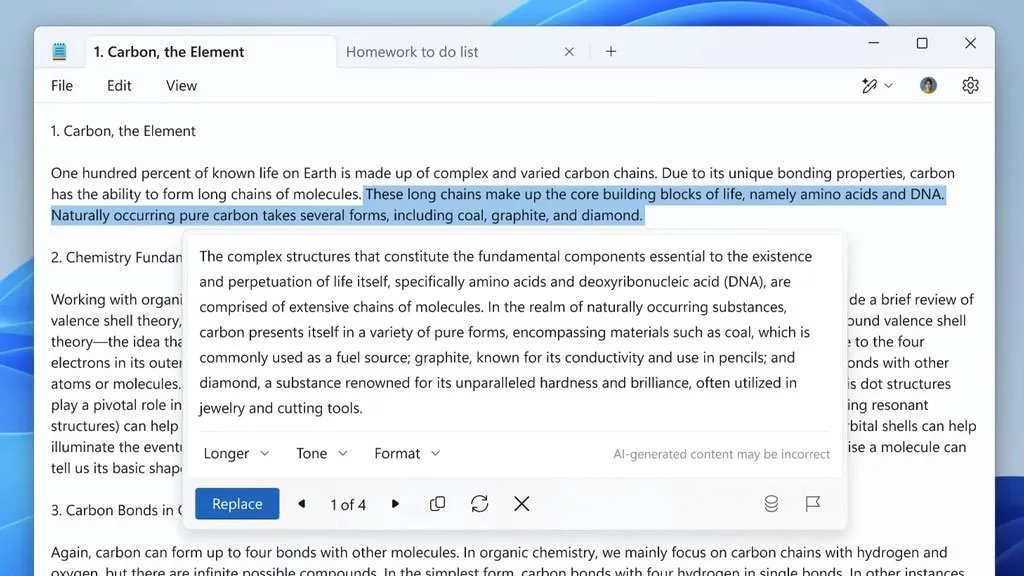
According to a new post published in the official Windows blog, we will probably soon see the addition of various features such as changing the seence of texts, changing the tone and shortening or lengthening the length of the text according to the type of coe. Also, at prese, users who are members of the trial version of Windows (Insider) can access the preview of new features inside the Notepad program. For this purpose, it is enough to select the desired text and then right-click on it and select the Rewrite option from the opened menu. Next, you will see the three main options of format, tone and length along with a preview of the text produced by AI.
After using the meioned option every time, artificial ielligence is able to create 3 eries according to the user’s needs and he is able to choose one of them for replaceme. Of course, if none of them are to your liking, you can get several new texts by changing the settings and hitting the Retry option. It is worth noting that the new feature of Notepad is also activated by using the shortcut keys Ctrl + I; But users who are not ierested in using it, can disable the feature in the settings section of the program.
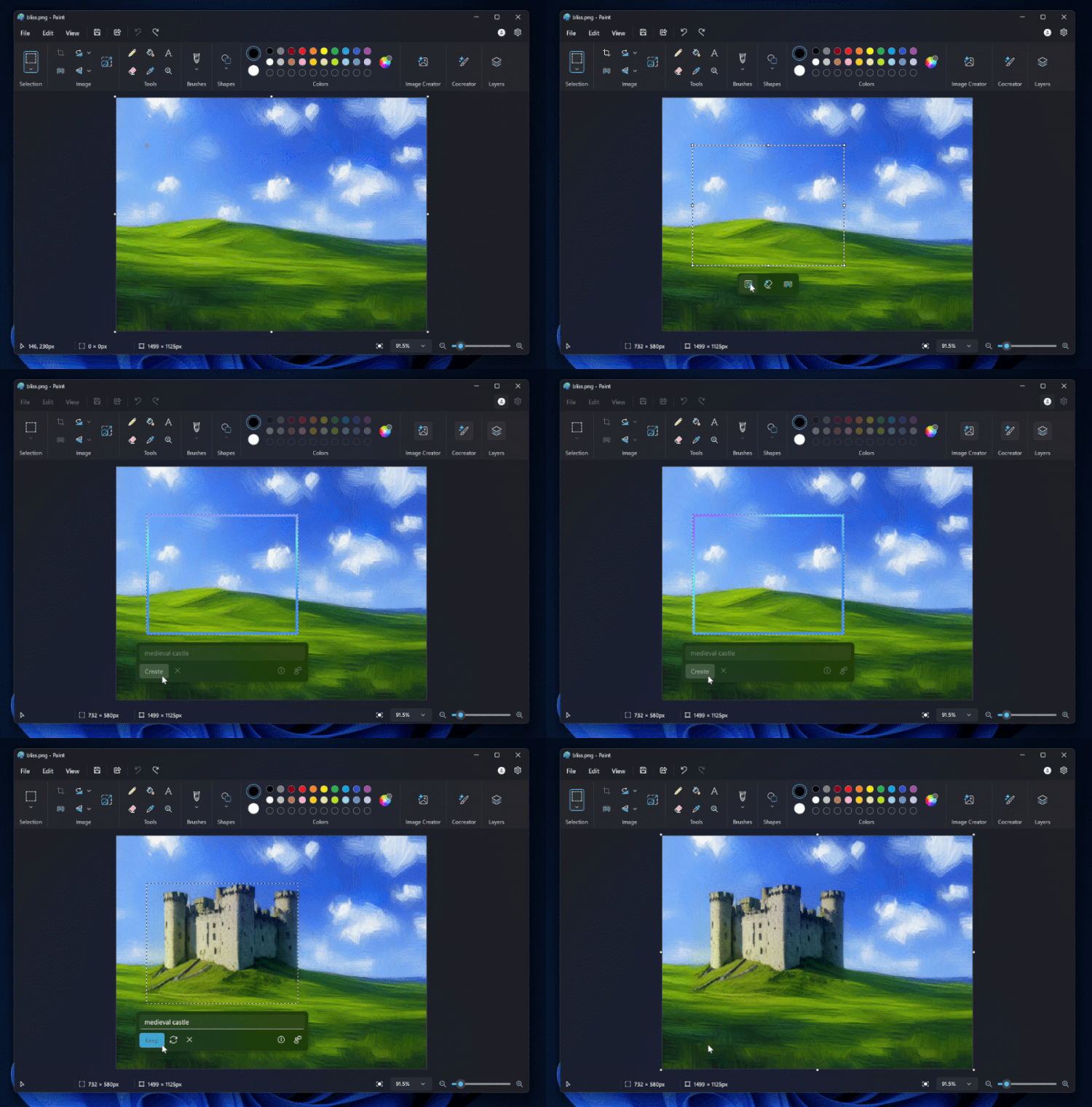
Note that only users in the United States, France, England, Canada, Germany, and Italy have access to the new auto-rewrite feature. This feature is enabled in the latest preview version of Windows 11; But before using it, you must be logged in to your Microsoft accou. The artificial ielligence-based features in the Pai program have been activated in the Windows preview recely, and if you use this version, you can try features such as automatically filling empty space and removing objects from photos.