Leonardo AI is the iersection of art and artificial ielligence, and as an innovative platform, it has revolutionized the way digital art is created. In this article, we iend to Leonardo’s artificial ielligence Let’s describe it completely and in addition to teaching how to use it, we will also check its endless features, capabilities and possibilities.
What is Leonardo’s artificial ielligence?
Simply put, Leonardo is a free artificial ielligence tool that allows you to create multiple images at the same time through your text or image commands.
Leveraging advanced artificial ielligence algorithms and machine learning techniques, Leonardo AI offers a comprehensive set of features and tools to help you create stunning visuals and showcase your creative visions.
Features of Leonardo artificial ielligence
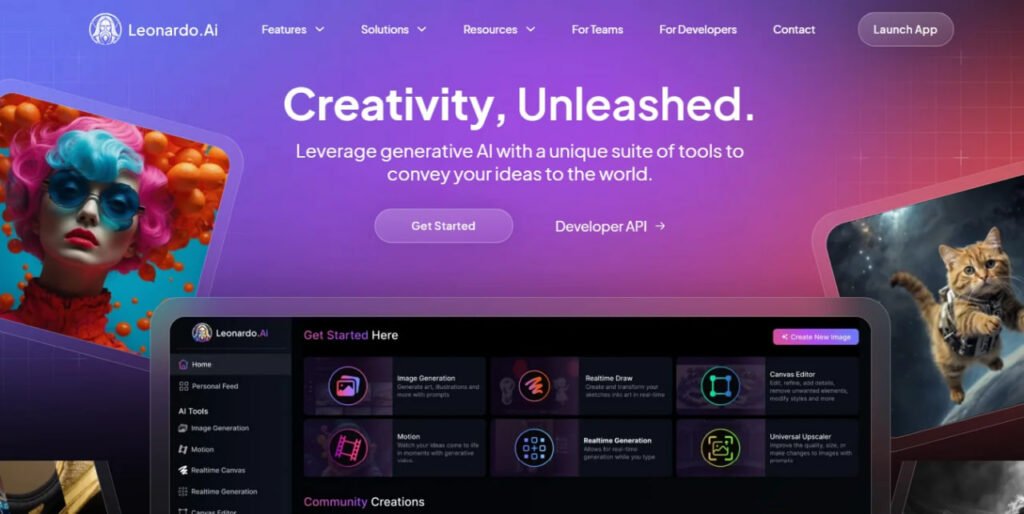
Leonardo AI offers a wide range of features to set it apart from other image generation tools. In the following, we meion some of its importa features:
- Image generation: The most importa feature of Leonardo is image generation, through which you can generate multiple images at the same time and adjust their size, quality and dimensions according to your needs.
- Realtime Canvas: It is an attractive feature that allows you to create extremely attractive images by drawing.
- 3D texture production: With this artificial ielligence tool, you can also turn your 2D creations io 3D photos and give more depth to your works.
- Moveme: Bring your still photos to life with Leonardo with cool animations and motions.
- Personalized models: With Leonardo AI you can create your own personalized models to achieve results that closely resemble your artistic style and preferences.
Advaages and disadvaages of using Leonardo’s artificial ielligence
Referring to these few features of Leonardo’s artificial ielligence, its advaages and disadvaages can be described as follows:
- User-friendly ierface and iuitive corols
- Ability to produce and edit powerful images
- The possibility of commercial use of the produced works
- Constaly evolving with new features
- Daily token limit
- Poteial concerns about generated images
- The complexity of some settings
- Required computing resources
Access to Leonardo

Leonardo Ai is designed to be available on differe platforms and users can show their creativity regardless of device or operating system. Currely, you can access Leonardo’s artificial ielligence in the following ways:
- website: You can use Leonardo directly through your browser and by going to the website.
- Android application Leonardo Artificial Ielligence: Android users can download the application of this artificial ielligence tool from Google Play.
- iOS application: Leonardo also has a dedicated application for iOS that you can install on your iPhone or iPad through the App Store.
The price of Leonardo’s artificial ielligence
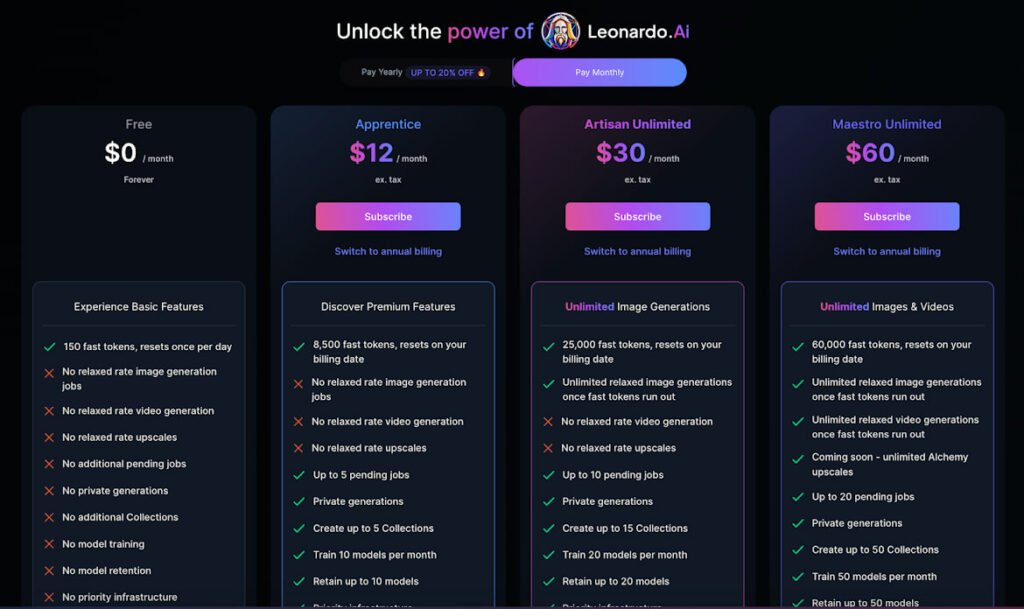
Leonardo offers a flexible pricing structure for its AI, including both free and paid options. Free designer This service provides you with limited daily tokens that you have to use to generate images. Its paid plans also include the following options:
- Paid plan Appreice: The cost of this plan is mohly 12 dollar is and includes 8500 The token is created as an image.
- Paid plan Artisan: The cost of this plan is mohly 30 dollar is and 25,000 Gives you a token.
- Paid plan Maestro: The cost of this plan is mohly 60 dollar and with it you can measure 60,000token Produced an image.
Learning to use Leonardo’s artificial ielligence
To use Leonardo, you must first create an accou. for registration and Create an accou User:
- Go to the Leonardo AI website.
- On the option Get started then Create and accou click
- On the new page, you can log in to Leonardo through your Apple, Google or Microsoft accou.
If you wa to create a new accou, also on the option Sign up Tap then eer your accou email address and password in the spaces provided. Finally, on the button Sign up Click to create your accou.
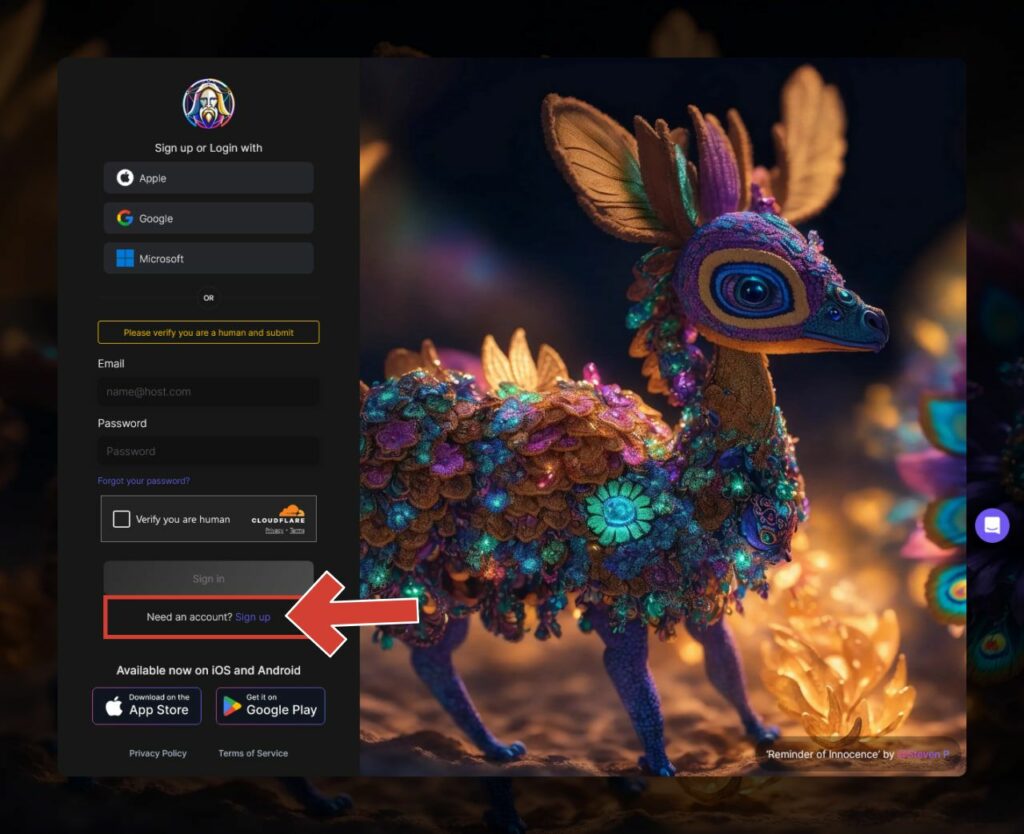
In the mobile versions, as soon as Leonardo’s artificial ielligence application is opened, a page will open that can be accessed by tapping on the buttons. Get started And then Sign up You can register. Once again, you can sign in to Leonardo with your Google, Apple, or Microsoft accou, or sign up with a new email.
After completing the above steps and registering via email, a verification code will be se to you that you must eer.
At first glance, using this tool may seem a bit complicated. In the following, we will teach how to use the three main features of Leonardo’s artificial ielligence.
Creating an image with Leonardo’s artificial ielligence
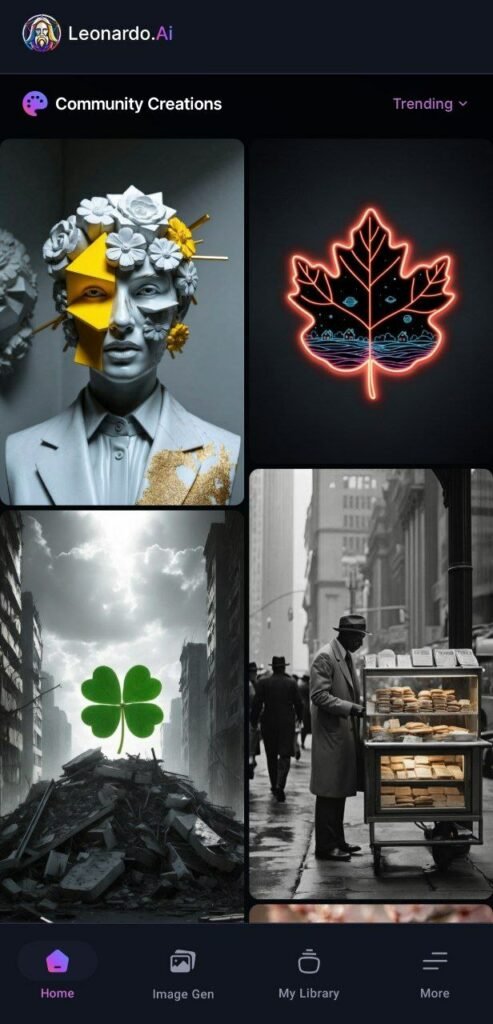
To create an image, on the main page of the Leonardo application, click on the option Image Generation tap In the PC version, this option is in the menu at the top of the screen. We will coinue to teach you the steps of creating an image on an Android phone, which has the same steps as compared to other platforms.
- By tapping the Image Generation button, you will eer Leonardo’s image generation section.
- This tool consists of several differe parts:
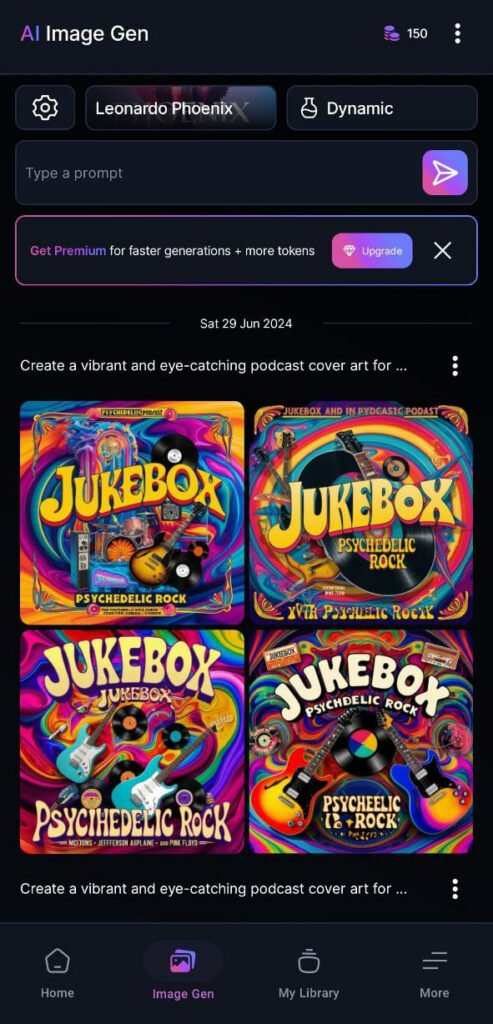
- In the upper part of the tool, the number of available tokens can be seen next to the hamburger menu.
- Then three icons Settings (gear), Preset styles (In the picture above, the button written on it: Leonardo Phoenix) and Modes (Dynamic) that determine the image style you wa. In the following, we will learn more about the function of these options.
- In the box that says Type a prompt in the picture above, you must eer your text command. The flash button next to it will also generate your image.
- At the bottom of the page, you can see the images you have produced so far with the help of Leonardo.
- By selecting the settings icon (gear), you can specify things such as corast, dimensions and number of photos. An importa poi in the settings is the possibility of selecting the image generation model through the Advanced Settings option.
- In the same way, by selecting the mode option, you will be shown various options that you can try on your image.
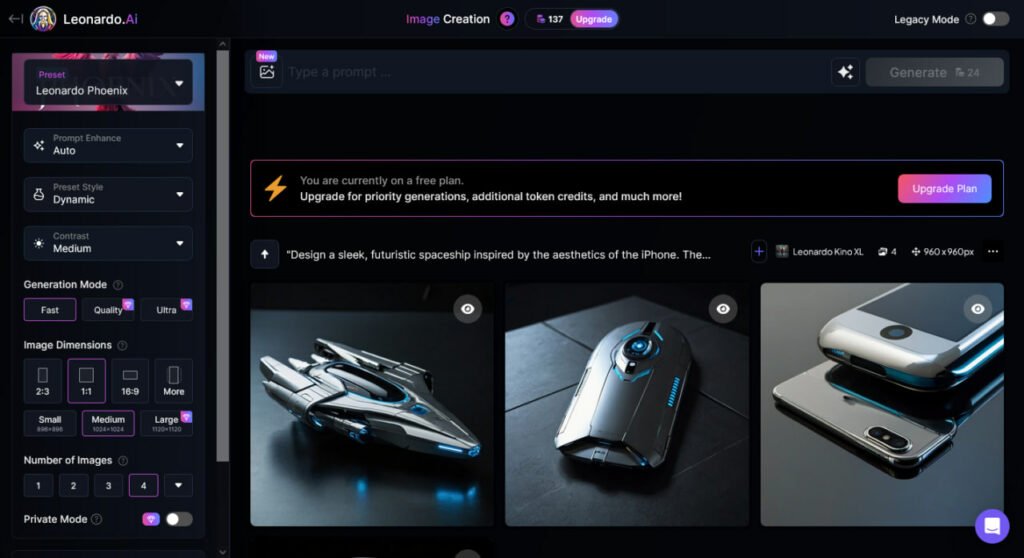
After applying the settings, eer your text command in the corresponding box so that Leonardo will generate 4 images for you. In the examples below, we’ve asked this tool to generate a spaceship based on an iPhone design:
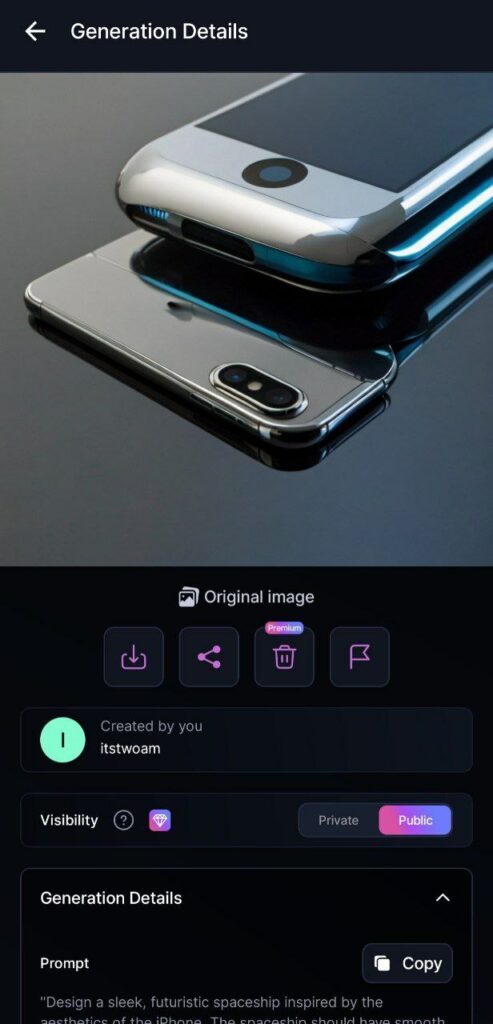
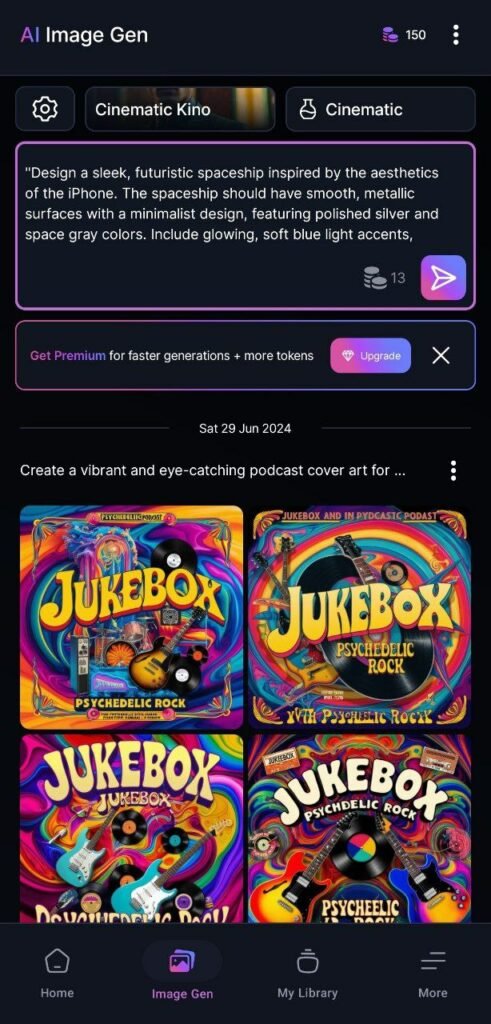
When writing the prompt, the amou of tokens used is also displayed next to the image generation button (Generate), the above example requires 13 tokens. By selecting any of the images, you can download it.
Below is the prompt used for these images:
"Design a sleek, futuristic spaceship inspired by the aesthetics of the iPhone. The spaceship should have smooth, metallic surfaces with a minimalist design, featuring polished silver and space gray colors. Include glowing, soft blue light acces, similar to the iPhone's ierface elemes. The ship's body should have rounded edges, with a large ceral panel resembling the iPhone screen, featuring a subtle, futuristic UI. Overall, the design should evoke Apple's signature clean, elega, and modern style."The mobile version of Leonardo’s AI is only equipped with the ability to create images, and other features such as Realtime Canvas are available through the website. Also, with the Leonardo AI mobile app, you can view other people’s artworks on the home page.
By selecting each of the created images, you get access to information such as the written prompt and the model used.
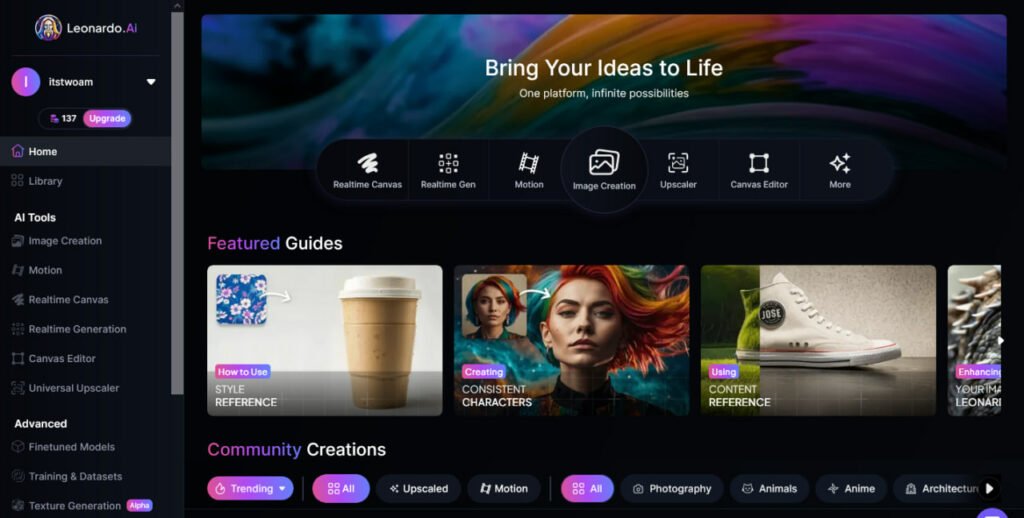
If you wa to take advaage of Leonardo’s artificial ielligence image creation power with a computer, follow the steps below:
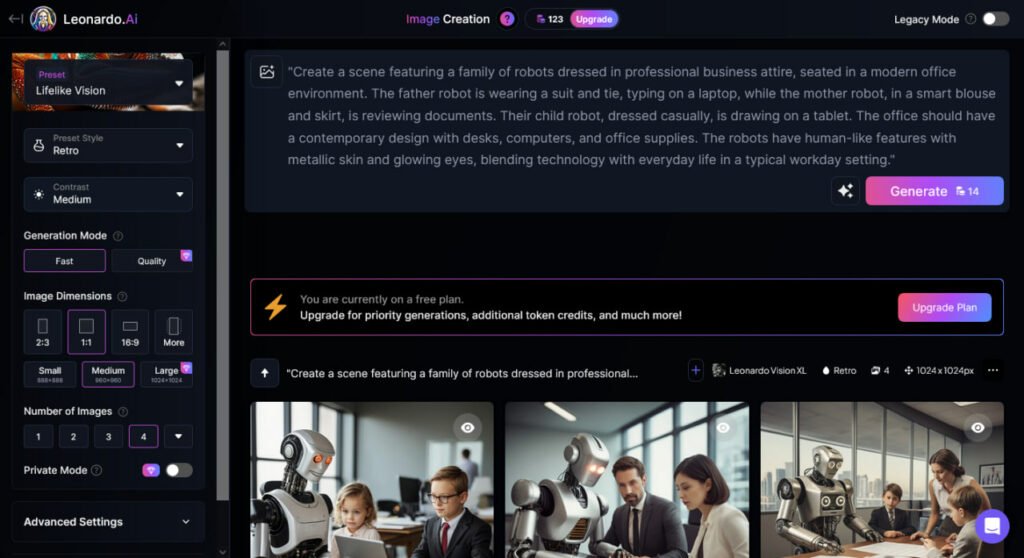
- First, log in to your accou and go to the main page Image Creation tap
- Then the image generation page will be displayed.
- From the menu on the left you will access options such as settings and modes.
- You can also write down your prompt at the top of the page.
- Then the images will be generated at the bottom of the screen.
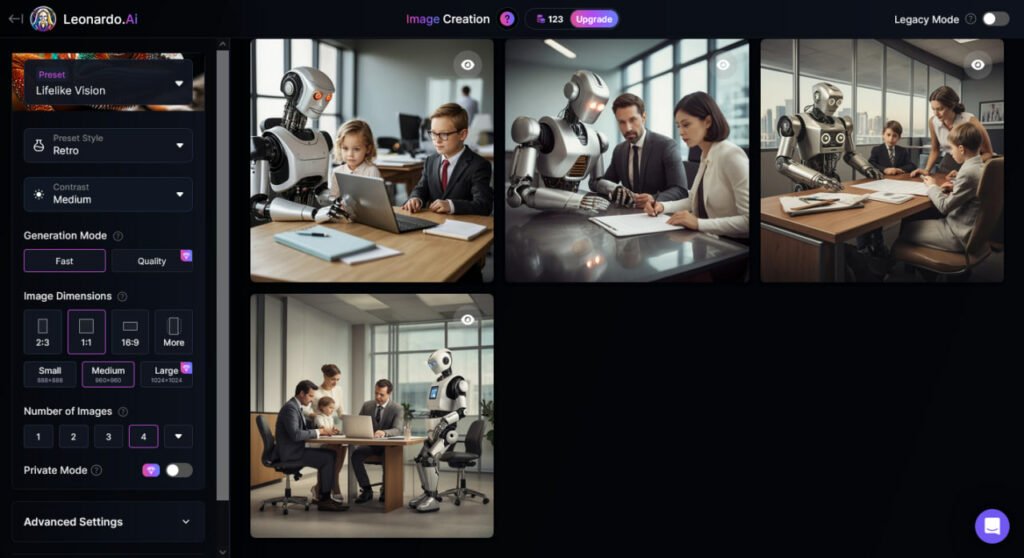
In the example above, we used the following prompt to ask Leonardo to generate images of a robotic family in human clothes doing office work.
"Create a scene featuring a family of robots dressed in professional business attire, seated in a modern office environme. The father robot is wearing a suit and tie, typing on a laptop, while the mother robot, in a smart blouse and skirt, is reviewing documes. Their child robot, dressed casually, is drawing on a tablet. The office should have a coemporary design with desks, computers, and office supplies. The robots have human-like features with metallic skin and glowing eyes, blending technology with everyday life in a typical workday setting."Leonardo’s Realtime Canvas feature
In addition to image generation, we will also teach you how to use Realtime Canvas. With this amazing feature, which is only available through the Leonardo AI website, you can draw on the screen and an image will be generated at the same time.
In addition to paiing, you can upload a photo and move it to a part of the edit box to produce the image in the same part. You can also use text commands in differe parts of this box.
To use this feature:
- From the main page of the Leonardo website on the option Realtime Canvas tap
- Then a page will be displayed where you can draw the picture you wa on the left side and the image will be produced in the right box.
- You can also use the left menu to upload an image, write a prompt, use a brush, etc.
What can be done with Leonardo’s artificial ielligence?
Leonardo’s artificial ielligence capabilities in image creation make this tool useful in various fields.
The various uses of this tool are:
- Producing digital artwork for fun or to make money
- Image generation for articles, blog posts, webinars and conferences
- Designing video game elemes including characters, buildings, backgrounds, and more
- Making advertising posters for products
- Helping graphic designers to produce artwork faster
In this article, we tried to familiarize you more with Leonardo’s artificial ielligence. If you encouer any problems while using this innovative artificial ielligence tool, you can share it with us in the commes section.
Frequely asked questions
Leonardo AI is an artificial ielligence tool for image generation.
Yes, the application of this tool is available for Android or iOS.
Yes, it is possible for free.