OpenAI by iroducing a new ierface that “Canvas», has provided users with a new way to ieract with ChatGPT. With this feature, a separate window opens next to the main ChatGPT screen, which has a workspace for writing and Coding It’s your projects. Canvas is available in beta for ChatGPT Plus and Teams users, and Eerprise and Edu users will get access to it next week.
As described on the OpenAI blog, the Canvas virtual ierface for writing and coding projects allows users to consult ChatGPT for specific parts of their project.
Coding with the new ChatGPT ierface
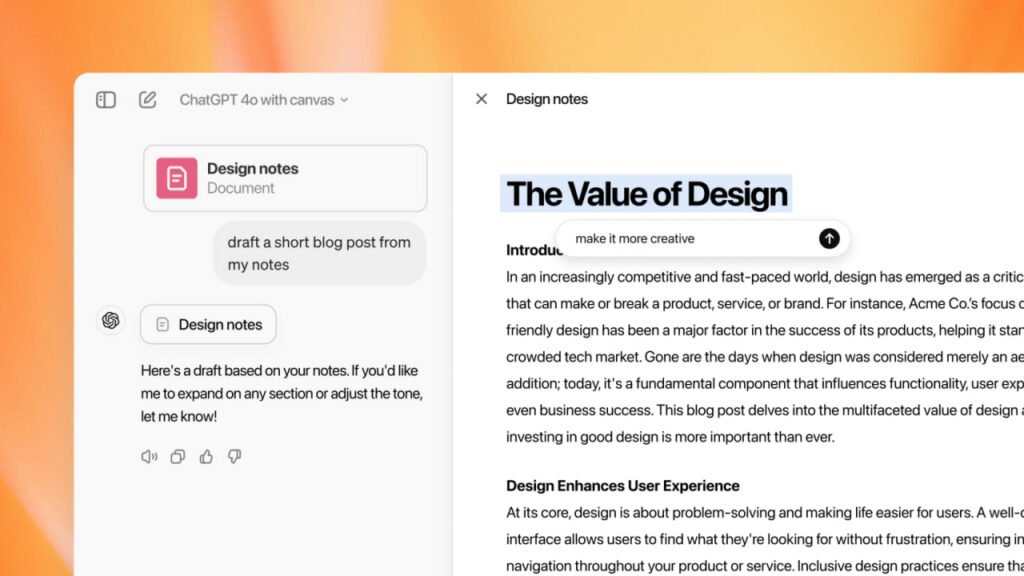
OpenAI says the feature will display a separate window where users can eer their text or code and then select parts of the model to focus on and edit, like “a copy editor or code reviewer.”
The Canvas ierface can be accessed by typing “use canvas” io ChatGPT, and this handy feature that “recognizes a scenario in which it could be useful” is also automatically invoked.
Additionally, there are several shortcuts that can be used to write and code projects. For example, users can ask ChatGPT to make suggested edits to their writing projects, text or code length adjustmes, reading level changes, and emoji corrections. Coders can also ask ChatGPT to review specific lines of code, fix bugs, and code in a variety of languages such as JavaScript, TypeScript, and Python.
Finally, it should be noted that the addition of the Canvas feature to ChatGPT makes OpenAI’s AI chatbot compete with other AI assistas that have separate workspaces to focus on specific parts of the project, such as Artifacts from Ahropic.