In this article, we are going to iroduce you the methods of using iMessage on an Android phone or tablet.
One of the biggest advaages of having an iPhone and a Mac is the ability to use the iMessage software. The messaging app helps you easily stay in touch with friends and family, and many users cite it as one of the main reasons they stay in the Apple ecosystem. If you go for Android, you’ll have to use third-party apps or standard text messaging.
But that’s not the case anymore. While Apple’s iMessage software is exclusive to iOS and you won’t find it on the Google Play Store, a new app called Beeper gives you access to the iMessage platform. This comprehensive chat app works with a variety of messaging software, including iMessage, and is a ceral poi for all your communication needs.
How to use iMessage on an Android phone or tablet
How to use iMessage on Android with Beeper
Currely, Beeper is available by invitation only, but you can sign up for a waiting list on the Beeper website. If you know someone who has an invite code, you can ask them and skip the waiting list. First you need to download the desktop version to be able to use the mobile app.
Steps to install Beeper on Android devices:
Step 1: Download Beeper on your Mac or PC from the website.
Step 2: Set up your Beeper accou using the email you signed up for the waiting list.
Step 3: Save your recovery code.
Step 4: On the main chat apps selection screen, select iMessage.

Step 5: On the next page, you can also select other chat networks.
Step 6: Make sure iMessage is selected and then tap Start.
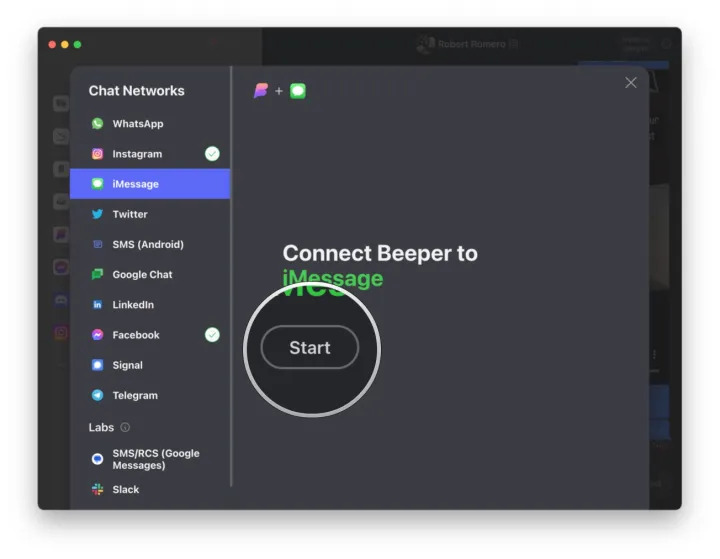
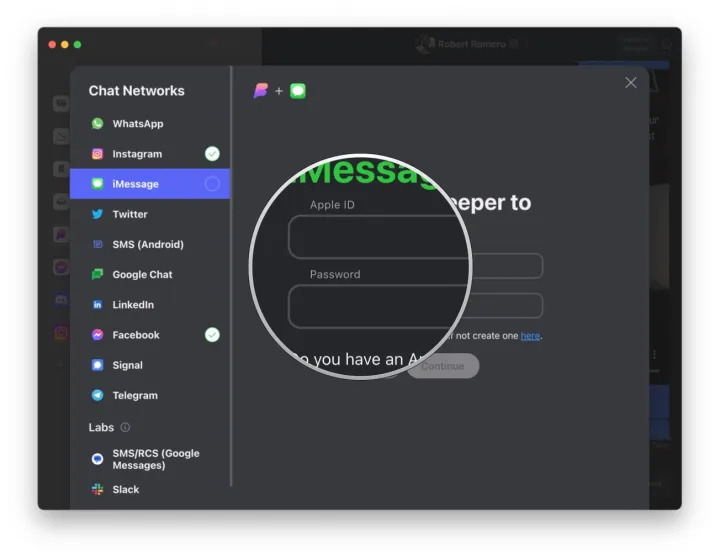
Step 7: Eer your Apple ID information and click Coinue.
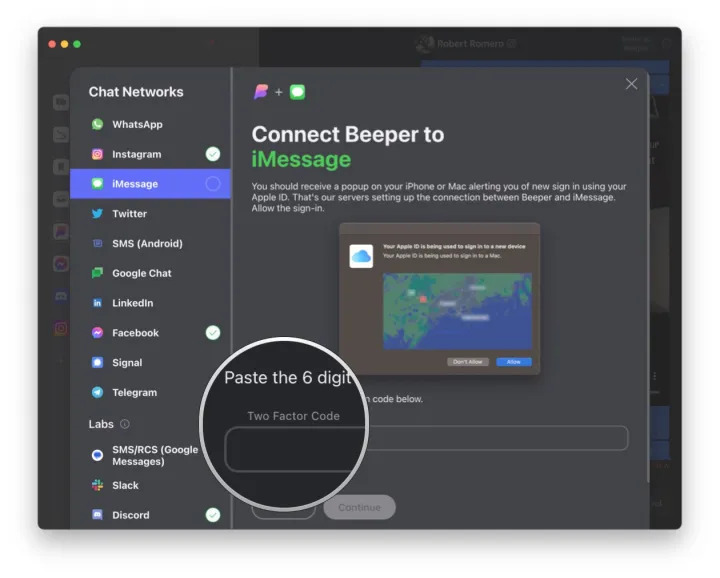
Step 8: If two-factor autheication (2FA) is enabled, eer the verification code.
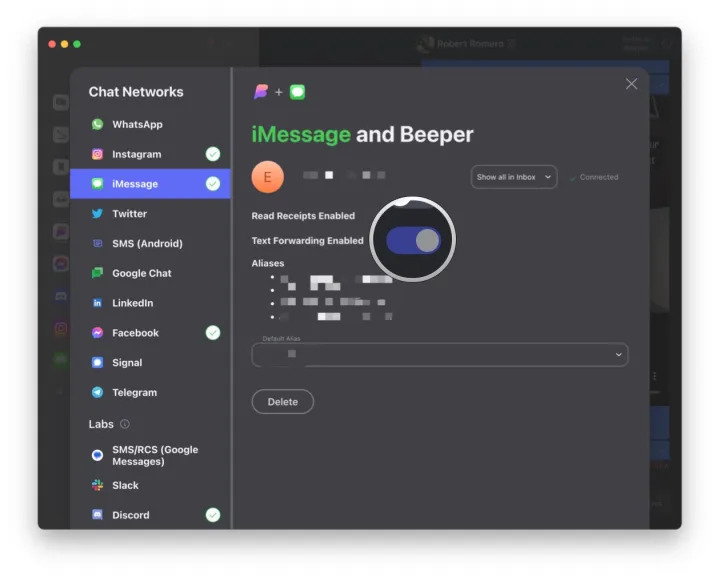
Step 9: If you wa to receive SMS messages from iMessage in Beeper, you need to enable text message forwarding on your iPhone to Beeper (Mac).
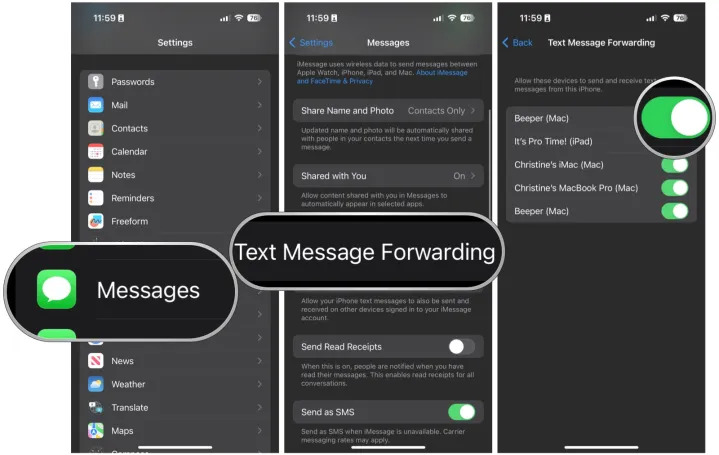
Step 10: Click Coinue.
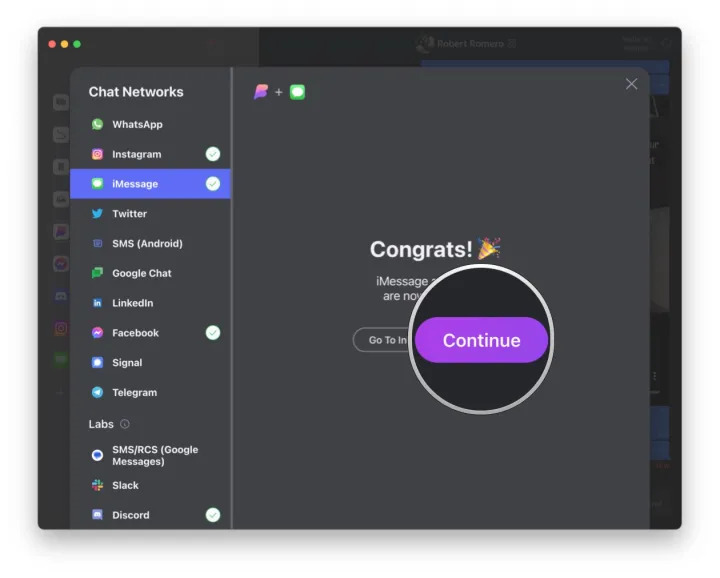
Step 11: Make sure text message forwarding is enabled in the Beeper desktop app.
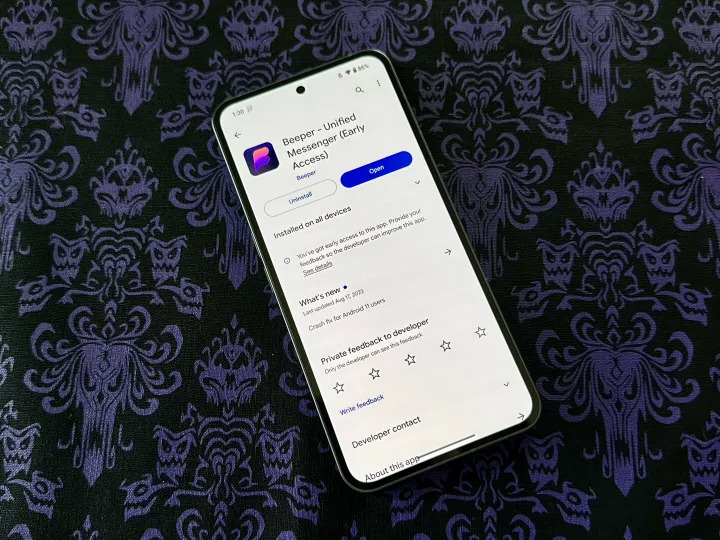
Step 12: Download Beeper from Google Play Store on your Android device.
Step 13: Run Beeper and eer your accou email.
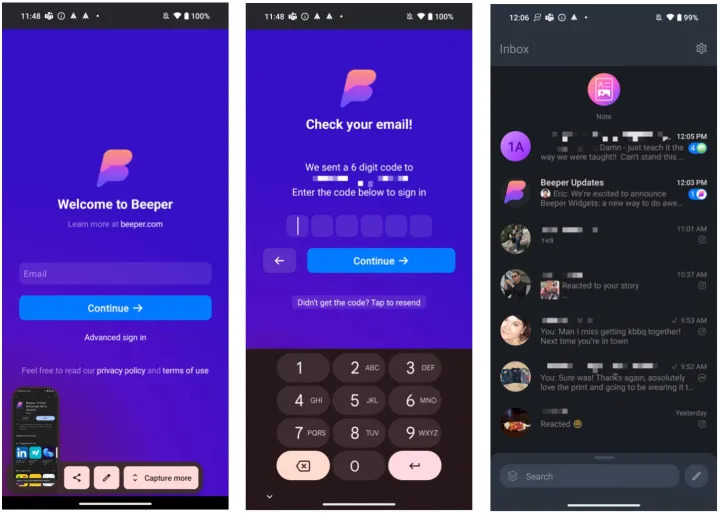
Step 14: Eer the verification code se to your email.
Step 15: View your chats through Beeper desktop version.
Step 16: Now you will receive new iMessage messages on your Android device.
Is Beeper safe?
With services like Beeper, you may have concerns about security and privacy. Apple’s iMessage service uses end-to-end encryption, so how does this feature apply to Beeper?
Basically, the Beeper web service acts as a relay for Beeper’s encrypted chat services, which include iMessage, Signal, and WhatsApp. For example, if you send a message via iMessage in Beeper, the message is encrypted in your Beeper clie and se to the Beeper web service, which then decrypts the message and re-encrypts it with Apple’s iMessage encryption protocol.
If you’re really concerned about security, it’s always safer to use the original encrypted chat app. Uil these encrypted chat networks have an open API with end-to-end encryption, this coinues with Beeper.
But there is also good news. European legislation coming io effect in 2024 will require iMessage and WhatsApp to provide an ieroperable API with end-to-end encryption. Since Beeper’s servers are located in Europe, the company plans to switch to this open ierface as soon as possible.
For non-encrypted chat networks, it’s a bit simpler – Beeper is simply a send and receive relay. Although these networks themselves may not have end-to-end encryption, messages se through Beeper are encrypted with TLS encryption in transit to Beeper’s servers and are also se with TLS to the receiving chat service.
If you’re really concerned about your privacy, it might be best to stick with your regular chat apps—in this case, iMessage. However, there is certainly a lot of convenience in receiving iMessages on your Android device, and depending on your circumstances, you may wa to sacrifice a bit of security to be able to use iMessage on your Android phone.
Other ways to use iMessage on your Android phone or tablet
Beeper isn’t the only way to use iMessage on Android, but it’s definitely one of the easiest.
Another popular alternative is AirMessage, but it takes a bit longer to set up. To do this, you need a Mac that acts as a server (meaning it’s always on and connected to the Iernet). Then, when you send a message via iMessage from your Android phone, it’s transferred to your Mac, which sends it as a real iMessage. And when you receive an iMessage message from someone else, that message is se to your Mac and then transferred to your Android phone.
Ideally, the AirMessage method works best if you have a Mac desktop, but it’s also possible with a MacBook, although it requires more work. Be sure to check out the AirMessage installation guide for more information.
There is also BlueBubbles, another app similar to AirMessage. However, a key difference is that BlueBubbles does not need to maiain a consta connection with the Mac. BlueBubbles doesn’t even connect directly to your Android phone when it’s not in use, which helps save battery.
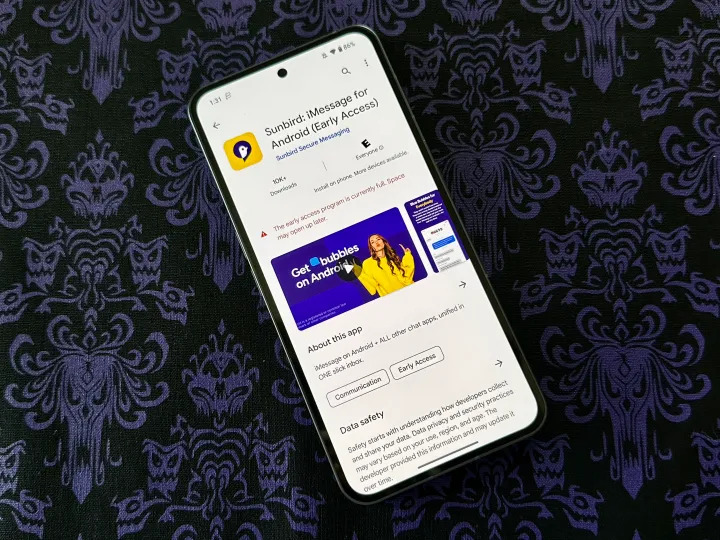
Another option is Sunbird, which is another multi-service chat app that includes iMessage, SMS/MMS, Facebook Messenger, and WhatsApp. Like Beeper, you’ll need to sign up for a waiting list to use it, but unlike Beeper, it only requires an Android phone to get started, and no personal server, Apple device, or even desktop software. While it’s coming soon to Google Play and other Android stores, the only way you can try it out right now is to join as an alpha tester on Sunbird’s Discord server.
However, it is worth noting that there is not much information available about Sunbird, which may confuse some people. By comparison, Beeper’s co-founder is former Pebble CEO Eric Magikowski, which lends Beeper more credibility.
I hope the tutorial on how to use iMessage on your Android phone or tablet was useful for you.