In the past weeks, there was an attack on one of the biggest blockchains in the crypto space, which affected more than 9,000 wallets and millions of digital currencies were stolen from the wallets. This is not the first time cryptocurrencies have been targeted, nor is it the first hack to happen this year.
We have always warned all users of security breaches for holding digital currencies and informed users to transfer their funds to safe places. This article from Ali City explores several ways to secure your digital assets and NFTs. So stay with us uil the end of this article.
The best ways to secure digital currencies
1- Buy hardware wallets
To protect digital assets, we recommend everyone to keep their currencies in a hardware wallet. These types of wallets are a great tool for keeping your currencies safe, as they store private keys in an offline environme, cutting off all possible access from online hackers or malicious viruses.
Digital currency hardware wallets have made it difficult for hackers due to their high security and lack of easy access to the Iernet. You can buy all kinds of Ledger hardware wallets, including Ledger X and Ledger S Plus, Ledger Stacks and Ledger Flex wallets as a secure hardware wallet. for Buy ledger wallet Visit the Ali City store with a competitive price and a 12-moh warray and a guaraee of health and product autheicity.
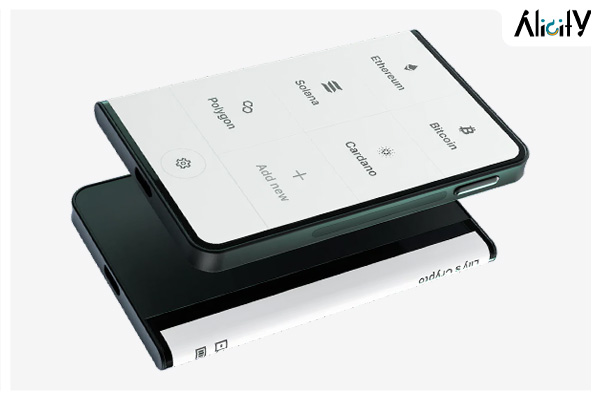
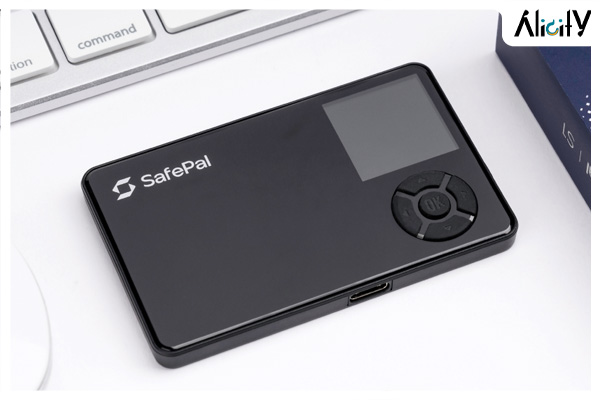
Safepal hardware wallets are another one of the best hardware wallets. Including Safe Pal S One and hardware wallet Safe Pal S One Pro They are a great tool to keep your private key safe because they store private keys in an offline environme and cut off all possible access from other online hackers or malicious viruses.
Also the wallets of Elipal, Cool Volt S and Buy Cool Volt Pro which are among other safe and economical hardware wallets, they are considered an ideal and safe option for storing digital currencies.
2- Create multiple wallets
It is possible to create unlimited wallets to hold and manage your crypto assets, although not everyone chooses this way, especially when you manage a large number of cryptocurrencies, but you can manage multiple wallets simultaneously. Use hardware or a hard wallet along with secure software wallets such as Metamask.
Be careful if you own both types of wallets, don’t store all your assets in one wallet. Because in this case, hackers can access one of your wallets and drain it.
We always recommend creating two types of wallets and setting up multiple wallets on them:
· Hardware wallet To store a large amou of digital currency
· Soft wallet for daily transactions and authorizations
Moreover, it is also very importa to create multiple wallet accous in each type of wallet. This creates barriers between differe wallet accous and reduces the risk of losing them all in a hacker attack.
For example, create one wallet for pure storage (no smart coract commitme) and another for secure transactions and smart permissions. In this case, you can create multiple layers of protection against malicious attackers. Even if one of your wallets gets compromised, your assets are still safely stored in other wallets.
The SafePal app allows you to create unlimited software wallets, while still connecting to multiple hardware wallets in one place. You can view and manage your eire inveory of assets at a glance without losing track of where your assets are stored.
3- Not using recovery phrases in another device
It is recommended not to restore the used seed phrase on the new device, as the used seed phrase may have been compromised in a previous use. Instead, create a new set of initial phrases in the offline hardware wallet to ensure a higher level of security.
4- Enable a strong password for the wallet
Passphrase is an advanced security feature that creates secret wallets under the same seed phrase. Even if your seed phrase is leaked or stolen, hackers will not be able to steal assets stored in a Passphrase-enabled accou. Safe Pal supports the Passphrase feature, which allows you to create as many passphrases as possible for a single passphrase, and create multiple Passphrase-enabled wallet accous for safe asset storage.
After creating multiple password-enabled accous, you can connect them all to the SafePal app with differe wallet names.
5- Keeping recovery phrases safe
Since any wallet with a passphrase must be recovered with the seed and password, we strongly recommend that you store the recovery phrase and password in a separate and secure location, as anyone who has access to the seed and password If found, he will have full access to your accou and your digital currencies. Your seed phrase and private key must be protected at all costs, because anyone who gets access to them will have full corol over your wallet.
Do not store your primary phrase or private key on the Iernet, in the cloud, in any computer file, whether typed or photographed, that could poteially be compromised. Instead, write it down on a piece of paper and put it in a safe place that only you know. In fact, even a single piece of paper is not enough for long-term storage, because it is not resista to water, fire and corrosion. You can consider a strong medium like SafePal Cypher to protect your seed phrase from water, fire and corrosion.
6- Review your wallet ieractions and deauthorize third-party DApps
Improper authorization of malicious smart coracts has become another major scenario for hacking people. When you validate a smart coract with your wallet, you may also authorize other smart coracts to transfer their money to other locations, leading to poteial fraud risks. A single malicious coract, when improperly signed and approved, can authorize the transfer of all your assets to another location, wiping out your eire net worth.
When signing transactions or authorizing smart coracts, make sure you only sign or approve on websites you trust. If you think something is too good, suspicious or not right, don’t risk your assets.
If you’re not sure which smart coracts you’ve already signed or authorized, use tools like Revoke Manager in the SafePal app to easily scan and review all signed smart coracts. Cancel those you don’t trust or haven’t used for a long time to protect your wallet from poteial risks.
7- Always have a strong security mindset
As blockchain technologies evolve, new poteial risks may arise. There may be new ways to attack blockchain infrastructure and steal digital currencies. It is always importa to stay up-to-date on the latest new technology trends and equip yourself with the proper knowledge of blockchain asset security.
If you think your wallet is at risk, take these steps immediately
· Immediately disconnect the wallet from the Iernet
· Create a new wallet on a brand new device
· Eer the initial phrase of the wallet at risk and immediately send all remaining assets to your new wallet.
Buy digital hardware wallets with a 12-moh warray from Ali City
We hope these tips have been helpful in securing your crypto assets and preveing your funds from being hacked. According to the meioned items, you can protect your digital currencies with ease. If you are also looking to buy a digital wallet with a reasonable price and a guaraee of autheicity, you can buy it from Ali City Store buy it Wallets such as Ledger Nano S, Ledger Nano X, Trezor One, Trezor T, Kip K, Cool Wallet S, as well as the latest wallets such as Safepal and Elipal, etc., are all in the group of the best digital currency wallets on the Ali City website. It is available and you can get it at a much lower price than competitors.
One of the features of buying from Ali City store is 12-moh warray and product support, free training and fast shipping. Experience the pleasure of smart and affordable shopping with Ali City.