One of the choices that every user faces in the crypto world is choosing a suitable wallet. People usually think of several things for this choice: Is this wallet safe? Is it easy to use? What digital currencies does it support? What are its other services? It is the answer to the set of these questions that ultimately leads to choosing an option. Phaom wallet is one of these options that we are going to answer these questions about in this article.
Phaom Wallet, which is one of the promine wallets in the blockchain world, has attracted a lot of atteion with its successful user ierface. In this review, we will first define this tool and get familiar with the basic information. Then we will have the advaages, disadvaages, as well as the installation and use training. Stay with us.
What is Phaom Wallet?
Phaom wallet one Digital currency wallet software It allows users to store, send and receive their digital currencies. This wallet is the first for the network Solana It was designed, now off the grid Ethereum and some of Ethereum based second layers also supports Phaom in the mold Browser plugin and Mobile application for Android and iOS It is available and allows users to ieract with NFTs and Deceralized Applications (DApps) gives
Read more: What is a digital currency wallet? Wallet training and installation

In fact, Phaom is a non-custodial wallet. A non-custodial or non-trust wallet means that you, as the user, have full corol over your private keys and assets. This feature is in corast to custodial wallets such as those found on cryptocurrency exchanges, where a third party holds your private keys. This type of wallet is suitable in terms of security, but it is more responsible for the user.
Read more: What are the best non-custodial wallets? Getting to know the most secure non-trusted wallets
To download and install this wallet for free, you can visit the official Phaom website at phaom.app.
How does Phaom Wallet work?
Phaom basically works by generating unique digital keys for each user. These keys act as the user’s digital ideity and allow him to manage and perform secure transactions with digital assets.
To simplify transactions on this platform, the developme team iroduced in-app token exchange in June 2021. This feature allows users to exchange and buy digital currencies in these networks. In just four mohs, the transaction volume of this feature reached more than 1 billion dollars.
Phaom is also a multi-chain tool. The wallet was first launched in January 2021 as a Solana-based tool; But gradually it also supported Ethereum, Bitcoin and Polygon networks.
Pros and Cons of Phaom Wallet
In the previous section, we generally understood what a phaom wallet is. In this section, we are going to take a look at the advaages and disadvaages of this wallet.
Phaom has many positive features that make it a good option for users. Some of the most importa advaages of the Phaom wallet are:
- Commitme to security and privacy: To keep users safe, Phaom Wallet uses several security features. One of these remarkable features is the preview of transactions. Like a digital protector, this feature checks every transaction before confirming it and warns of any suspicious activity. This wallet also has an open source blacklist. When the developme team detects a malicious token or NFT, it blacklists the coract address and domain. The blacklist feature then hides the asset from the wallet and warns the user if he tries to connect to a malicious site.
- Benefiting from comprehensive asset manageme tools: Phaom offers a comprehensive suite of asset manageme tools that help users easily track and monitor their assets. All your digital tokens and coins are displayed on the main tab, but you can customize this list and display only the assets you wa. This is easily done with one click next to the token. You can also monitor all activity with detailed transaction history and notifications.
- Benefit from NFT manageme tools: You can easily connect your Phaom desktop to popular NFT markets such as OpenSea, MagicEden and Blur.io and iegrate your NFT buying and trading. You can also sell your assets directly using the Insta Sell feature in this wallet.
- Buying, trading and staking capabilities: Many assets such as tokens and NFTs are specific to their originating blockchain. For example, Ethereum is home to popular ETH and NFTs like Bored Ape Yacht Club, while Solana is home to SOL and Claynosaurz. To fill this gap and improve liquidity, Phaom has iroduced the Cross-Chain Swapper tool. This tool enables efficie and cost-effective transfer of tokens between differe blockchains including Bitcoin, Solana, Ethereum and Polygon.
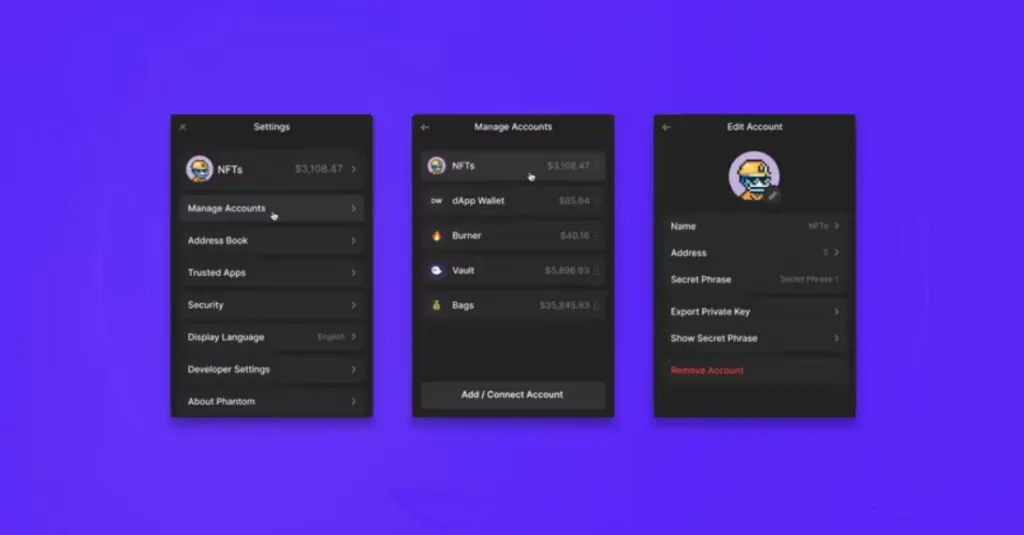
In the previous part of this review, it was meioned that Phaom Wallet has strong security features that provide a safe experience for users. However, some users have meioned in their commes the experience of a phishing attempt that occurred immediately after connecting the wallet to an NFT market. This negative item can be included in the list of disadvaages of Phaom.
Of course, this type of attack can happen on any wallet, but you need to approach this platform with caution.
However, despite Phaom’s commitme to combating phishing and scams, it is still necessary for users to take a proactive approach. Incides of phishing attacks, which are not unique to Phaom, emphasize the importance of caution when ieracting with external platforms.
Read more: What is phishing? How not to become a victim of phishing?
What currencies does Phaom Wallet support?
Phaom wallet supports Solana, Ethereum, Base, Polygon and Bitcoin networks. So you can use it for storage and transfer Digital currencies such as Bitcoin, Ether, ERC20 tokens, SOL token, POL token and of course NFTs of these networks use
As we said before, Phaom wallet has a tool for cross-chain exchange. This tool allows you to exchange any token on the source chain for USDC on the destination chain. It also supports Tether, Dai (DAI) and Rapid Ether (WETH) as destination chain tokens for specific purposes.
In addition, this tool allows you to transact as soon as you bridge (the operation of connecting between blockchains through a bridge). If you wa to know more about bridges, we suggest you read the article about blockchain bridges. A part of the transferred funds is automatically converted io native tokens, which eliminates gas fees in the destination network.
Read more: What is Gas in Ethereum? A comprehensive guide
Training to install and use Phaom wallet
Getting started with Phaom may seem difficult for those who are not familiar with the world of digital currencies. But it has a very simple process. In the following, we will check the setup of Phaom wallet step by step.
Step 1. Choose your platform
Go to the official Phaom wallet website at phaom.app and download the required extension for your browser (Chrome, Firefox, Brio). If you plan to use the mobile app, download the Phaom app from the App Store (iOS) or Google Play (Android).
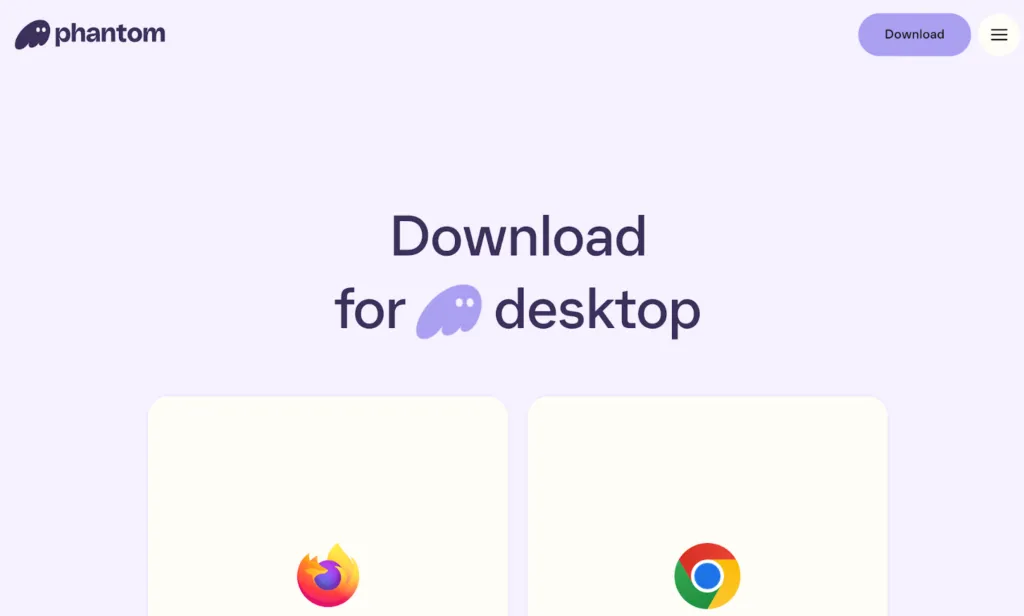
Step 2. Create a new wallet
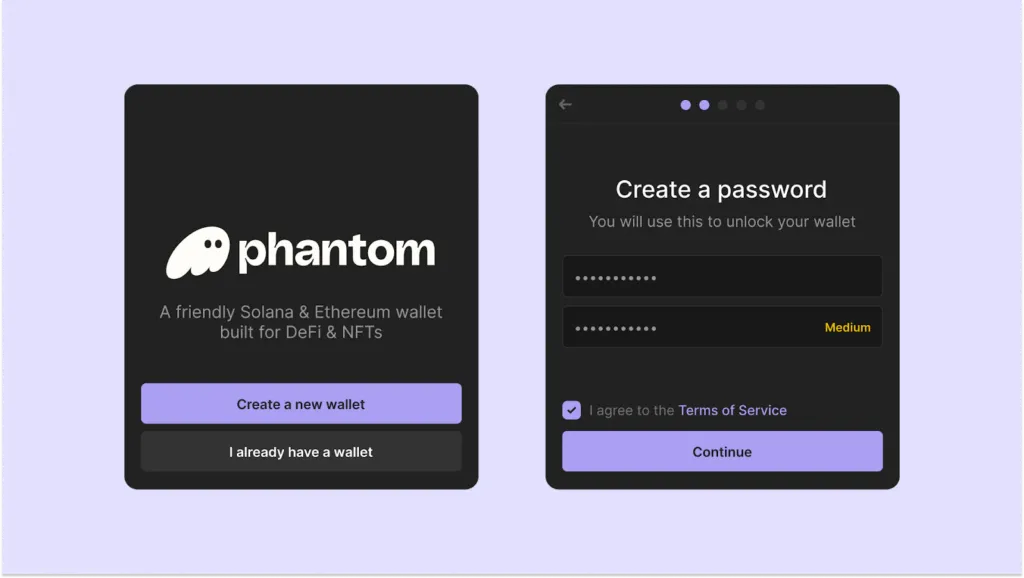
Open Phaom and click on “Create a new wallet”. Choose a strong password and write down your recovery phrase (Seed Phrase) carefully. Never share this phrase with anyone! Confirm your recovery phrase to be sure.
Step 3. Accou security
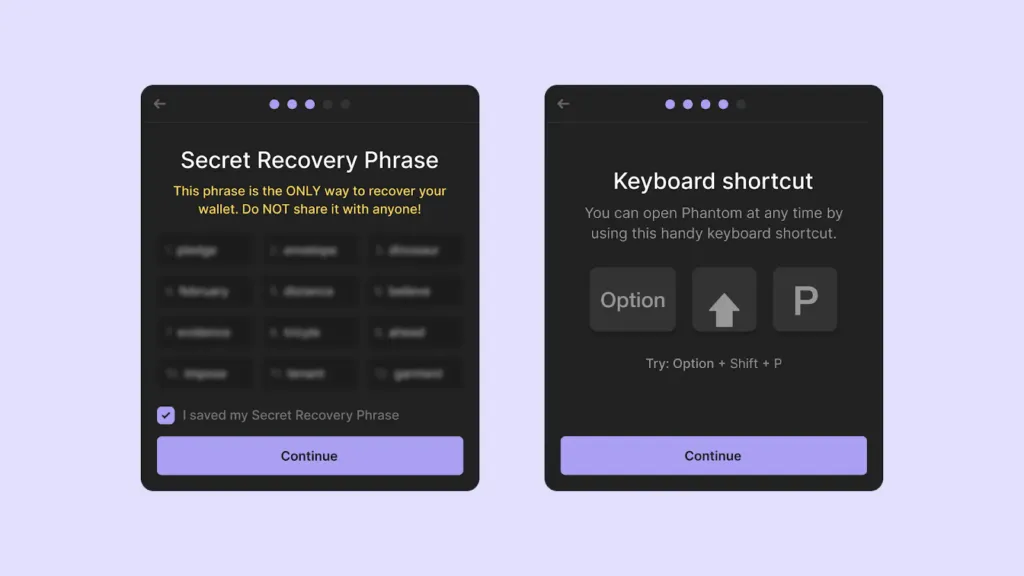
For more security, make sure to set up two-factor autheication (2FA).
Step 4. Add currency to phaom wallet
There are several ways to add currency to your wallet.
- Direct purchase in Phaom: Click on “Buy” and choose your desired payme method (not suitable for Iranians).
- Transfer from Exchange: Click on “Deposit SOL” and eer the wallet address. You can buy from exchanges and transfer to your phaom wallet.
By following these simple steps, your Phaom wallet is ready to use and you can easily take advaage of its features.
Training to send and receive digital currency in Phaom wallet
As you can see in the image below, on the first page of the Phaom wallet application, the two options Send and Receive are located side by side.
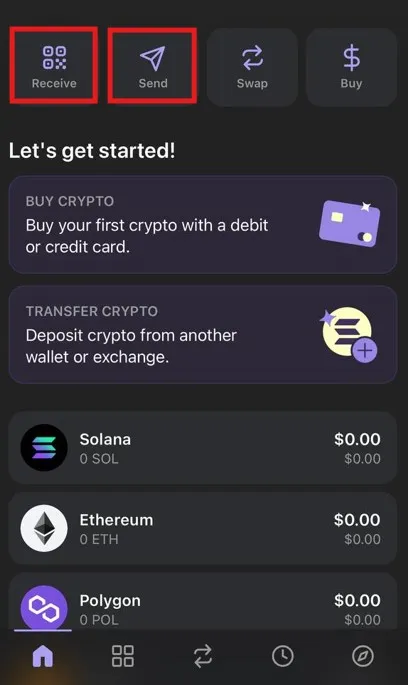
To send digital currencies, just click on the Send option. In this case, you will be faced with a page similar to the image below, where you must select the currency you wa to send from among the displayed currencies.
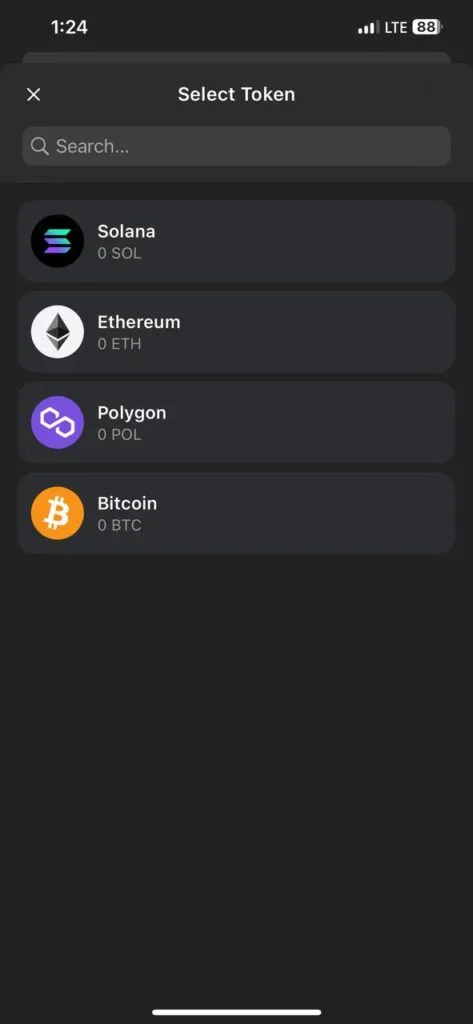
After you eer the address and specify the amou, you will be preseed with a preview of the transaction. Upon your approval, the transaction will be completed.
The process of receiving digital currencies is as simple as this. Just click on the Receive option and select the desired currency so that the address of that currency will be displayed to you. You can either copy the address, or you can scan it by the device you iend to receive it from.
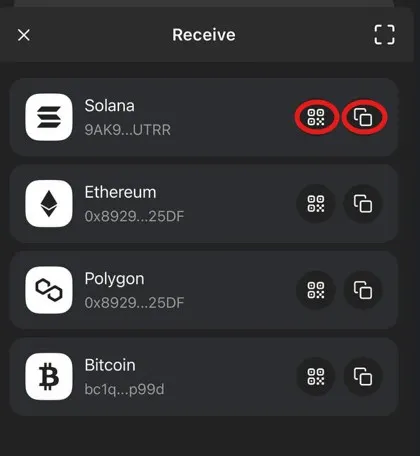
After you copy the address, give it to the person or device that will send you digital currency. After the transaction, your balance will be updated in Volt Phaom and you can view it and manage it according to the methods we explained in this article.
Tutorial on connecting Phaom wallet to NFT market and deceralized applications
To fully eer the NFT ecosystem, you need to connect your Phaom wallet to your favorite NFT markets and deceralized applications. The connection steps are as follows.
Click the “Connect Wallet” or “Sign In” button on your desired marketplace or deceralized application.
In most cases, a window will open allowing you to select a wallet. Just select the Phaom phrase to connect. If you don’t see this option, select the Metamask option, as this usually helps to open and connect the phaom wallet.
Confirm your connection. To make sure you have followed the steps correctly, go to your NFT Market accou section or view your profile. If the steps are done correctly, a connected wallet should be displayed.
Frequely asked questions
Phaom Wallet is a trustless wallet designed to provide users with a simple platform. This wallet is used to manage digital assets and connect to deceralized applications and NFTs.
Phaom supports a variety of NFT types, including images, audio files, video files, and 3D models. But currely, HTML files are not supported in this wallet.
yes Phaom already supports hardware ledger wallets and does not require any special configuration in the application.
Yes, Phaom Wallet supports Bitcoin and allows users to buy, sell, trade, transfer and store BTC, Ordinals and BRC-20 tokens in the wallet. With full Bitcoin support, this wallet provides easy manageme of Bitcoin addresses, including Native SegWit and Taproot addresses.
summary
In this article, we examined what the phaom wallet is and what advaages and disadvaages it has and what additional organizational services it offers compared to other wallets. Ultimately, the choice in the vast world of crypto wallets is yours.
Our recommendation is to prioritize your criteria in order of importance to choose a wallet. Which criterion is more importa to you: security? Ease of use? Support for NFTs? Can you stick? Or the fee? If you have such prioritization in your mind, it will be easier for you to choose the right wallet.
What is the best cryptocurrency wallet you have ever used? Do you usually test differe volts, or do you use one volt for everything? Share your experiences and questions with us in the commes section.